

When handling digital images, the types of file formats which are involved may have a direct effect on the quality, file size, and usability. On occasion, a comparison of JPEG vs PNG arises when one is required to make a choice on which format to adopt in websites, design projects, or even storing images during daily use. Thus, controlling the differences between these formats enables users to select the most appropriate one based on their needs.
The two formats are predominantly applied online; however, they are utilized differently according to the manner in which the image would be shown or shared. Photographs are normally used in JPEG files since they reduce file sizes effectively.
PNG files are, however, favored where the quality of images and the transparency are relevant. The information about these differences between these formats will help you choose the best format to apply. The article below discloses the working concept of JPEG and PNG and points out the key differences between the two. It also talks of the instances when each format is applicable in different situations.
What Is a JPEG File?

A JPEG file is the most common image format and was designed by the Joint Photographic Experts Group. It is characterized by lossy compression in an attempt to compress files to obtain a good visual image. JPEG files are smaller and can be loaded quickly on web pages; therefore, they are best suited for sharing photos on the internet or for archiving a huge amount of images.
The format supports millions of colors that help to display realistic photos and detailed images. However, editing and saving are prone to compromising the image over a period of time, and JPEG files cannot show a clear background.
What Is a PNG File?
Portable Network Graphics- or a PNG file is a widely used image file format that is said to support high image quality. PNG is also lossless, and thus, it will not lose the original data of the image even after it has been saved and edited many times, as is the case with JPEG. It is because of this that PNG is most appropriate when graphics, illustrations, icons, and images are required to have visible edges and details.
The other remarkable advantage of the PNG files is that they have a transparency option, and hence, an image may have a transparent background. This has been among the qualities that have seen PNG be used in web design, logos, and interfaces.
JPEG vs PNG: Key Differences
| Feature | SVG | |
|---|---|---|
| Type | Image format (vector-based) | Document format (container) |
| Structure | Made of shapes, paths, and mathematical instructions | Contains text, images, vectors, layout, and more |
| Purpose | Used for graphics like logos, icons, UI elements | Used for full documents like reports, contracts, and ebooks |
| File Content | Only vector graphics | Mix of text, images, vectors, links, forms |
| Scalability | Infinite scaling without quality loss | Scales well, but depends on the content inside |
| Web Usage | Highly optimized for web use | Used on the web, but not ideal for graphics |
| Interactivity | Can be animated and styled with CSS/JS | Supports links, forms, and basic interactivity |
JPEG vs PNG: Compression
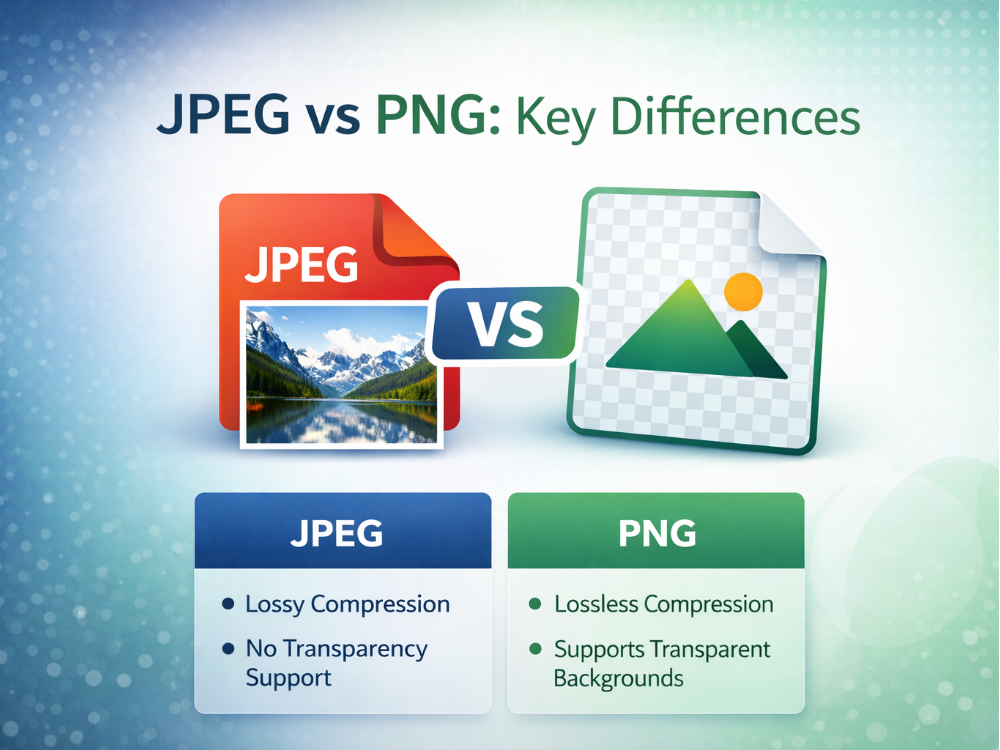
JPEG mode of compression is the lossy compression mode that aims at reducing the size of a file by removing some information in an image. This makes it efficient in storing and sharing images, more so on the internet. Nevertheless, quality is compromised in the process of compression, and in addition to this, constant editing will ruin the picture over time.
PNG is based on the lossless type of compression that does not snip any data that is present in an original picture. It implies that even a number of edits or savages can not worsen the quality of the image. PNG files, therefore, are larger in size and are more detailed and clearer.
JPEG vs PNG: Image Quality
JPEG is of good image quality, more specifically with photographs and images of a lot of colors. However, it can lose some small details because of the lossy compression, particularly multiple compressions of the image.
PNG images are of good quality because they do not lose image quality when they are compressed. It still has its edges, legible text, and finer points, which make it suitable for graphics, illustrations, and design work where great accuracy is needed.
JPEG vs PNG: Transparency Support
The JPEG is not transparent, and therefore, all the images have a solid background. This fact limits its use in logos or other design areas that need a transparent background.
PNG enables complete transparency, and images may have a clear or partially transparent background. It comes in quite useful when it comes to logos, icons, and other web design elements that require the ability to be flexible in the background.
JPEG vs PNG: Compatibility
Both JPEG and PNG are highly compatible with an enormous number of devices, browsers, and operating systems. JPEG is a digital photography standard that has existed since time in memory, and is compatible with virtually any platform.
PNG is also very usable and compatible with the latest web browsers, design programs, and mobile gadgets. It is also widely applied in web design and digital graphics because of the support for transparency and high-quality rendering.
JPEG vs PNG for Different Use Cases
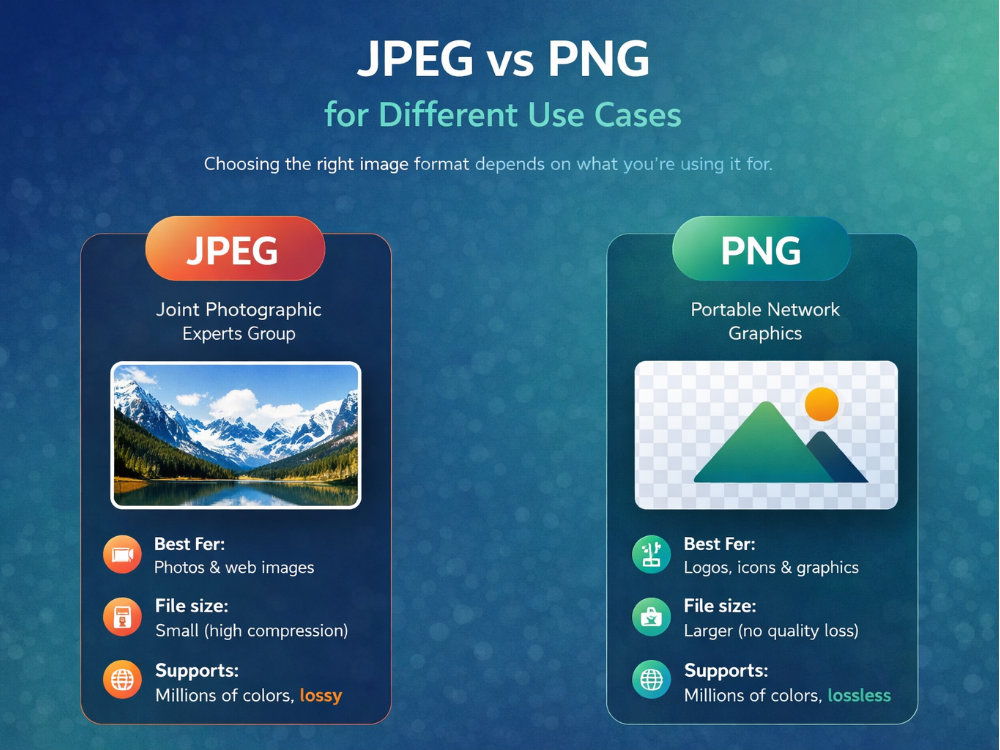
It would mostly be determined by the purpose of the picture and the decision of JPEG or PNG. These two formats are useful under certain circumstances, which is why the right selection may become an effective way to improve the work of images and their visual representations. File size, clarity, and transparency are some of the issues that are relevant when comparing JPEG vs PNG.
There are those where the files are supposed to be smaller in order to load faster, and there are those that need to have a high quality or transparent background. These practical applications show what each format can be used for. Therefore, they help determine which format is most suitable for web content, printing, and design projects.
JPEG vs PNG for Web
In the case of websites, page loading speed is heavily determined by image file size. Web photos are usually in JPEG format since it is able to compress images, making them smaller files that are easily loaded in browsers. This can be used with blog images, product photos, and background pictures.
PNG is, however, commonly used in graphics such as logos, icons, and interface objects. Even though PNG files are very big, they are sharp and transparent and can be utilized to enhance the look of web designs.
JPEG vs PNG for Printing
The more important factor than file size is quality and detail when preparing images to be printed. JPEG is commonly applied when printing photographs due to its ability to represent many millions of colors and give a realistic image output.
Nevertheless, it is possible that high compression lowers fine details a bit when the picture has been processed a lot of times. When a sharp graphic, diagram or text element is needed, PNG files can also be printed. The full image information contained in PNG enables it to have sharp edges and definite lines that find their way into some printed materials.
JPEG vs PNG for Design
In designing works, we can frequently rely on the necessity to use JPEG or PNG according to the need to be transparent or to have details in the image. JPEG can be used with background images or large-sized photographs in a graphic presentation.
PNG is, however, more likely to be used by designers in logos, icons, and interfaces since they can utilize a clear background. This allows the pictures to blend and fuse with other backdrops in web pages, applications, and presentations. PNG can also store sharp edges and fine detail, which can be useful in most digital design work.
Why Convert JPEG to PNG?
The necessity to turn a JPEG image into a PNG file will be useful in several cases. Although JPEG files are a great alternative in terms of file compression, they are lossy and thus can erase certain image details.
On the contrary, PNG does not discard any image information, and this prevents jagged outlines, sharp characters, and graphics. This is why many users prefer the JPEG to PNG converter when they want to have better picture clarity or want to edit the picture a number of times without quality loss.
The other typical motive used to convert is the support of transparency. JPEG files do not support transparent backgrounds and so may be limited in their uses in web graphics or design.
Alternatively, it is easy to convert JPEG to PNG with transparency, and furthermore, it can be used to retain the same quality of image by converting a JPEG Image to a PNG Image to retain the same image quality. It is very handy, especially in the creation of logos, icons, web page graphics, or creation elements of a web page that have flexible backgrounds and more visual precision.
How Do You Convert a JPEG to a PNG?
Should you have to convert an image format in a hurry, then you can fall back on the services of a web-based JPEG to PNG converter such as AhaConvert. It is a pure browser interface, and you can post your photos, select an output format, and download the reformed file within a few seconds. No programme needs to be downloaded, nor a user account to be created. To convert JPEG to PNG, just using AhaConvert, do the following.
Step 1: Open the AhaConvert JPEG to PNG Converter
Open your browser and go to the AhaConvert site. Search AhaConvert JPEG to PNG converter enables one to easily change the JPEG to PNG without degradation of quality. There are no installations and downloads required.

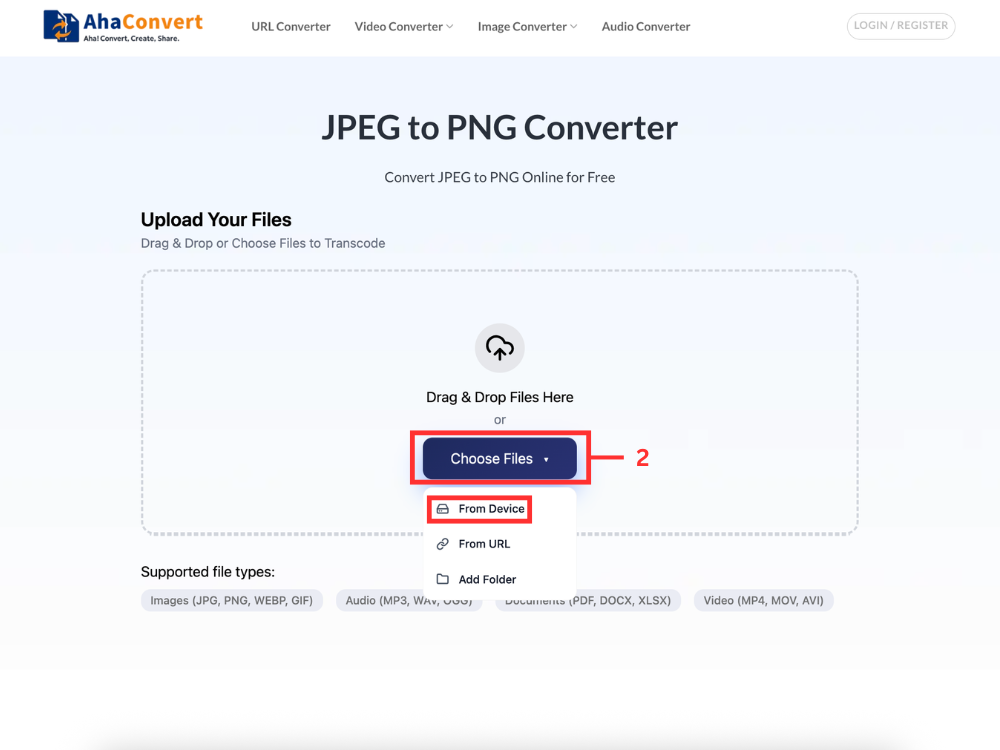
Step 2: Upload Your JPEG File
Click on the “Choose files” button and upload your JPEG image. You will be able to upload a single file or several files simultaneously.
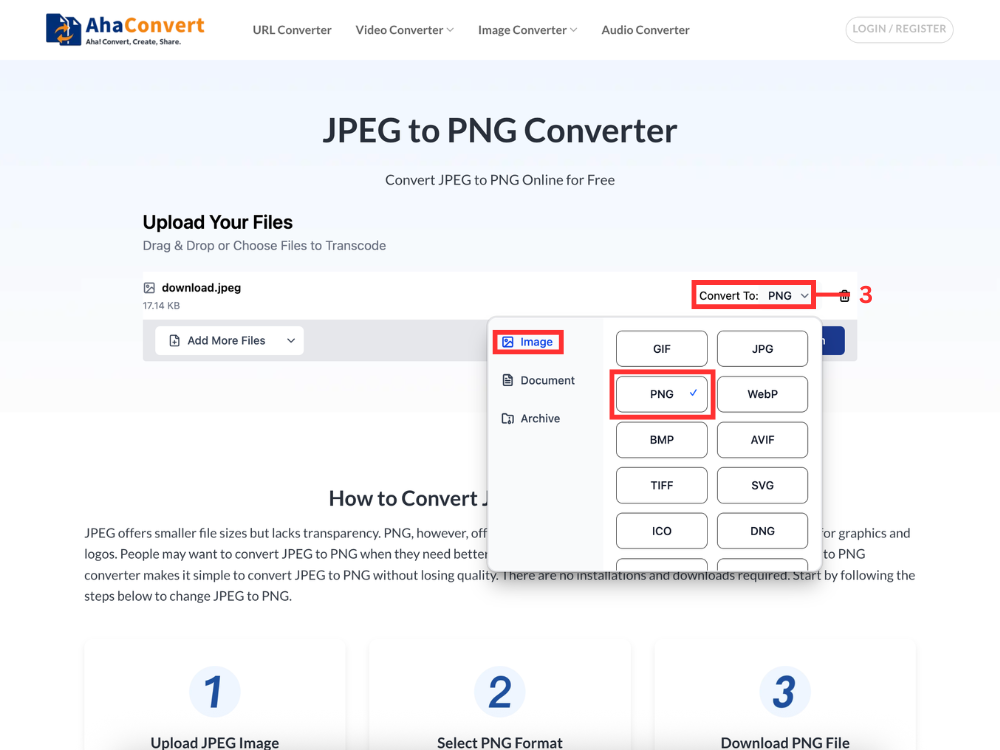
Step 3: Select PNG as Output Format
After uploading your files, open the output format dropdown menu. Click on “PNG” in the list of formats. This is to be sure that your images will be properly converted to PNG.
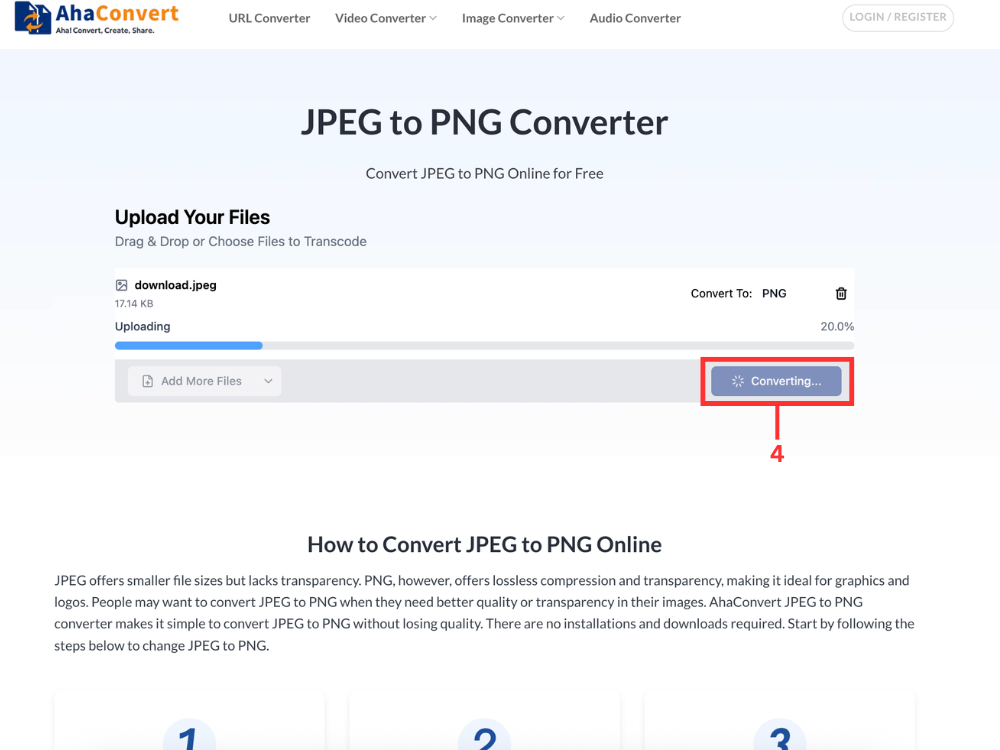
Step 4: Start the Conversion
To start, click the “Convert” button. It can be done within several seconds, according to the volume of files
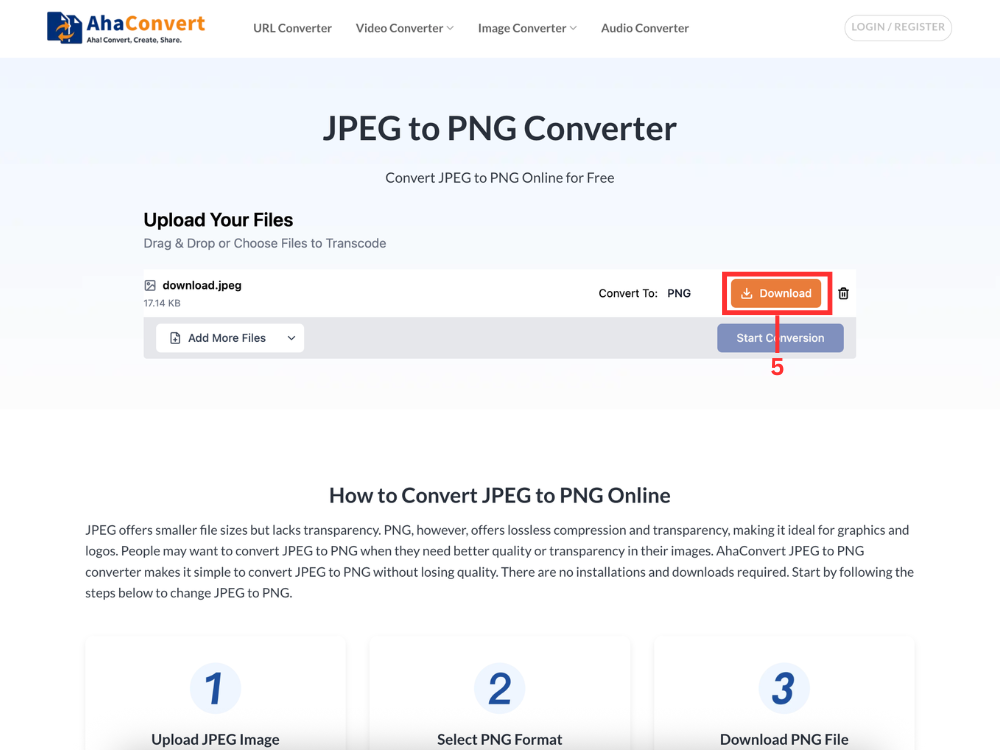
Step 5: Download Your PNG File
After the conversion, the “Download“ button appears next to each file, so click on it. You can save them individually on your device.
JPEG vs PNG: FAQs
1. JPEG vs PNG: Which is better?
The decision would depend on how you use it. Photos are also the best as JPEG minimizes the size of the files but maintains good quality. PNG is more productive in graphics, logos, and images, which require transparency.
2. Does converting JPEG to PNG improve quality?
JPEG to PNG conversion does not restore any lost details of the original file. It is only capable of maintaining the image quality. PNG eliminates additional loss of compression, and this makes it convenient when manipulating or saving images repeatedly.
3. When should I use PNG instead of JPEG?
PNG will be applied in situations where the image should be transparent, it should have sharp edges, or fine details. It is typically applied to logos and interfaces, as well as to the design files. PNG is also capable of preserving the same image quality, even if you want to edit a JPEG or use it again.
4. Can I convert JPEG to PNG on mobile?
Yes, it is not hard to convert JPEG to PNG through a mobile device using such tools as AhaConvert. Go and open the AhaConvert JPEG to PNG converter on your browser, upload your file, select PNG, and download. It is also a pain-free experience, and it does not need any applications to be installed.
5. Does converting JPEG to PNG make the file bigger?
Yes, the size of the file tends to swell when you change it to PNG. PNG has lossless compression that preserves all details of the images. This makes it have a high quality and big files compared to JPEG, which compresses to make it smaller.
Conclusion
Understanding the differences between JPEG vs PNG will help you choose the right format. JPEG is used in cases of smaller files and regular photographs. Whereas PNG is used in quality images and transparency, as well as design features that require accurate details.
When you need to convert JPEG to PNG, it is easy with the right tool. With Internet solutions such as AhaConvert, one can easily process single or multiple files without additional work. A JPEG-to-PNG conversion can be performed quickly and produce reliable results.
Ultimately, the most appropriate option is a matter of your intended use of your images. Understanding the timing and method for converting JPEGs to PNGs is a prerequisite for high quality, compatibility, and flexibility across platforms.
