
Introduction
OGG is an audio file format. It is versatile and open source. It is used in gaming and streaming. It is also used in open-source software. However, OGG has compatibility issues. These issues arise in professional sound production. They also occur in broadcast distribution. Sharing sounds across platforms can be problematic. This is where an OGG to WAV converter is needed.
WAV is a universal audio format. It is compatible with all digital audio workstations (DAWs). It works with editors and broadcasting hardware. It also functions with broadcasting software. Even operating systems support WAV without extra software. This article will cover OGG and WAV formats. We will discuss their features. We will compare OGG VS WAV. We will also explain how to convert OGG to WAV for free.
What is the OGG format?
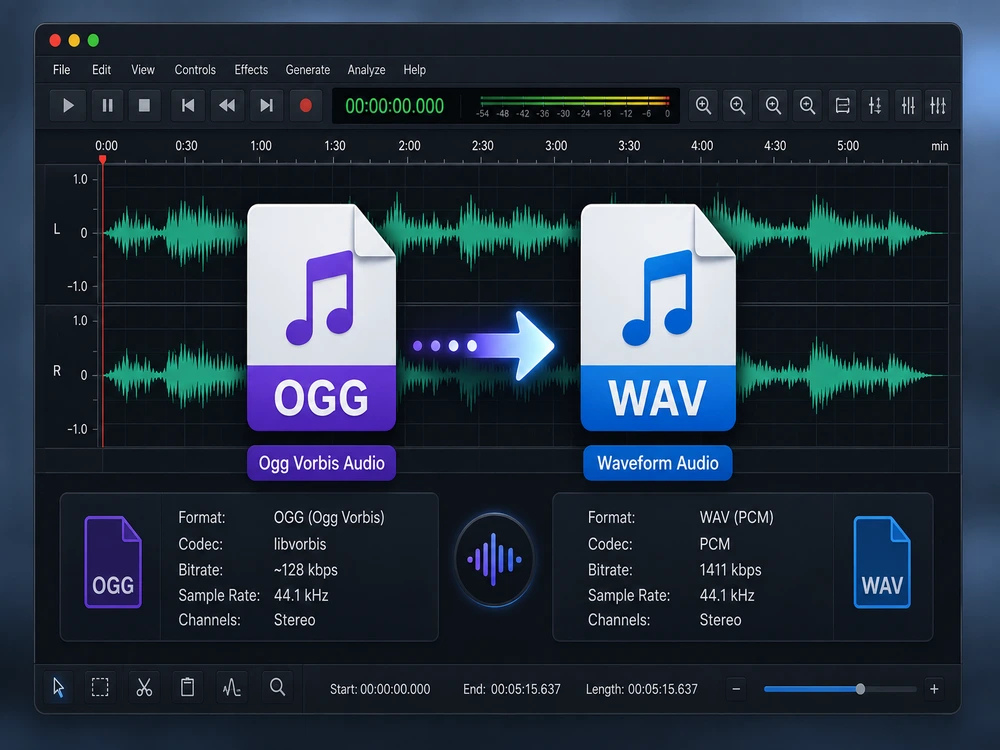
The Xiph.Org Foundation created the OGG format. This happened in the early 2000s. OGG files primarily use the Vorbis codec. Vorbis uses lossy compression. This makes audio files small and of good quality.
OGG is an open audio format. It was made as an alternative to proprietary formats. Developers liked OGG. It was free to use. No licensing fees were needed. This made OGG popular. Many games use it. Streaming apps use it. Linux distributions also use it. OGG offers great sound quality. It does this at lower bitrates. However, it is not as widely supported as MP3 or WAV.
Key Features of OGG
- Open source and free to use with no licensing issues
- Utilizes Vorbis lossy compression, giving high quality even at low to moderate bitrates
- Allows for the inclusion of metadata like artist and track details
- Popular among video games, open source media players, and Linux operating systems
- Compact files compared to WAV of similar perceived quality
Pros: It is patent-free. It offers high-quality sound. This is true even at lower bitrates. Many open-source programs support it. Files are small.
Cons: Windows does not support it natively. Extra codecs are needed. iOS and consumer devices have poor support. It is not suitable for most broadcast and DAW workflows. It is less universal than MP3 and WAV.
OGG is a container format, not a codec. This often causes confusion. OGG containers usually hold one codec, typically Vorbis. However, OGG containers can theoretically hold other codecs like Opus or FLAC. When people refer to an “OGG file,” they usually mean an audio file encoded with the Vorbis codec.
This is important to understand. The container holds audio data. The codec compresses the audio. Most people see an OGG file. The audio inside might use different codecs. This depends on how it was made.
What Is the WAV Format?
Microsoft and IBM developed the Waveform Audio File Format (WAV) in 1991. WAV uses pulse-code modulation (PCM) to store audio data. This means no data is lost when saving the file.
WAV keeps the original recording. Professionals use WAV for editing. They use it for mixing and mastering. Every edit begins with high quality. This prevents quality loss during production. This is why WAV is used in studios. It is also used in broadcasting.
Key Features of WAV:
- Default compression used for uncompressed PCM audio – totally lossless
- It works everywhere. This includes all platforms, operating systems, digital audio workstations, audio editing software, and hardware.
- Ability to encode high-resolution audio up to 32-bit and 192kHz sample rates
- Broadcasters, filmmakers, game developers, and podcasters use it as their standard.
- Highly large files as a result of the lack of compression.
Pros: WAV is universally compatible. It offers perfect audio quality and is recognized by all professional software. It also has reliable metadata features.
Cons: WAV files are larger than compressed formats like OGG or MP3. They are not ideal for streaming or casual music storage.
File size is WAV’s main drawback. A three-minute stereo audio file might be a few megabytes in OGG. The same file could be 20 to 30 megabytes in WAV. Space can be an issue with many files. Thousands of files make it a bigger problem. This is why WAV is often used for editing.
OGG vs WAV: What’s the Difference?
Understanding OGG vs WAV shows why converting between them is common.
| Feature | OGG | WAV |
|---|---|---|
| Developer | Xiph.Org Foundation | Microsoft / IBM |
| Compression | Lossy (Vorbis codec) | Uncompressed (lossless) |
| Audio Quality | Good at moderate bitrates | Identical to source |
| Typical File Size | Small | Large |
| Licensing | Open-source, royalty-free | Open standard |
| Compatibility | Inconsistent outside specific software | Universal |
| Best Use Case | Streaming, gaming, casual listening | Editing, production, archiving |
It’s about compression versus compatibility. OGG uses lossy compression. This keeps the file size small. WAV prioritizes lossless compatibility. It doesn’t focus on file size. Converting OGG to WAV creates a larger file. However, this WAV file works on any system.
Converting OGG to WAV does not add back lost audio. The compression removed that information. The conversion puts the existing audio into a lossless container. This stops more quality loss.
This is helpful if the file is edited or exported many times. Neither format is inherently better. The best choice depends on how you will use the file. A podcast host might use OGG for downloads. But they would use WAV for editing audio.
How to Convert OGG to WAV Online Without Installing Software
The AhaConvert OGG to WAV Converter is a free online tool. It converts OGG files to WAV format. The conversion is instant and secure. You don’t need to register for an account. Use it on any device with a browser. This includes Windows, Mac, Linux, iOS, and Android. 256-bit SSL encryption keeps your files safe.
Step 1: Open the AhaConvert OGG to WAV Converter
Go to the AhaConvert OGG to WAV Converter in your browser. It works on computers and mobile devices. The site loads quickly. No downloads or installations are needed.
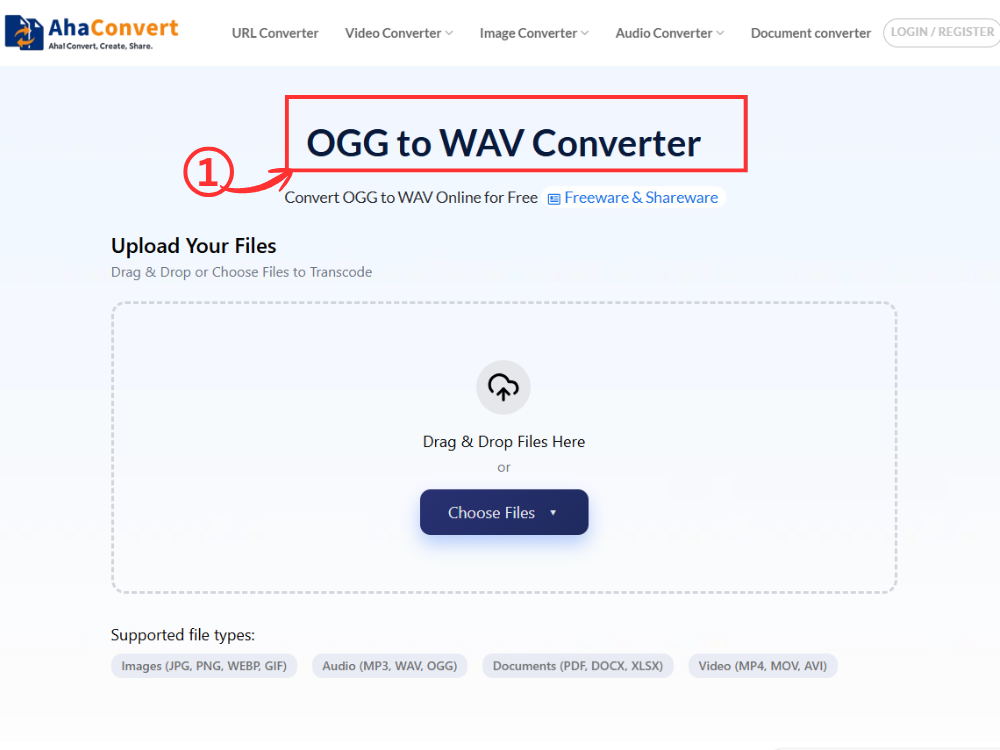
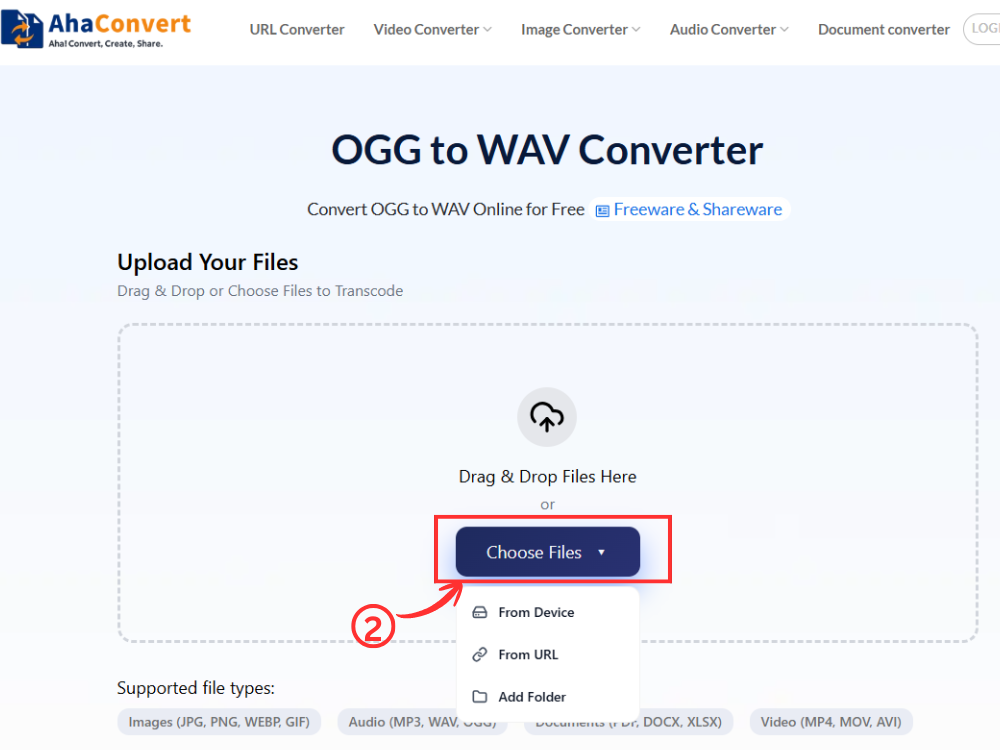
Step 2: Upload Your OGG File
Click “Choose Files” to select your OGG file. You can also drag and drop it. Paste a file URL if the audio is online. Upload directly from cloud services. You can convert multiple files at once. AhaConvert handles batch uploads easily.
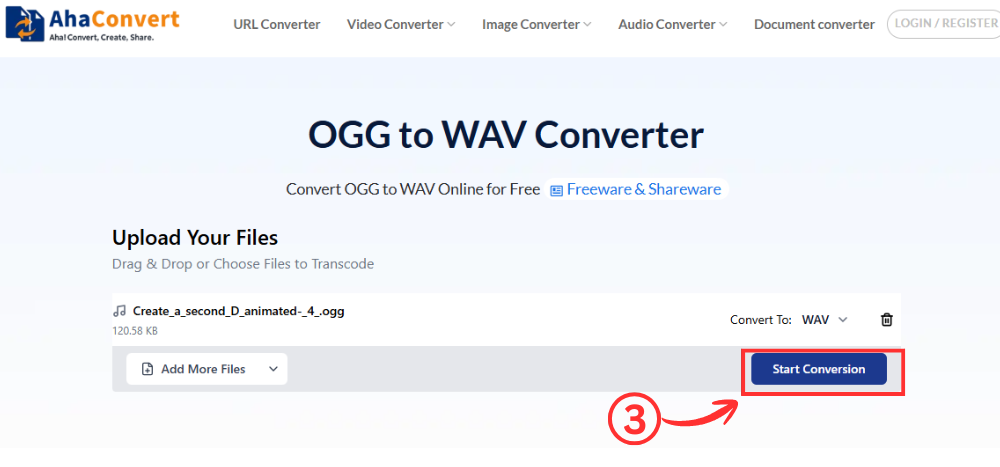
Step 3: Start the Conversion
After uploading, click “Start Conversion”. The output will automatically be WAV. You don’t need to choose the format.
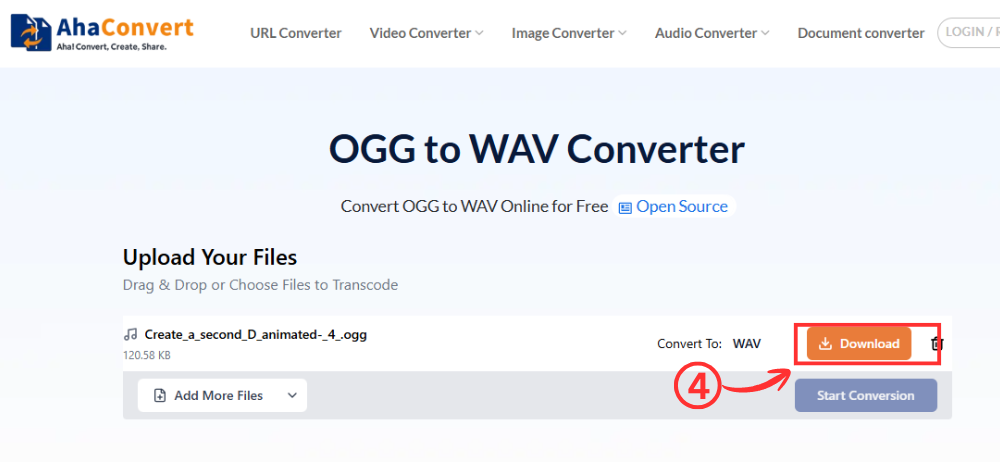
Step 4: Download Your WAV File
Once your file has been converted, you will see a download file on the screen. You need to click the “Download” button to download your WAV file directly to your computer. The whole process takes only a couple of seconds.
Why Convert OGG to WAV?
There are several practical reasons to convert OGG to WAV instead of working with the original file.
a. Better Compatibility
OGG files don’t work on Windows, iOS, or most audio devices. You need an extra app. WAV files work everywhere. No extra apps are needed. Converting OGG to WAV fixes this. Your audio file will play on any device.
Sending recordings to clients is easier. Coworkers and friends can also receive them. They might use different operating systems. They might use different media players. You don’t need to ask them to install codecs. Just send a WAV file. It works immediately.
b. Easier Audio Editing
Professional audio software like Pro Tools and Adobe Audition work best with WAV files. They don’t always support OGG files well. Using WAV files from the start avoids import errors. It also prevents editing problems.
WAV files make editing waveforms more reliable. Audio is stored without extra compression. Editors can cut, trim, and process recordings precisely. This is helpful for podcasts. It’s also good for interviews and music production.
c. Higher Audio Quality for Production
OGG uses lossy encoding. This means some sound information is permanently lost. WAV, however, is a lossless format. It stores all recorded sound without any changes. If you need to edit a project where sound quality is important, WAV files ensure no further quality is lost.
Converting OGG to WAV cannot recover lost audio. It prevents repeated re-compression during editing. This maintains consistent quality. It helps throughout production.
d. Professional Audio Use
Many professional audio applications use WAV. This includes broadcast, podcasts, movie sound, and gaming audio. These industries often require files in WAV format. If your files are in OGG and need to be used for these purposes, converting OGG to WAV is necessary.
Many broadcasters want WAV files. Production companies request them. Podcast platforms often ask for WAV files. They follow common production standards. Editors can exchange WAV files between software. They won’t have compatibility issues.
e. Wider Device Support
WAV files have wider device support. Some music devices, fitness devices, smart TVs, and embedded players can play WAV files. They cannot play OGG files. Using an OGG to WAV converter makes your audio files compatible with more devices. This is helpful with older hardware. It’s useful for embedded audio systems. These systems may not support open-source codecs like OGG.
Benefits of Using an Online OGG to WAV Converter
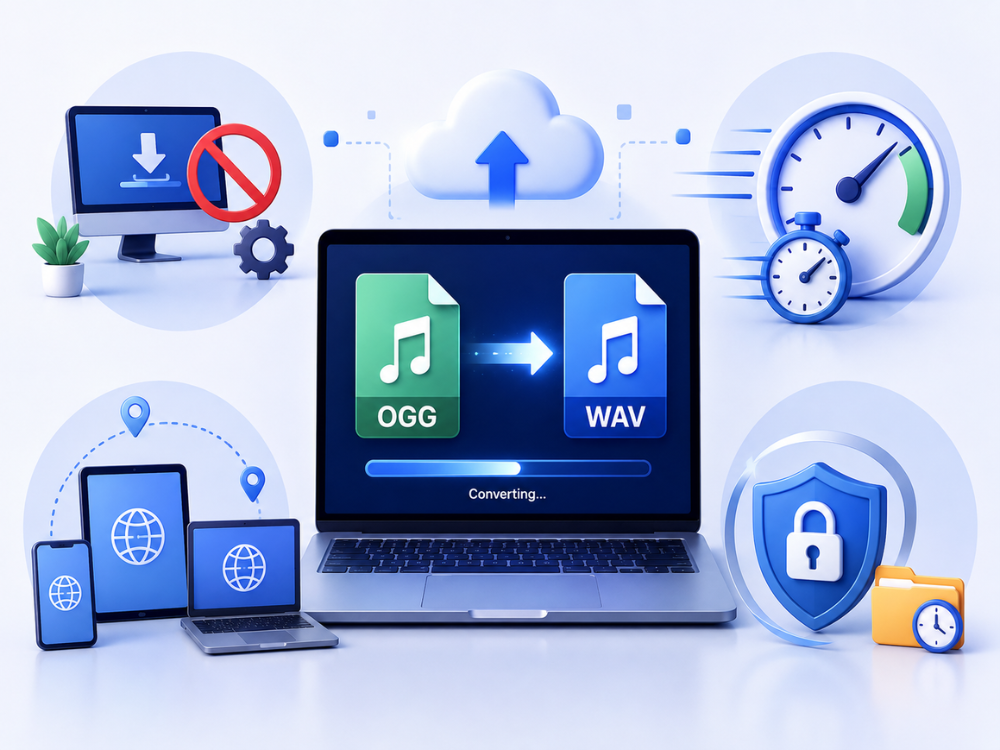
Web-based OGG to WAV converters offer several advantages over specialized audio software.
a. No Software Installation
Desktop programs like Audacity and VLC require installation and updates. Web-based converters eliminate this hassle. Simply open the converter in your browser, upload your file, and download the converted audio.
b. Fast and Easy Conversion
Converting OGG to WAV online is quick and simple. You can do it in seconds without installing complex music creation software or configuring export options.
c. Access Anywhere
Since web converters run in your browser, they work on any operating system, including Windows, Mac OS, Linux, iOS, and Android. This is useful if you use multiple devices or a computer without audio software installed.
e. Secure File Processing
Your privacy is important. AhaConvert uses 256-bit SSL security for file uploading and conversion. Files are automatically deleted after 24 hours, ensuring your recordings are not stored long-term or shared.
FAQs about OGG to WAV Conversion
1. Is WAV better than OGG?
It depends on the use. WAV is better for professional use and broadcasting. This is because it is lossless. It also has universal compatibility. OGG is ideal for small file sizes. It is also good for open-source uses. OGG works great for regular listening and storing.
2. Can I convert OGG to WAV for free?
Yes. You can convert OGG to WAV for free. Tools like “Convert OGG to WAV” do not require an account. There are no subscriptions. You don’t need to install software. Just upload your file. You can download the WAV output in seconds. You need to upload your file. Then you convert it.
3. Is an online OGG to WAV converter safe?
Yes. This is true if you use a reliable converter. Tools like AhaConvert automatically encrypt your files during conversion. They then automatically delete the files after conversion. This usually happens within 24 hours. These converters never share your information with third parties.
4. Can I convert multiple OGG files at once?
Yes. Most online converters support batch uploads. This includes the OGG to WAV converter from AhaConvert. You can convert multiple OGG files in one session. There are no daily limits.
5. Does converting OGG to WAV reduce quality?
Converting OGG to WAV does not cause further quality loss. The WAV output perfectly matches the OGG source quality. However, OGG uses lossy compression. This means the WAV file will reflect the OGG’s quality, not the original uncompressed recording.
6. How long does it take to convert OGG to WAV?
Most conversions finish in seconds for standard OGG files. Longer recordings or multiple files may take a bit more time. This depends on file size and internet speed. AhaConvert’s cloud processing is efficient. You don’t need to keep the tab open.
In Conclusion
OGG is good for open-source and gaming applications. However, it’s not compatible with professional programs, broadcasting systems, or many consumer devices. This limits OGG’s use. Converting OGG to WAV solves this. WAV is a universal, lossless format. It’s the standard for professional audio on all major platforms.
If you need to convert OGG to WAV for your DAW project. Or if your devices don’t read OGG. The AhaConvert OGG to WAV Converter can help. It’s fast, free, and works on any device.
Related Articles
If you’re looking at audio formats, these articles can help. You can compare formats and find the best one.
AIFF vs WAV
FLAC VS WAV
