

A lot of people need the correct image format and want to convert JPG to JPEG, particularly when posting images on websites, forms, or design applications. Even though the two formats seem similar, some platforms still require a specific extension. This is not simple, especially for users who work across different devices or systems.
Well, if you’re searching for how can I convert JPG to JPEG, the procedure is actually very simple. In this case, you have an online JPG to JPEG format converter that converts in several seconds without installing any software or registering. This article explains the difference, typical applications, and the easy steps involved in converting it online for free.
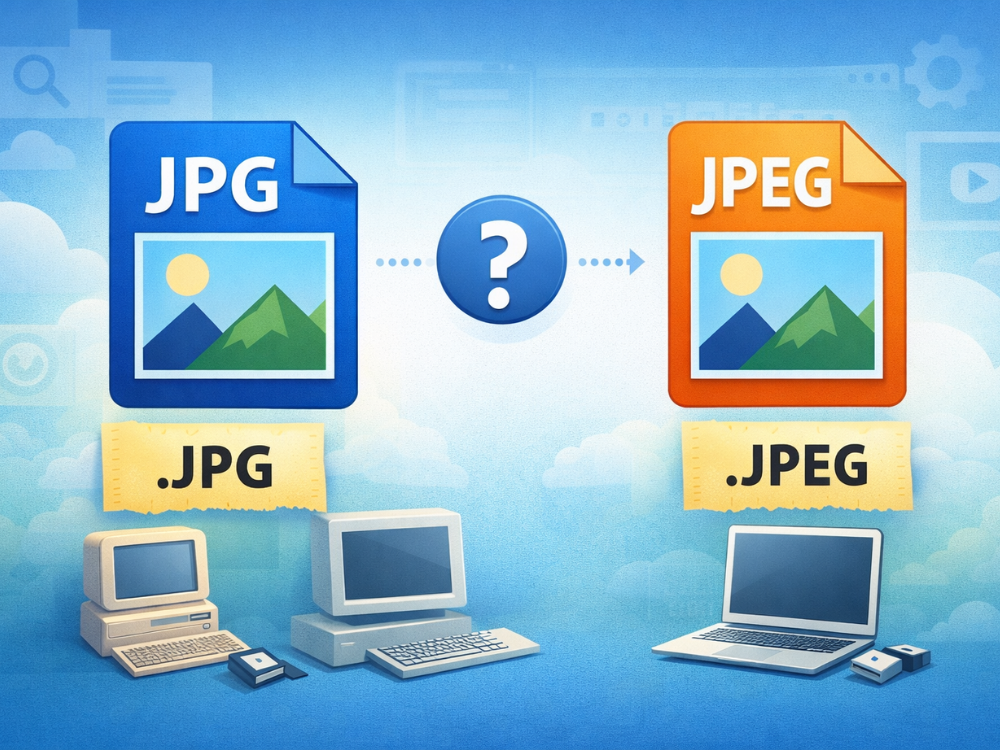
What Are the Differences Between JPG and JPEG?
The reality is that there is no difference between JPG and JPEG. Both extensions use the same image compression standard developed by the Joint Photographic Experts Group. The quality, file structure, or storage of the image data is the same.
The only difference is the file extension. The original and full extension name (JPEG) contains four letters. Whereas JPG was created as a three-letter variant (JPG) due to the early Windows operating systems forcing file extensions to be of the exact three-character length. This restriction compelled developers to shorten the extension.
Although difference comes from historical limitations, the two formats exist in the same way. When you open a JPG file or a JPEG file with the same material, you will not see any image quality difference at all.
In modern computers and programs, neither of the two extensions causes problems, even though certain platforms or applications may prefer one over the other. To compare these formats more closely, this is a very elaborate guide to JPG vs JPEG.

Why You Might Need to Convert JPG to JPEG
Although JPG is technically the same as JPEG, there are a few cases when a change in file extension is necessary:
The compatibility needs of the system may also determine the extension to be used. This is usually compatible only with JPEG files, since older software, legacy systems, or specialized applications do not have a way to recognize other file extensions. Even though the format of these files is the same, these systems may cause the user to reject the files when uploading them or prevent them from being displayed as intended.
Another typical situation is generated by platform-specific upload policies. Several content management systems, e-commerce systems, or online services provide specifications regarding file extensions. There are sites that accept only JPEG files, and others accept onlyJPG files. By fulfilling these requirements, you are guaranteed a successful upload of your pictures.
Standard and professional practices often require that files be named similarly. Companies usually set rules requiring all image files to have the same extension. If your workplace requires JPEG extensions across all projects, you’ll need to convert JPG to JPEG to maintain compliance.
Automated processing scripts may also require specific file extensions. Consistency of extensions that occur when working with batch processing tools, image management software, or automated workflows ensures fewer errors and makes their operation flawless. All images would be converted to the same extension, eliminating the possibility of compatibility issues.

How Can I Convert JPG to JPEG?
When you need to change the file type in a platform, it is possible that you make some mistakes or produce corrupted files. An online tool will prevent such problems and preserve the image. This is the easiest and safest method to convert JPG to JPEG.
Online converters require no software installation and run directly in the browser. They apply to fast tasks as well as frequently repeated conversions, and those users who use their devices on various devices.
An Online JPG-to-JPEG Converter — AhaConvert.
When you need to convert JPG to JPEG, AhaConvert provides a web-based solution that eliminates the need for software downloads. It is a multi-purpose JPG to JPEG converter that is fast and reliable, allowing you to rely on your files at any time and have them appear exactly as they look on screen in just a few seconds, while preserving their original visual content.
Key Features of AhaConvert:
Free and Unlimited: The conversion tools can be accessed free of charge. No unwanted bills and subscriptions can be hidden, enabling a frictionless experience with every user.
Batch Conversion: You do not have to upload files individually but rather you can upload several files at a time. The tool manages the queue, thereby greatly enhancing your workflow efficiency.
No Registration Required: You can begin building your project right away. AhaConvert does not require you to open an account or submit personal details to access all its packages.
Security and Privacy: Security of your data is a priority. The collaboration uses 256-bit encryption via SSL, and files are automatically destroyed on the servers within 24 hours.
Zero Quality Loss: The converter entails an accurate change of containers. This will guarantee that both clarity and resolution of your photos are the same as that of the source file.
For those seeking to convert JPG to JPEG free, AhaConvert’s JPG to JPEG converter delivers professional results without hidden costs or limitations.
Convert JPG to JPEG with AhaConvert
Step 1: Open the AhaConvert JPG-to-JPEG Converter
Go to the AhaConvert website using your web browser. It is an online JPG-to-JPEG converter, so there is no need to download any software or create an account.
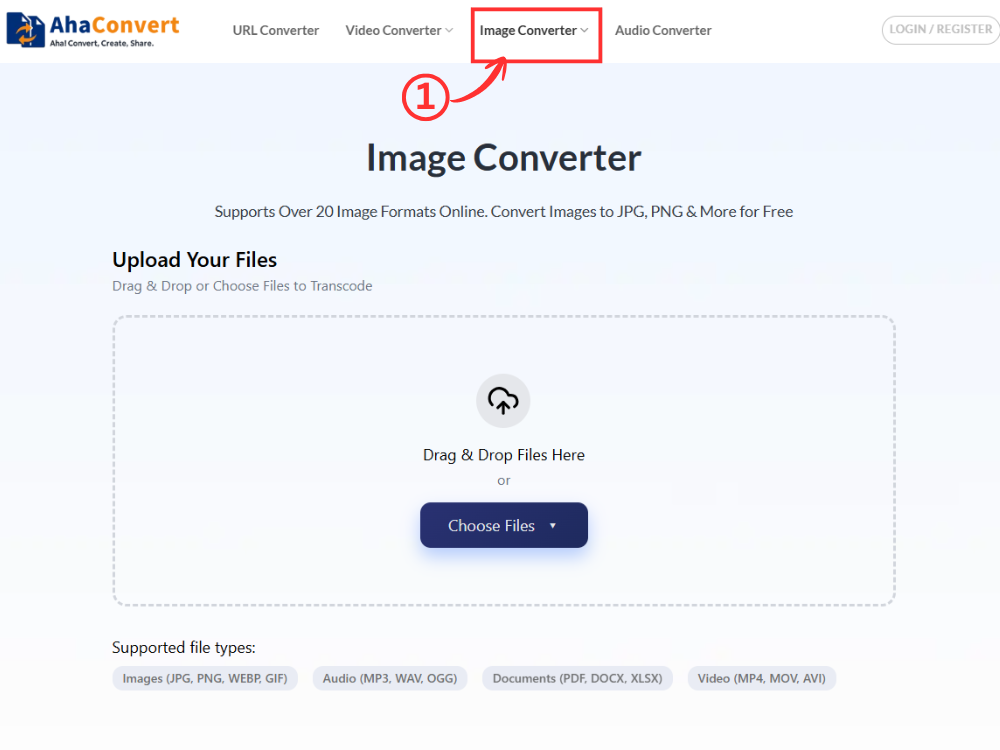
Step 2: Upload Your JPG Files
Click on the option “Choose Files” and choose the file browser of your device. Choose your desired files in the form of one or more JPG files. The platform allows you to upload multiple files, which simplifies the workflow when you have a variety of images to process. You can also drag and drop files into the upload area to make them easier to access.

Step 3: Choose JPEG as the Output Format
Once your files are uploaded, find the output format drop-down menu. Click this menu to see all the different image formats, then pick JPEG from the list. This interface will confirm your selection and indicate that you chose to convert your JPG files to the JPEG format.

Step 4: Start the Conversion
Click on the convert button and begin processing your files. AhaConvert is also fast, and the conversions are usually done in a few seconds, depending on the file size and the number of images. A progress indicator shows the conversion status of each file, so you can keep track of what is going on in real time.

Step 5: Download the Converted Files
After conversion, each processed file is followed by download buttons. Individual download buttons save files each. Your new JPEG files are now available for your use as required.
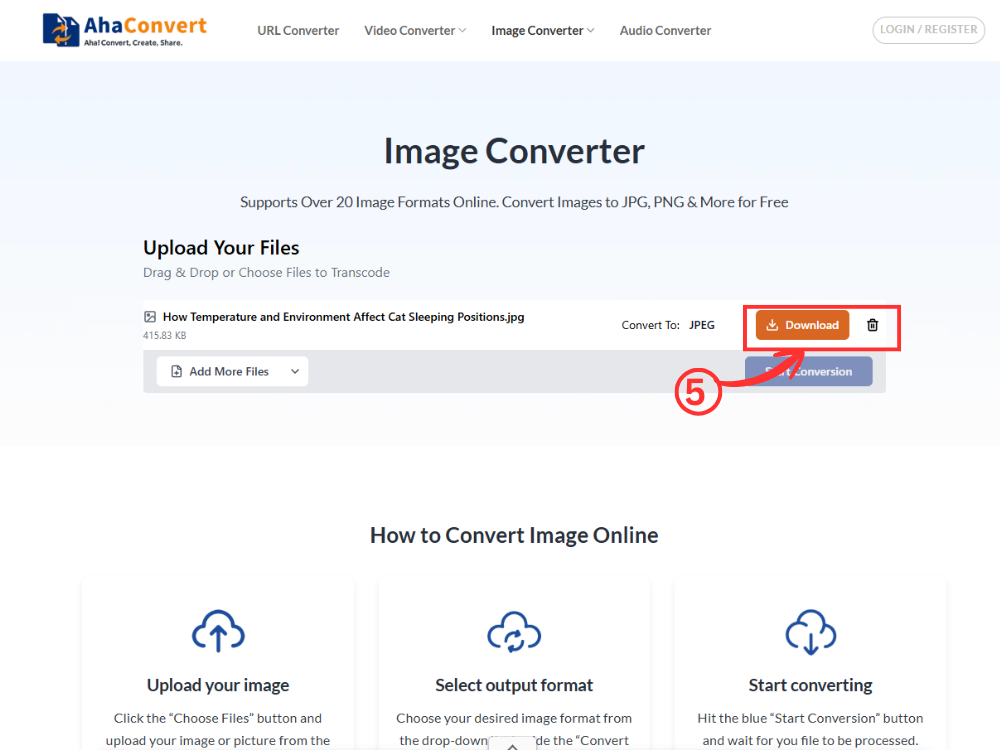
This simple process makes it easy to convert JPG to JPEG for free whenever compatibility issues come up. Even a collection of large images can be processed in a matter of a few minutes.
Frequently Asked Questions about JPG and JPEG
1. How long does it take to convert a JPG to JPEG (with AhaConvert)?
Most offers close within a couple of seconds. It will take more or less time depending on the image size and the number of files uploaded simultaneously. Since the process runs online, users can convert JPG to JPEG quickly without installing or setting up software.
2. Is this JPG-to-JPEG format converter safe to use?
Yes. AhaConvert provides strong privacy and security for your files. They are encrypted using 256-bit encryption during file conversion and upload using the SSL protocol. The photos are automatically deleted after 24 hours, and no information is transferred to third parties.
3. Is there a file size limit for conversions?
AhaConvert also accepts the most common image formats and sizes. Although there is no definite size limit for daily use, extremely large files can take longer to upload and manipulate. Conversion is supported with files up to ≤ 1 GB as a general rule.
4. Can I convert multiple JPGs at once?
Yes. With AhaConvert, you can add several JPG files in one session. The file conversion will occur individually, so no manual repetition in the automation process will be required. The gradual transformation maintains image quality and makes it easier to process large amounts of files.
5. Does converting JPG to JPEG reduce image quality?
No. There’s no loss of quality when converting JPG to JPEG. As a matter of fact, there’s no difference in terms of its compressibility or its format. What’s happening here is simply the extension of the format.
Conclusion
If an upload rule specifies a particular extension type, then an online tool to convert from JPG to JPEG is the simplest solution. Not only is an online solution acceptable on all devices without a download requirement, but it also does not degrade image quality.
In case you also require a variation of the image format in terms of transparency or design, then a JPG to PNG converter may help. Converting JPG to PNG or JPEG with the help of such tools as AhaConvert can take more than several steps. The available options are the ones that you can view here: AhaConvert File Converter.
