
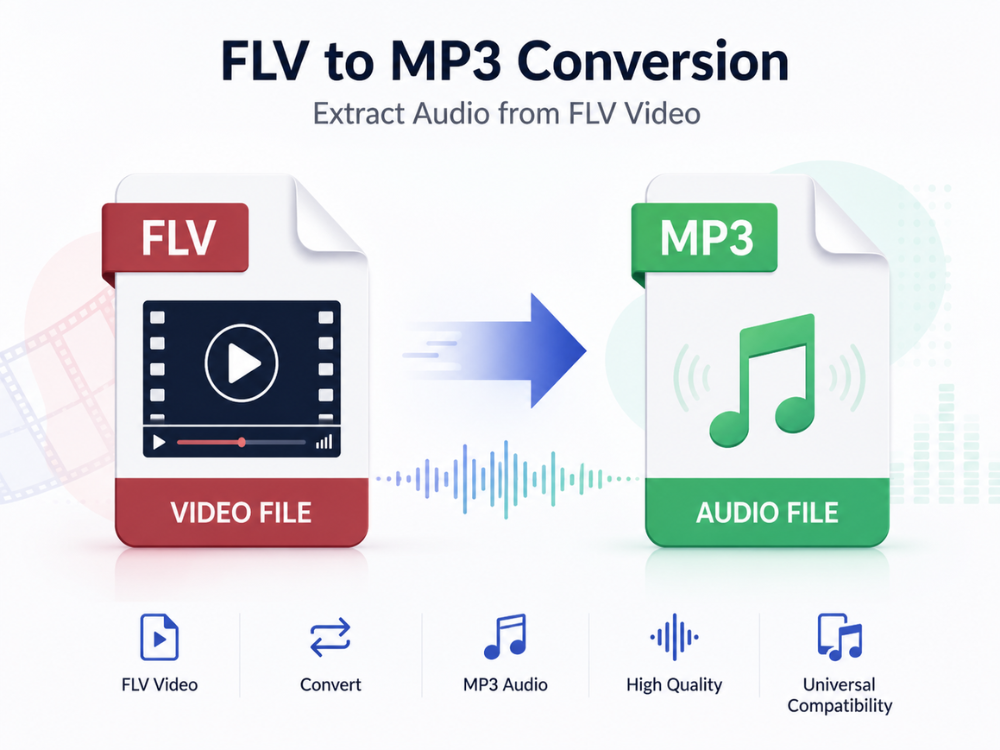
Once the backbone of online video, FLV files powered your earliest YouTube clips, streaming player downloads, and more. But if you have a pile of these old videos sitting in a backup folder somewhere, chances are you no longer care about the visual content.
If you just want the audio tracks they contain, though, learning how to convert FLV to MP3 can be a great way to get the sound files out in a format that’s universally supported by devices everywhere. This guide explains what these two kinds of files are, why you’d want an FLV to MP3 conversion, and then walks through converting FLV files to MP3 online, completely freely with this easy-to-use FLV to MP3 converter.
FLV VS MP3: What are the Differences?
FLV and MP3 have completely different goals; for this reason, knowing about each format can help you understand why you need to convert one into the other.
What Is an FLV File?
FLV stands for Flash Video – a format that Adobe created in the early 2000s as a way of delivering video through the popular Flash Player. At one point, it was the go-to format for everything from early YouTube videos to Hulu and other streaming sites, until HTML5 video made its debut.
These days, though, there’s little reason to use this old format. These files combine video and audio streams into a single file, usually using codecs such as H.263 or VP6 for the video and either MP3 or AAC for the audio.
Pros of FLV:
- Small file size compared with video quality of this era
- Widely used across early web video platforms
- Streams efficiently over lower-bandwidth connections
Cons of FLV:
- Not supported natively by modern browsers (Flash was discontinued in 2020)
- Cannot play on iOS, Android, or most modern media players without conversion
- Poor compatibility with current video editing software
- Unneeded video data in place of audio data
You probably still have FLV files lying around somewhere — they were common for storing video downloads from video sharing sites years ago (pre-HTML5 days). Most likely, you’re going through your computer’s backup storage trying to figure out what you can use now without installing Flash Player. Even then, if you don’t want to install a dedicated media player app that might require an extra codec pack, chances are most FLV videos will never load.
If there was one tiny bit of content on your old FLV file worth saving, say a song, an interview, or some lecture, why not convert from FLV to MP3? FLV to MP3 converter solves your compatibility issues immediately while letting you keep your precious audio content.
What Is an MP3 File?
An MP3 (MPEG-1 Audio Layer III) is an audio format that was developed by the Fraunhofer Institute in the late ’80s and ’90s. With “lossy” encoding, these files compress in size while discarding information unlikely to be noticed by the human ear.
Pros of MP3:
- Compatibility with any device and platform
- Small file size — around 3 to 7 MB per three-minute song
- Available on all kinds of music players, online streaming platforms, car radios, and speakers
- Easy transfer through e-mail or cloud services
Cons of MP3:
- Uses lossy compression, which deletes part of the audio signal
- Data cannot be recovered after compression into the format
- Not suited for recording music professionally due to quality issues
The big benefit of using an audio format like MP3 compared to putting your content into a video container format like FLV comes down to simple convenience. An MP3 contains only sound, which means you don’t have to worry about what audio codec was used.
And since there’s no video involved, you won’t have to be concerned about browser support for various formats (or at least how browsers are dropping support for outdated technologies like Flash). In other words, you know when playing an MP3 file will work.
Which is probably why MP3 still stands as the de facto standard format whenever people need to simply listen to stuff – whether that’s listening to music, a podcast, or audio extracted from an old video. If you’re working with MKV video files and only need the soundtrack, you can also learn how to convert MKV to MP3 using our step-by-step guide.
FLV VS MP3: Comparison Table
Lorem ipsum dolor sit amet, consectetuer adipiscing elit, sed diam nonummy nibh euismod tincidunt ut laoreet dolore magna aliquam erat volutpat.
| Feature | FLV | MP3 |
|---|---|---|
| Content Type | Video + audio | Audio only |
| Developer | Adobe | Fraunhofer Institute |
| Compression | Video: lossy; audio varies | Lossy |
| Typical Use | Web video streaming (legacy) | Music, podcasts, audio storage |
| File Size | Large (contains video data) | Small |
| Playback Support | Declining, needs Flash or special players | Universal |
| Editable in Audio Software | Requires extraction first | Fully editable |
Scope: An FLV file contains both your video and your audio, while an MP3 only has your audio (and keeps it down to a much smaller size). When you convert from FLV to MP3, you’re basically converting the whole thing into a more portable format—one that will play back on any device, whether it requires Flash or an old video player.
Why Should You Convert FLV to MP3?
There are several practical reasons people consider converting FLV to MP3 rather than keeping the original video file.
Reviving old video archives: We all have folders with FLVs that we downloaded years ago. It might be music videos, lectures, or even some recorded webinars. As the days go by, fewer and fewer programs will play back FLV files. Converting FLV to MP3 ensures these files are never lost forever.
Extracting music or audio content: An FLV might contain music such as songs, podcasts, or even lectures. So converting them into an MP3 format would allow you to save all your favorite music on a music player, phone, car stereo, etc. You don’t need to have videos anymore!
Saving storage space: A video file holds much more data than just the audio tracks. Converting from FLV to MP3 using the best FLV to MP3 converter provides a much smaller file size.
Improving compatibility: With the discontinuation of Flash Player, playing FLV files has become more difficult with today’s devices. By changing from FLV format to MP3 format, you avoid this problem entirely because MP3 is compatible everywhere without requiring extra software.
Preparing audio for editing or podcasting: Anyone who has used audio editing programs knows they work best with standard file formats such as MP3.
So if you find yourself trying to pull sound off an old FLV file for use in another project, there is no better solution than converting from FLV to MP3 first, so you won’t run into any compatibility issues when importing your new media.
Top Online FLV to MP3 Converters
There are several ways to convert from FLV to MP3. Here is a list of 4 software tools that will help you out.
a. AhaConvert FLV to MP3 Converter
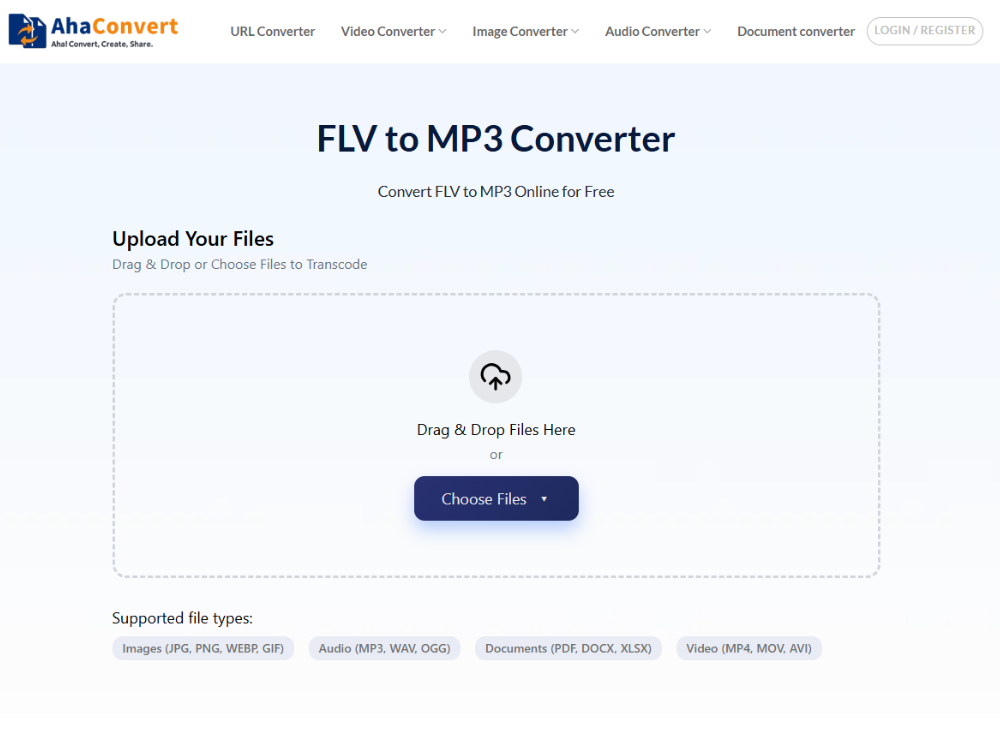
The AhaConvert FLV to MP3 Converter is a great tool for anyone who needs to convert an FLV file to another format quickly. It’s also very secure, as there’s no need for account registration. It works anywhere where you can access a web browser, whether you’re on Windows, macOS, Linux, iOS, or Android.
All uploaded files are protected with 256-bit SSL encryption and automatically deleted from the server within 24 hours, keeping your content private. If you are converting multiple FLV files at once, we suggest you do a batch conversion. This is especially helpful if you’re going through a large collection of legacy videos!
b. MConverter FLV to MP3 Converter
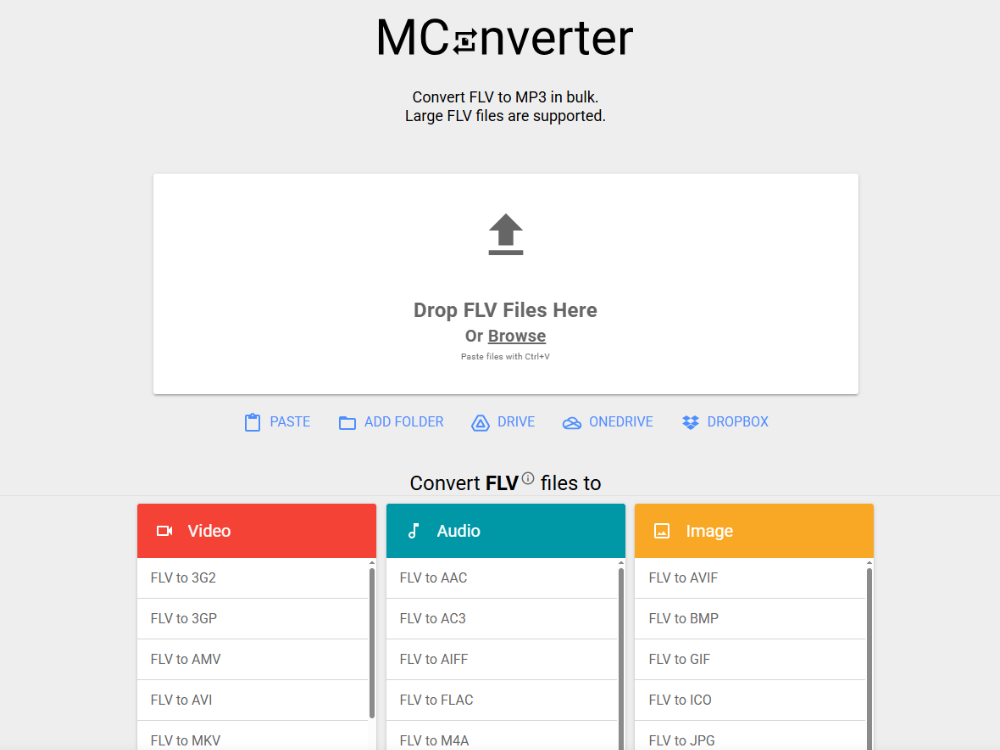
MConverter FLV to MP3 Converter is another one of those fast online converters that will work on your side if possible (in-browser) to help you out faster when handling smaller FLV files. MConverter offers simple FLV to MP3 conversion with no requirement for an account, but nothing more than basic options and no batch processing capabilities either.
c. Zamzar FLV to MP3 Converter
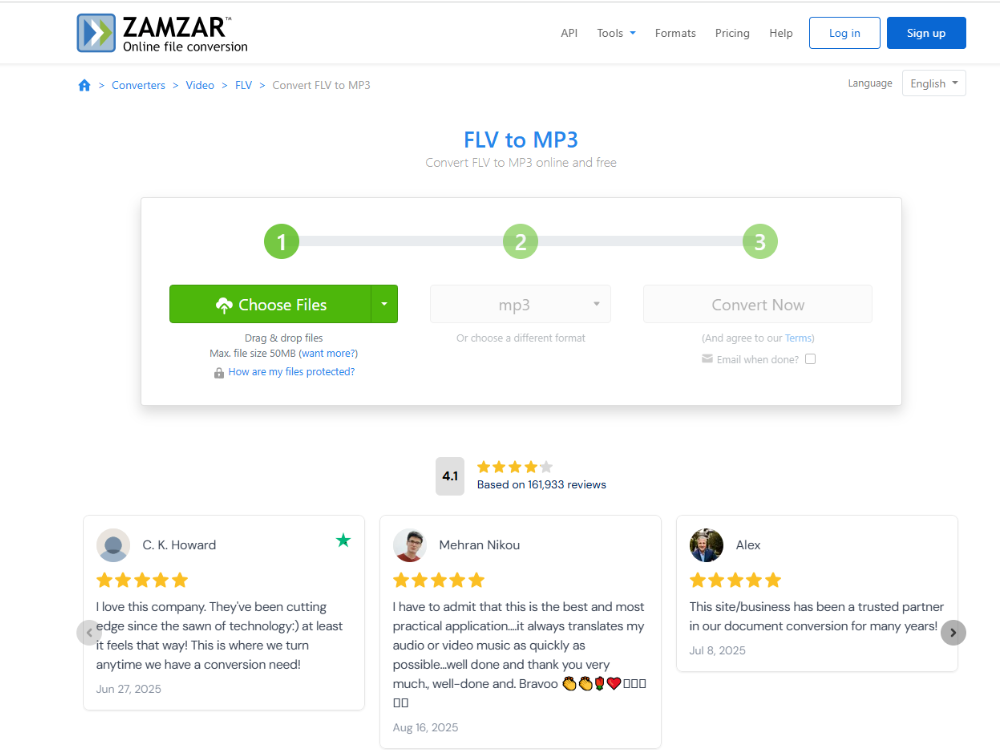
Zamzar has been around since before the current wave of online file converters started and offers FLV to MP3 conversion along with dozens, if not hundreds, of other formats. It sends your files by email rather than offering immediate download (as do many of these tools). But this only applies when you use Zamzar’s free service; its paid version allows for more flexibility. You’re also limited to smaller files and fewer per day on the free plan.
d. Convertio FLV to MP3 Converter
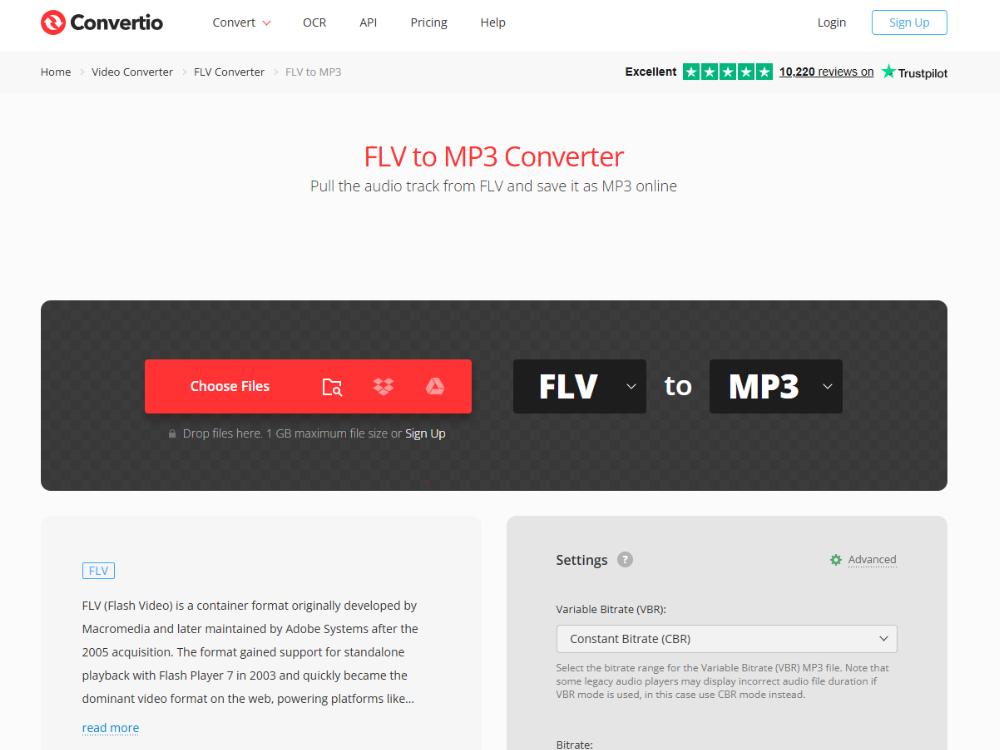
Convertio is one of the best online converters that can convert various formats, like FLV to MP3. In Convertio, you can upload your file directly from your device or any other cloud storage, such as Google Drive and Dropbox. In the free version, the maximum file size is limited to 100 MB.
How to Convert FLV to MP3 Online Step by Step
Below is the step-by-step process to convert FLV files into MP3 audio files through the AhaConvert FLV to MP3 Converter.
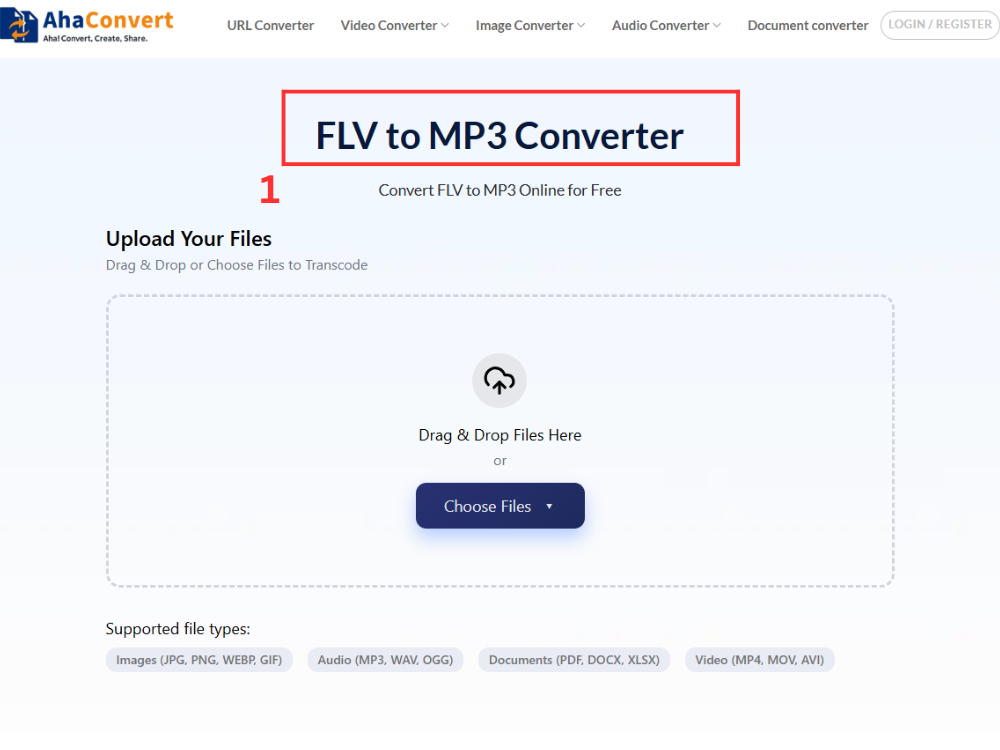
Step 1: Open the AhaConvert FLV to MP3 Converter
Visit the AhaConvert FLV to MP3 Converter website on any web browser of your choice. The website will load immediately without downloading anything.
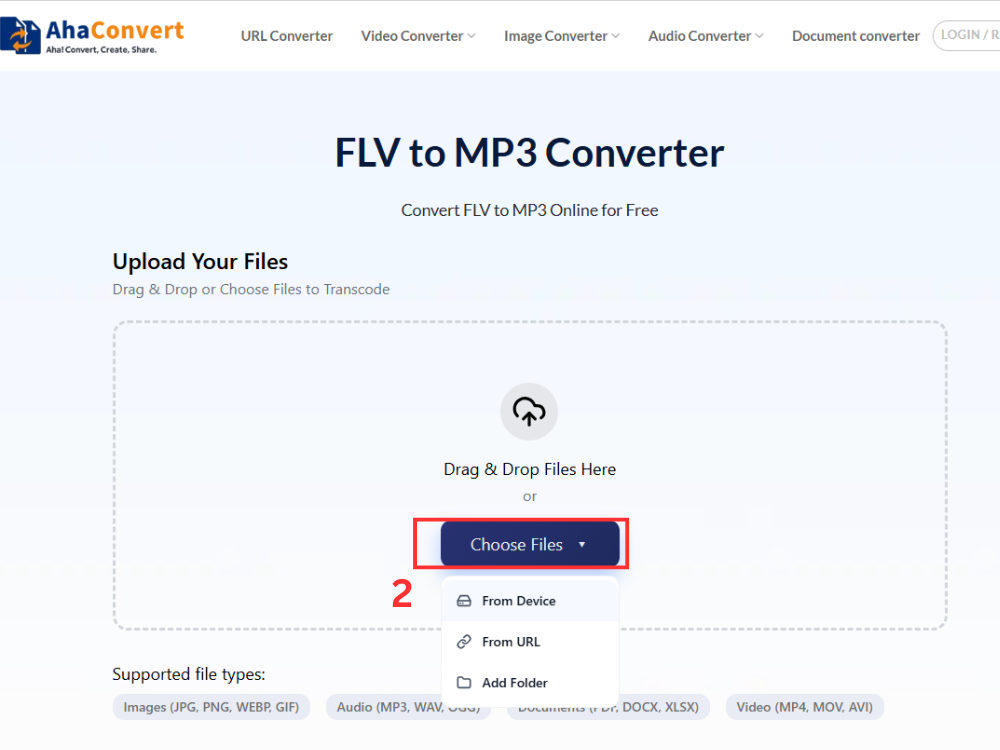
Step 2: Upload Your FLV File
Click the “Choose Files” button to browse your computer, or use drag and drop to upload the FLV file. You may also be able to input the URL of the file if it is stored online, use cloud storage services, or even upload multiple FLV files at once.
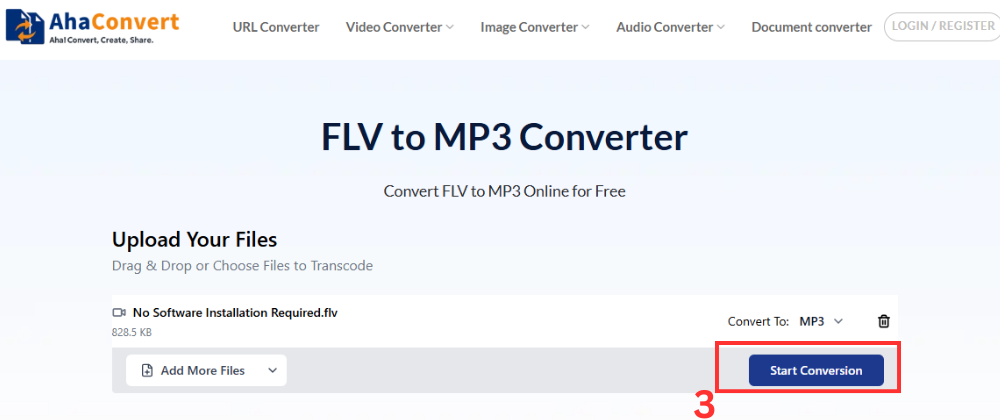
Step 3: Start the Conversion
Once the upload is complete, click the ” Start Conversion” button. Since this is a specific FLV to MP3 converter tool, the output file format is automatically set to MP3. So there’s no dropdown to configure. AhaConvert begins processing immediately.
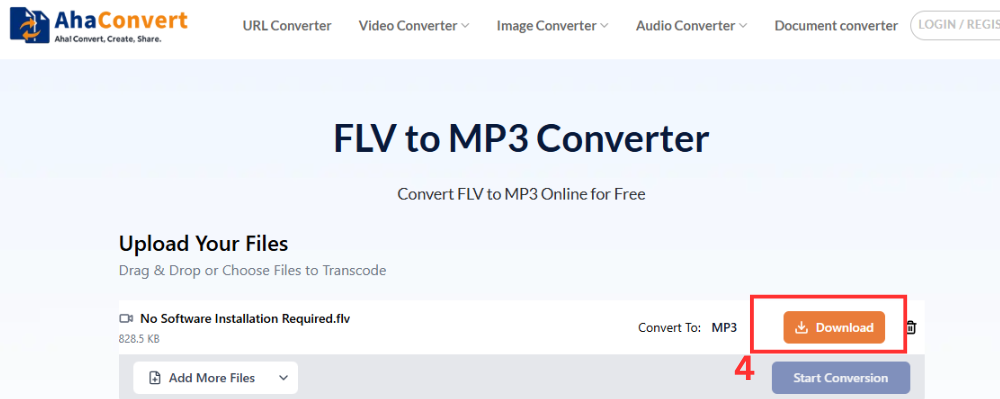
Step 4: Download Your MP3 File
After the conversion is complete, click the download button, and the MP3 file will be downloaded to your computer.
Advantages of an Online FLV to MP3 Converter
There are distinct benefits to using an online FLV to MP3 converter when converting audio files from FLVs.
No Software or Plugin Required
Desktop applications that can convert FLV files include VLC, HandBrake, and Adobe Premiere Pro, and all of them need to be installed on your computer along with Flash plugins. The online free converter will convert FLV to MP3 right in your browser.
Works on Any Device
Since converters operate in the browser itself, they work with equal efficiency on Windows, Mac OS, Linux, iOS, and Android. Converting FLV videos on a mobile device is as easy as on a PC, which may not be the case with traditional desktop software.
Handles Legacy Formats Without Extra Codecs
FLV is an example of a legacy format that contemporary operating systems cannot handle without additional software. It usually takes extra codecs to convert such files properly using most desktop conversion tools. A good online FLV to MP3 converter will deal with this issue server-side.
Fast and Convenient
When performing an audio extraction process as simple as converting FLV to MP3, it can be done via an online service in just a few seconds. It does not take any time to launch the video editing software, set up the exporting options, and wait for the render process to finish.
Frequently Asked Questions
1. Is converting FLV to MP3 free?
Yes, AhaConvert FLV to MP3 converter is a free tool that operates in your web browser. Just upload your FLV file, and it will be converted into an MP3 file in seconds without registration, subscription, or downloading any software. There are no restrictions on converting FLV files to MP3.
2. Can I convert FLV to MP3 on my phone?
Yes, since the process runs entirely in the browser, it will work perfectly well for iPhone and Android users without installing any application. Open the converter in the mobile browser, upload the FLV file, and download the MP3 file.
3. Can I convert multiple FLV files to MP3 at once?
Yes. Many online tools have batch support, which means that instead of uploading one FLV file at a time, you could upload multiple files in one go. This makes it easier for those who wish to convert an entire folder full of old FLV files to MP3 format.
4. Is an online FLV to MP3 converter safe to use?
Yes, provided that you use a reliable tool. AhaConvert encrypts each uploaded file with 256-bit SSL and removes it from the server within 24 hours. The company will not share any of your data with third-party users.
5. How long does it take to convert FLV to MP3?
The conversion process takes no more than a few seconds. Bigger files or batch conversion might take some additional time, but the conversion runs through the cloud and doesn’t depend on your browser tab.
Wrapping Up
The FLV file format was once an integral part of how videos flowed across the Internet. But since the demise of the Flash Player years ago, getting access to those videos is becoming increasingly difficult. That’s where converting FLV to MP3 helps, as it strips down to just the audio part and gives you a portable file format that works everywhere without requiring any additional programs to play it back.
If you have some old music videos, recorded lectures, or want to clear up some disk space, converting from FLV to MP3 takes only a couple of minutes. There’s no reason to hoard all of the older video files just because there’s some valuable audio content inside them.
Use the AhaConvert FLV to MP3 Converter, which is fast, free, works on any device, and doesn’t require any installation. It also supports a wide range of audio and video formats, so you can handle other conversion tasks just as easily. For all other cases, there’s an AhaConvert audio converter, which supports hundreds of format combinations.
