
Introduction
AVIF is considered the future or the advanced form of the format with impressive compression and elite quality images. However, despite its advanced features, it’s still not as commonly used as JPG or JPEG. That’s because JPG files are highly compatible and easy to use.
If you want to maintain the image compatibility or want to maintain the visual quality of the image after reducing its size, the AVIF to JPG converter can play a significant role in this regard. There are fast and free online tools available on the internet that you can consider to convert AVIF to JPG. Here is the step-by-step guide you can follow to convert AVIF to a JPG file using the free and fast AVIF to JPG converting tool available on the internet.
What is AVIF?
AVIF (AV1 Image File Format) is an advanced image format that offers impressive and advanced compression as compared to other widely used formats like PNG or JPG. AVIF format offers the latest features like HDR and 10-bit color depth, and also provides high-quality images with minimal file size. The AVIF image format can compress images more efficiently without compromising the quality of the image. By using the AVIF image format, users can store high-quality images in a smaller file size. Furthermore, the smaller file size makes it convenient for users to share their work with other web developers and designers easily.
What is JPG?
JPG (Joint Photographic Experts Group) is considered one of the most widely used file formats thanks to its high compatibility and versatility. With reliable compatibility, the JPG format is considered the ideal format to share images across different platforms, devices, or websites. JPG uses lossy compression, which means some quality of the image gets compromised in order to reduce the file size. Despite this, the quality of the image remains sufficient to use for everyday work. Another quality of the JPG format is its versatility; a JPG file is easily supported by different platforms. People often use JPG files for sharing pictures, using them for presentations, or creating a photo album.
AVIF vs JPG: Key Differences
Both formats serve a great purpose; however, due to some differences, users are required to convert AVIF to JPG format. Here are the key differences between AVIF and JPG that require users to convert AVIF to JPG format for desirable results:
Compression and file size
AVIF consists of a considerably smaller size compared to the JPG format. AVIF uses advanced compression to reduce the size of the image without compromising the quality of the image. On the other hand, JPG uses lossy compression, which causes a reduction in size at the cost of a decrease in image quality. However, in AVIF to JPG conversion, the image quality significantly depends on the compression setting used.
Versatility and accessibility
AVIF is the advanced format and offers highly compressed files with the best visuals. However, not every platform or user supports or accepts the AVIF format. On the other hand, JPG is comparably versatile and highly accessible.
Why Convert AVIF to JPG?
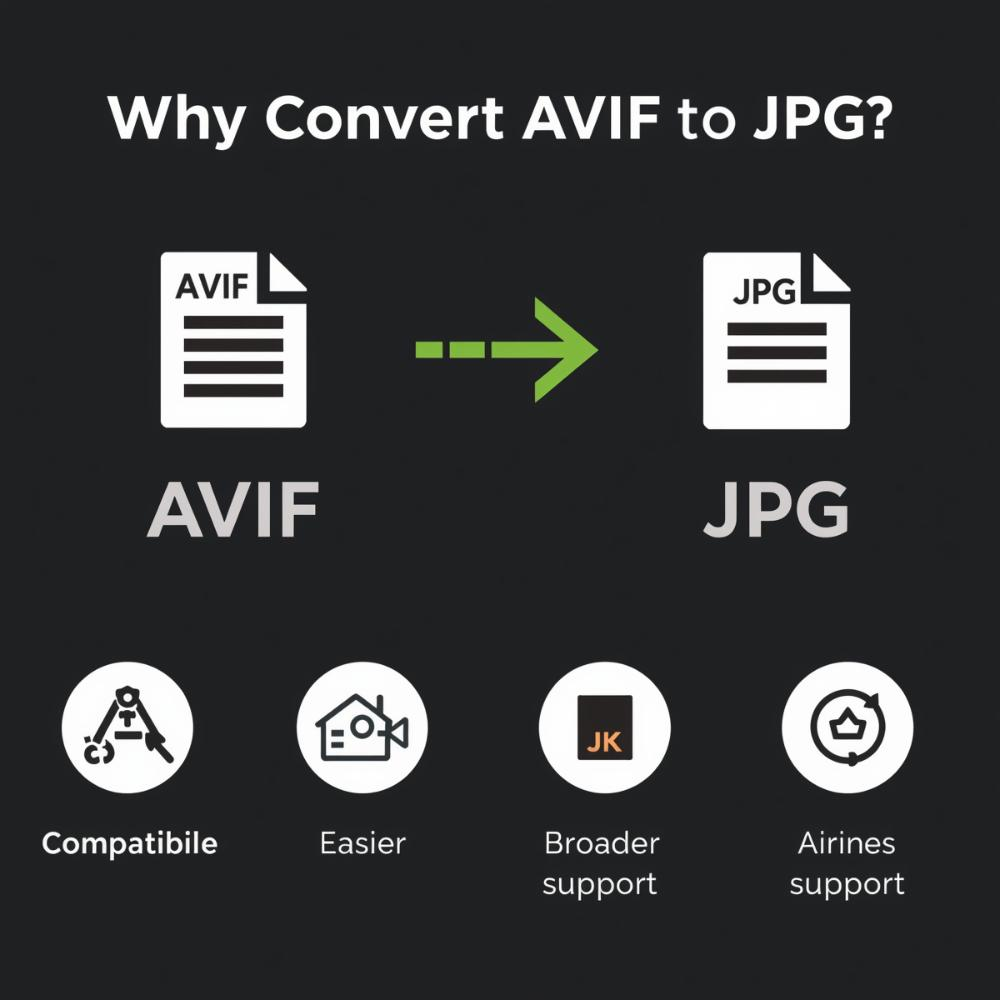
AVIF image format is undoubtedly the most advanced image format thanks to its superior compression and best-quality visuals. However, the major reason to change AVIF to JPG is the lack of versatility of the AVIF image format. Despite its growing popularity, most people and platforms do not support AVIF. By converting AVIF to JPG, users can ensure their work is compatible across different platforms, including different applications, websites, and email clients. Another plus point of changing AVIF to JPG file is that JPG files are easy to edit, highly supported, and easy to load on different websites. So, the answer to why convert AVIF to JPG is now clear; let’s move on to how to convert AVIF to JPG.
Tips for Better AVIF-to-JPG Conversion Results
The AVIF to JPG converter provides promising and reliable results while converting your files. However, there are a few tips that you must follow while converting AVIF to JPG files for the best outcome:
▪ If you have more than one file to convert, you can consider choosing the AVIF to JPG converter that provides a batch conversion option. That way, you can save a lot of your time, and it’s also a convenient way to convert AVIF to JPG in bulk.
▪ While converting AVIF to a JPG file, ensure to maintain the balance between the compression setting and the quality of the image for the best results.
▪ You can avoid unnecessary loss of quality by managing the compression settings. This step can help you retain as many details as possible while converting your file.
How to Convert AVIF to JPG Online (Step-by-Step Guide)
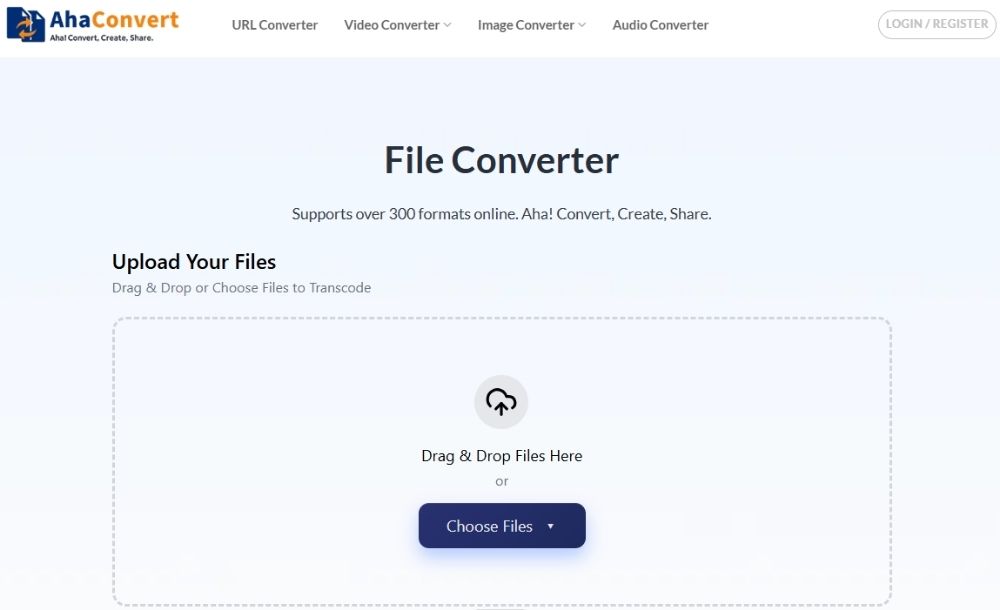
To convert AVIF to JPG, it’s almost impossible to get a better converter than AhaConvert. AhaConvert not only changes AVIF to JPG for free but also provides more than 300 conversion formats to choose from. Furthermore, despite providing multiple formats in one place, the AhaConvert platform is beginner-friendly, and users do not feel overwhelmed or confused with that many formats.
AhaConvert is free to use, and users can use it anywhere and anytime without downloading or installing any app or software. Furthermore, for the ease of their users, AhaConvert does not require them to go through the registration process. In addition to that, users can batch convert AVIF to JPG files to save time.
Converting AVIF to JPG with an Online Tool
Step 1: Open the AVIF to JPG converter
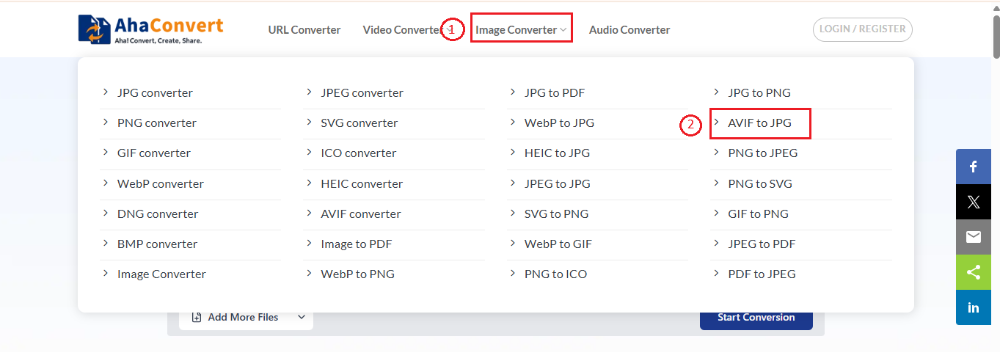
AhaConvert offers over 300 formats to choose from. To convert AVIF to JPG, click on the “AVIF to JPG” option from the “Image Converter” tab.
Step 2: Upload your AVIF file
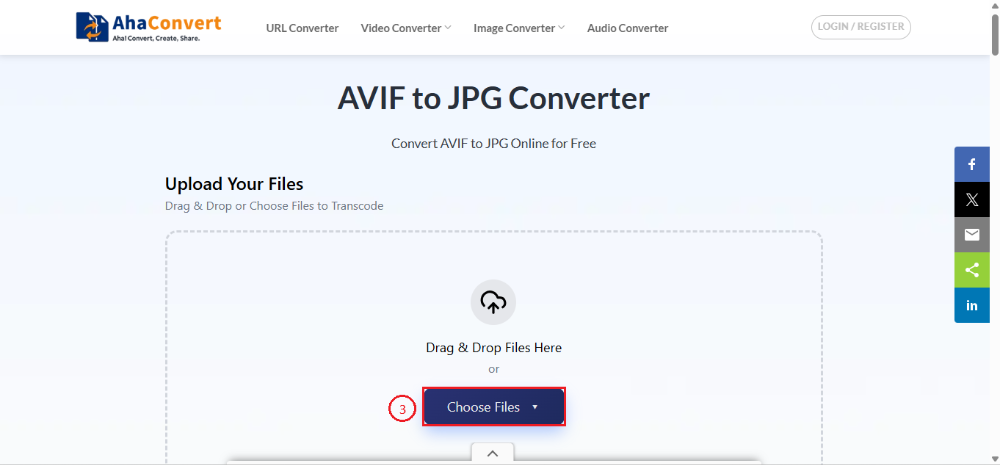
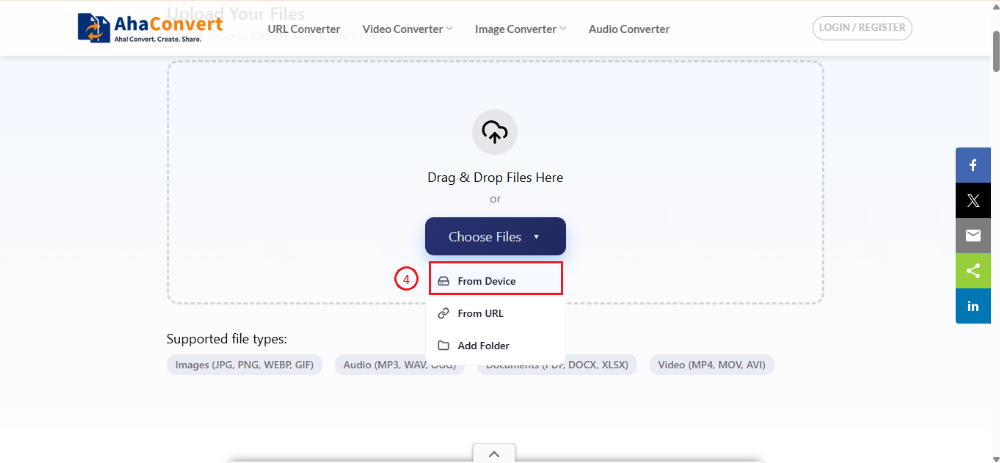
In this step, you need to upload your file to the browser. For this purpose, click on the “Choose file” option to choose the file you want to convert. Different options will appear on screen from which you can choose your file. You can either choose your file from your device or by entering the URL. Furthermore, you can also choose the “Folder” option if you want to convert a batch in one session.
Step 3: Convert your AVIF File
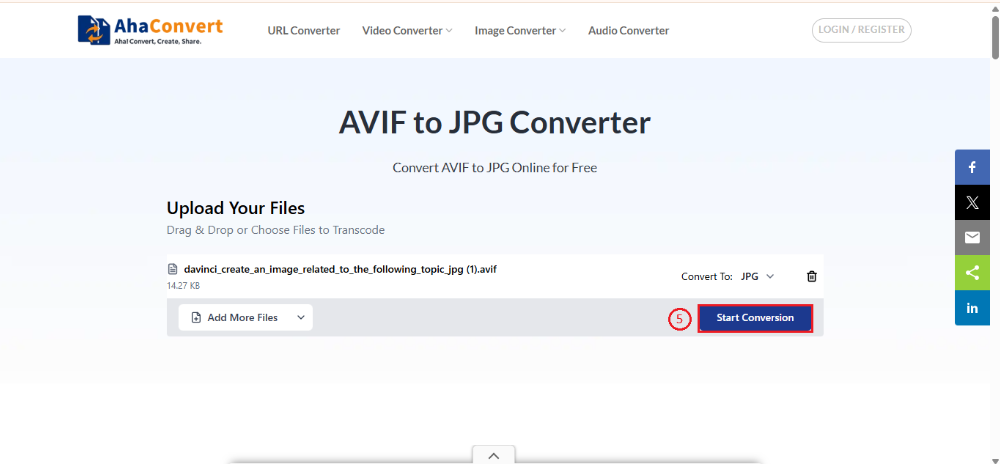
After completing the second step, click on the “Start Conversion” option, and in a few seconds, the AVIF to JPG conversion will start.
Step 4: Download the JPG format
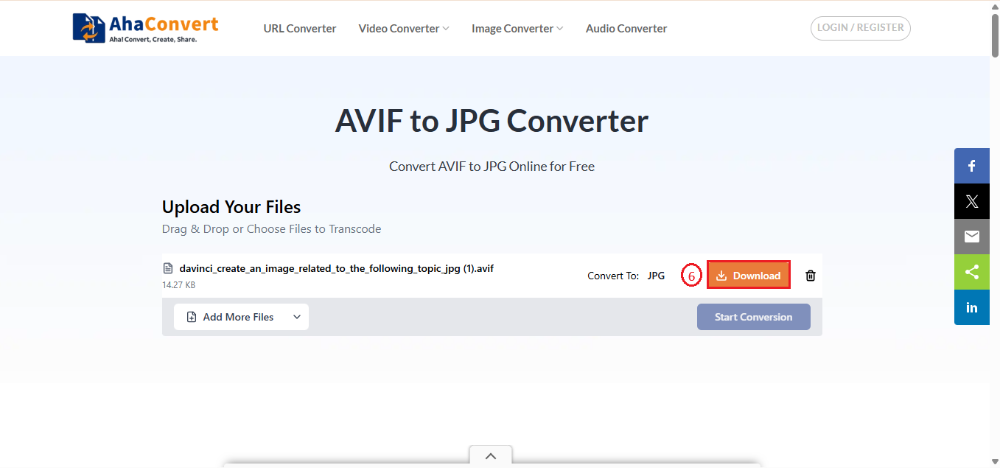
This is the final step. AVIF-to-JPG conversion can take some time, especially when converting an animated image. But in other cases, it only takes a few seconds to complete the conversion. After loading completes, the AVIF-to-JPG conversion will be performed, and the “Download” option will appear on the screen. You can save your converted JPG file on your device by clicking the “Download” option.
Frequently Asked Questions
a. Is AVIF better than JPG?
JPG files are widely supported across almost all software and devices. On the other hand, AVIF provides better compression efficiency, image quality, and other advanced features like HDR and transparency. Despite being smaller in size, AVIF files maintain high visual fidelity. Hence, AVIF is considered a better choice for modern software and media uses.
b. Can I change AVIF to JPG on mobile?
Yes! You definitely can change AVIF to JPG on your smartphones, tablets, or MAC devices by using a reliable converter. Advanced converters like AhaConvert work perfectly on both PC and mobile to convert AVIF to JPG. Feel free to convert your AVIF to a JPG file anywhere or anytime, without installing any application.
c. How to convert AVIF to JPG for free?
AVIF to JPG converters, such as AhaConvert, are available on the internet and offer free file conversion. Furthermore, you are no longer required to install any software on your device for that purpose. You can directly use a browser to convert AVIF to JPG files.
d. How long does it take to convert AVIF to JPG?
It directly depends on the range of file sizes you choose to change AVIF to a JPG file. Normally, it does not take a long time in the conversion process, except in the case of an animated image, which may take some time. However, by using some reliable AVIF to JPG converters like AhaConvert, you only require a few seconds to get your conversion done.
e. Is it safe to use an online AVIF-to-JPG converter?
AVIF to JPG converters, including AhaConvert, store files with 256-bit SSL encryption while converting the files. Once the conversion is complete, the platform will automatically delete your file within 24 hours. Furthermore, these converters do not allow third-party involvement, sharing, or exporting your data.
Conclusion
AVIF may be considered the advanced format and is expected to gain more popularity in the future, but for now, most users still prefer using a JPG file for maximum compatibility and accessibility. In that case, converting AVIF to a JPG file is considered an imperative step. For that purpose, you can consider AVIF to JPG converters like AhaConvert to convert AVIF to JPG files without any hassle of downloading software or compromising your device security.
In other words, you cannot deny the impressive compression and quality of the AVIF format, but in terms of versatility and accessibility, the JPG format remains superior. So, to get the best of both worlds, you can use AhaConvert to convert AVIF to JPG to share your work with your clients or colleagues without compromising the quality or security of your data.
