
Introduction
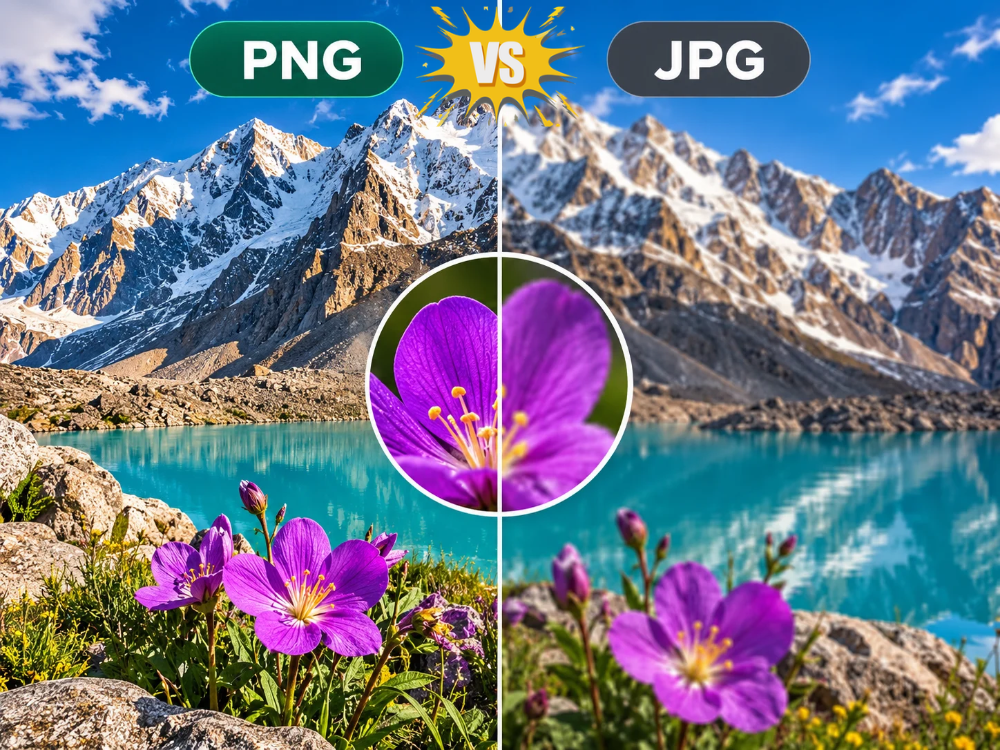
Every time you handle an image, you always find yourself choosing between PNG VS JPG. While both are widely used, each format was designed for different purposes. One might work great for your website. Another’s better for photos. Print stuff needs something else entirely. Knowing what separates them makes choosing the right one way easier.
PNG and JPG show up everywhere in design and web work. People reach for them constantly, but the reasons differ depending on what you’re doing. Get the differences down, and picking the format that works for your project becomes straightforward.
Here’s what sets PNG VS JPG apart. You’ll see which one handles quality better. Not only that, PNG to JPG convert but you’ll learn how to convert from PNG to JPG whenever the need arises.
What is PNG format?
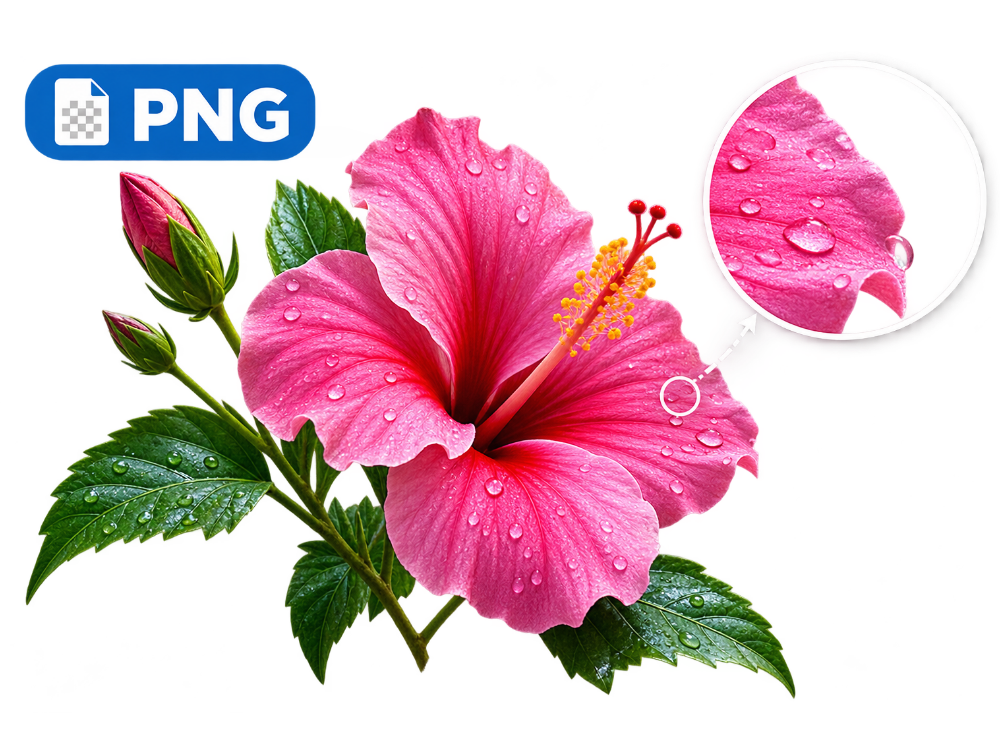
PNG means “Portable Network Graphics”. It is an image format created using lossless compression. Once you convert your files into PNGs, the system compresses the data without losing any pixel data. Open that file months later and every detail looks the same. No loss. That lossless thing is why people compare PNG VS JPG so much. It defines what PNG does well and what it costs in file size.
Lossless compression makes PNG perfect for graphics that need sharp edges. Logos, icons, screenshots, illustrations with flat colors, or text. All PNG territory. Plus, PNG supports an alpha channel. Parts of an image can stay fully transparent or partially transparent. One feature. Explains why logos and website graphics show up in PNG instead of JPG all the time.
Designers work in layered files first—export once the design is completed. Converting a PSD to PNG after completing the process in Photoshop will result in maintaining transparency and sharp edges. Both formats keep detail without throwing away pixel data.
File size, though. Nothing gets discarded during compression, so PNG files end up way larger than JPG files of the same size. Especially photographs with complex color gradients. PNG protects detail. You pay for it in storage space. That’s why the PNG VS JPG argument never stops.
What is JPG format?
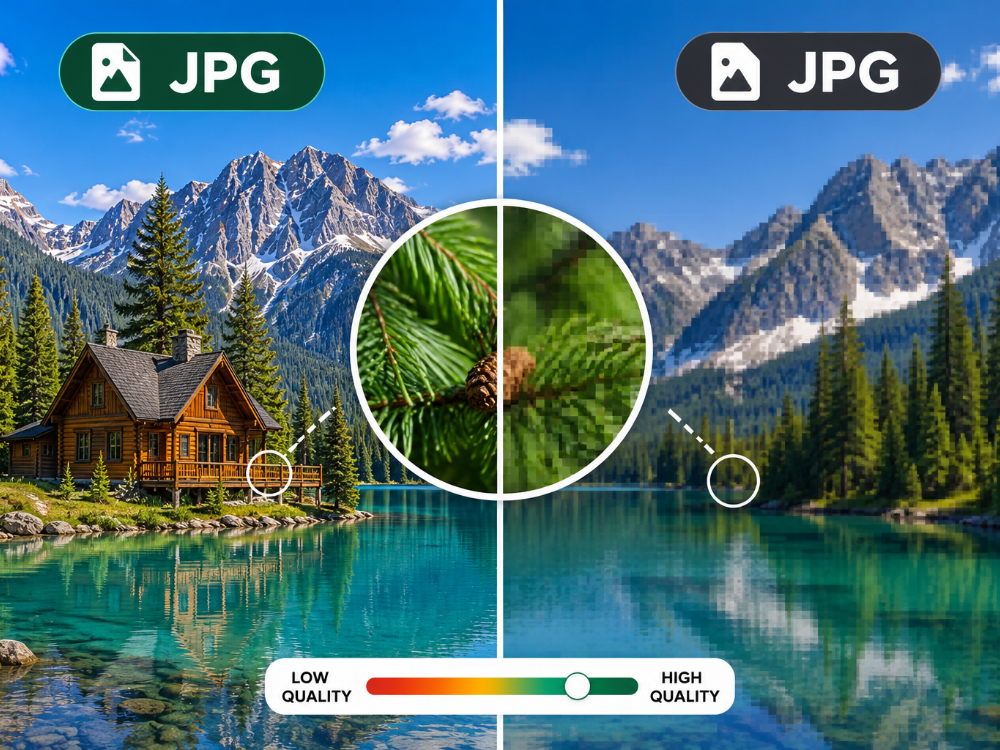
Conversely, JPG, or JPEG, stands for Joint Photographic Experts Group. Employs lossy compression whereby some data is lost each time the image is saved. But it’s strategic about what gets removed. It targets details your eyes won’t catch, like subtle color shifts in busy photo areas.
Since JPG tosses out information, files shrink way down compared to PNG VS JPG. That’s why cameras, phones, and websites standardized on it. Speed matters. Storage space matters. Pixel-perfect quality doesn’t. One catch: JPG kills transparency. Any clear areas in the original image are changed into solid colored backgrounds.
Modern iPhones and Androids take photos using the HEIF format. Takes up even less space. The problem is that older apps and websites don’t recognize it. So people convert HEIF to JPG all the time before uploading anywhere.
You can dial in how much JPG compresses. Higher settings keep more detail, but the file gets bigger. Lower settings shrink it, but you lose stuff. Here’s the thing though: every time you re-save a JPG, compression happens again. Tiny changes stack up. A phenomenon known as generation loss. This is a key part of the PNG VS JPG story. You’re not stuck with one quality level. You slide the dial yourself and control the trade-off.
PNG VS JPG: What are the Differences?
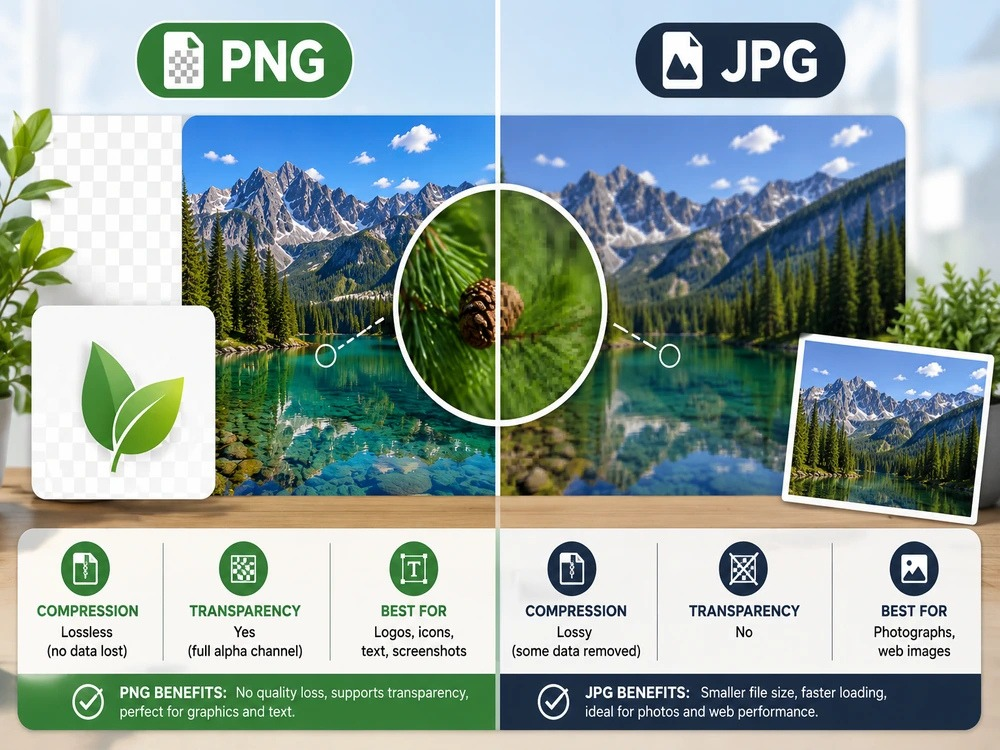
PNG VS JPG in comparison tells you what each one can do and what it can’t. See the table below for an instant guide to all that follows in the next five categories.
| Feature | PNG | JPG |
|---|---|---|
| Compression type | Lossless (no data lost) | Lossy (some data removed) |
| Typical file size | Larger | Smaller |
| Transparency support | Yes, full alpha channel | No |
| Best for | Logos, icons, text, screenshots | Photographs, web images |
| Repeated saving | No quality loss | Gradual quality loss |
| Ideal use case | Design assets, graphics | Websites, email, social media |
1. Compression: PNG vs JPG
Compression is why PNG VS JPG differ in almost every other way. PNG uses lossless compression. Data gets rearranged and encoded more efficiently, but nothing gets deleted. JPG uses lossy compression instead. It permanently removes information your eye probably won’t catch. Open and resave a PNG file ten times? No extra damage. Do that with JPG and the image degrades a little more each cycle.
2. File Size: PNG vs JPG
The size of the file is always the determining factor when it comes to comparing PNG VS JPG. JPG of an image will normally have a smaller size as compared to the same image stored in PNG, especially where there is a lot of color variance in the image, like landscapes or portraits. The reason why PNG images remain large is that they keep every single pixel of the image the same, something that helps a lot in archiving but not in storage and loading speed.
3. Transparency: PNG vs JPG
In comparison of PNG VS JPG. PNG wins on transparency. Its alpha channel supports full or partial transparency. Logos are placed on top of any background without being contained within a box. JPG does not offer transparency at all. Transparent pixels convert to white or solid color during export. Logos, icons, product cutouts? Almost always PNG. That feature alone is why.
4. Graphics and Text: PNG vs JPG
Sharp lines, flat colors, and readable text look better in PNG VS JPG. This is because lossy compression distorts sharp edges and produces compression artifacts when there is text and geometric objects in the image. This is the reason why screenshots, charts, infographics, and designs based on text look much sharper as PNG images. On the contrary, JPG was created keeping photographs in mind, wherein smooth colors conceal artifacts more easily compared to sharp edges.
5. Web Performance: PNG vs JPG
Image weight drives website speed. PNG VS JPG matters a lot for content-heavy sites. Smaller JPG files load faster, use less bandwidth, and boost search rankings since page speed counts. PNG files load slower because they carry more data. WebP and AVIF are newer formats closing that gap. If you get AVIF images, convert AVIF to PNG to keep them compatible with older software. Most photo galleries, blog headers, and product images work better as JPG. Keeps sites fast.
Is PNG or JPG Higher Quality?
Short answer: PNG keeps all your image data. JPG throws some away to shrink the file. So PNG wins on quality, but you lose that gain when the file gets huge.
Here is where the PNG VS JPG debate gets nuanced, because “quality” depends on what you are measuring. Where the storage of data in its pure form is concerned, PNG stands out. Its lossless data compression ensures that all pixels are retained; hence, the PNG file will remain true to the source image at all times.
Quality gets complicated, though. What do you mean by quality? PNG saves every single pixel perfectly. A lossless image file will remain the same despite being opened or saved any number of times in the future.
JPG does the opposite. Cuts data to make files smaller. Technically, it is lower quality when you look pixel by pixel. However, there is one issue here: the difference won’t be noticeable in most cases. Once the JPG quality settings are increased to the maximum level, pictures will be identical to PNG. Your eye doesn’t catch what JPG removes from photos anyway.
So PNG beats JPG on raw accuracy. JPG delivers similar-looking results at way smaller file sizes, especially with photos. Which one’s actually better, PNG VS JPG? Depends on what you need—perfect accuracy or small files. Pick your tradeoff.
PNG VS JPG: Which Format Should You Choose?
Choosing one among the two in the PNG VS JPG comparison. Decide based on your purpose for using the image and whether you need to consider file size.
When to Use PNG
- Your image has text, line art, or geometric shapes in it.
- You need transparency or semi-transparency.
- You’re editing the image over and over.
- Making logos, icons, screenshots, or UI elements.
- You want zero compression artifacts and maximum quality.
When to Use JPG
- The image is a photograph with complex color gradients.
- File size is a priority — for web use, email, or storage.
- Transparency is not needed.
- The image will be displayed at standard screen resolution rather than printed at large sizes.
- You are sharing photos on social media, embedding them in documents, or uploading to platforms with file size limits.
Most people work smart about this: PNG vs JPG. Keep PNG files while editing. Then convert PNG to JPG when you’re done and need smaller files for the web or sharing.
How to Convert PNG to JPG?
It is not necessary to have sophisticated software to convert PNG to JPG when you can use a simple online tool for that purpose. With the help of AhaConvert PNG to JPG Converter, anyone can perform the task of PNG to JPG conversion online without signing up for an account or downloading any software.
Users of Mac can find another way of performing this task without using a browser in the guide on how to convert PNG to JPG on Mac. Here’s how it is done.
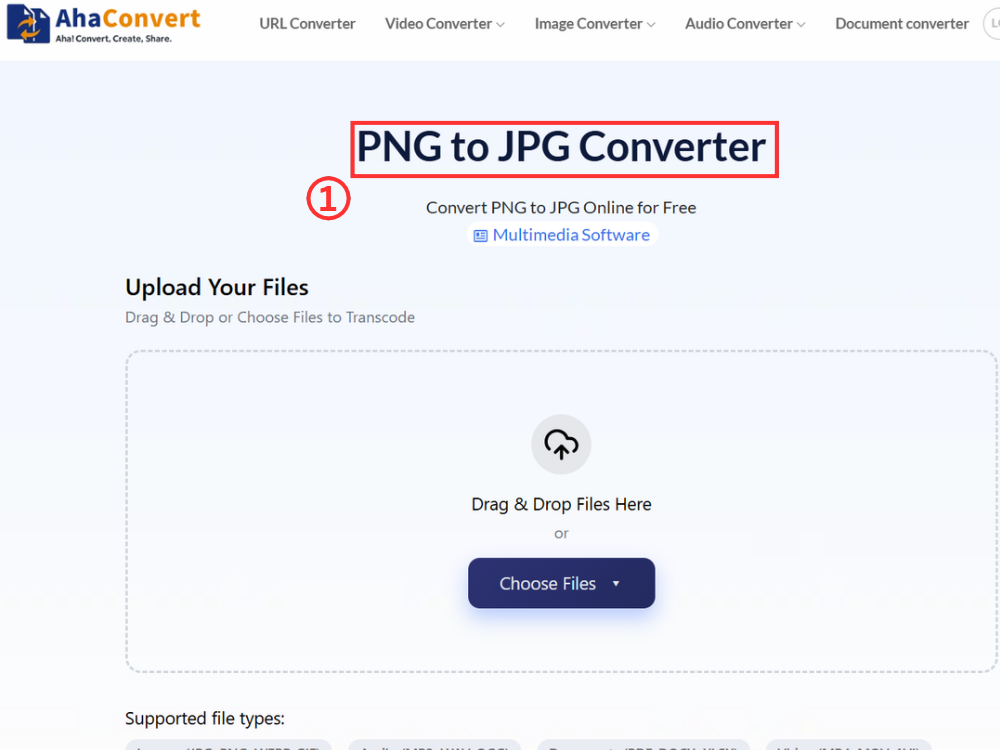
Step 1: Open the AhaConvert PNG to JPG Converter
Go to AhaConvert PNG to JPG Converter in your web browser. Loads instantly. No downloads, sign-ups, or installations.
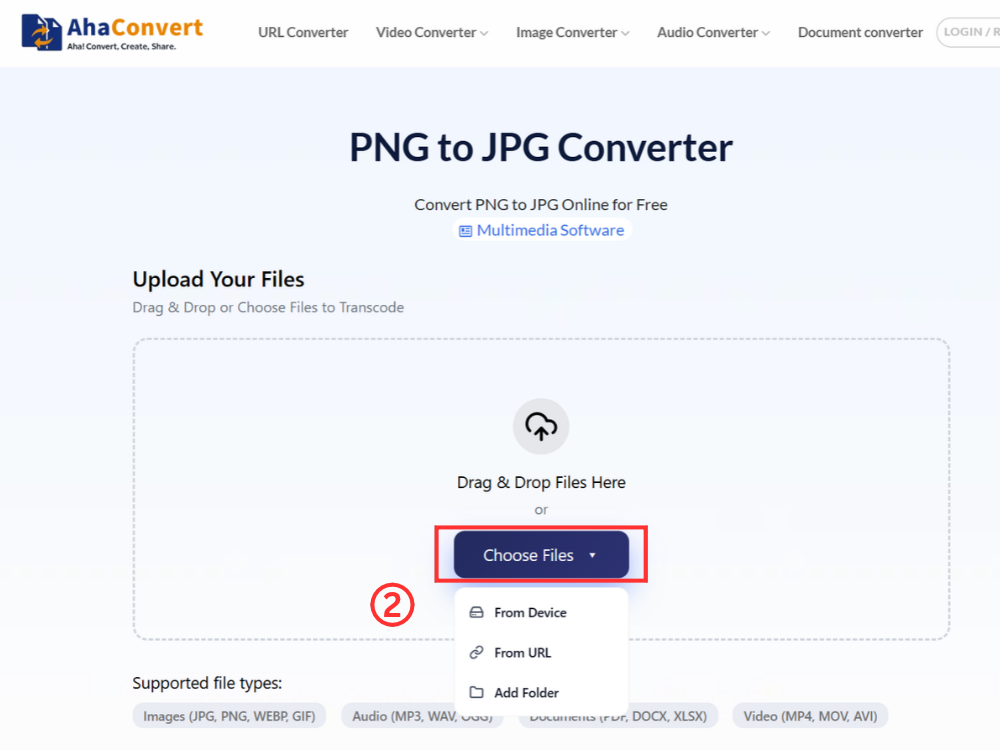
Step 2: Upload Your PNG File
Click “Choose Files”. Upload your PNG from your computer. You can also drag and drop the file. Alternatively, paste a URL if the image is online.
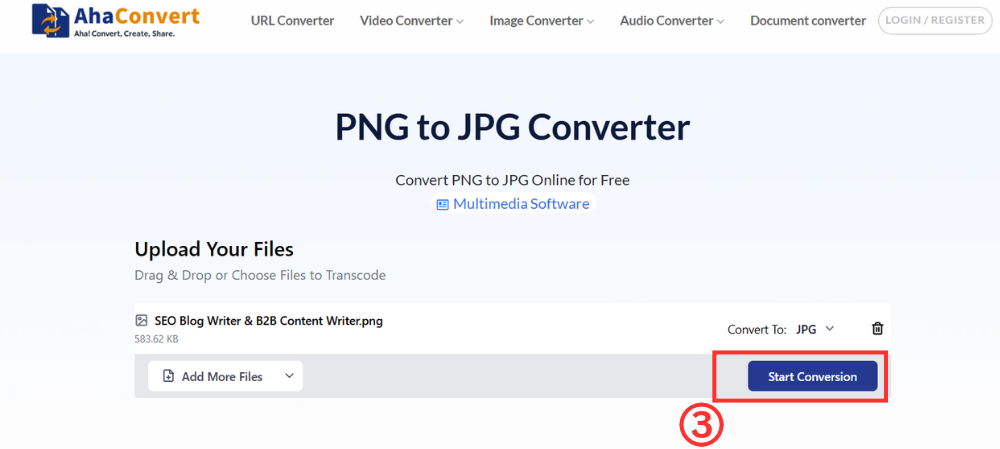
Step 3: Convert Your PNG File
Click “Start conversion” to convert your PNG. Since this is png to jpg convert so the output format defaults to JPG automatically. No format selection needed.
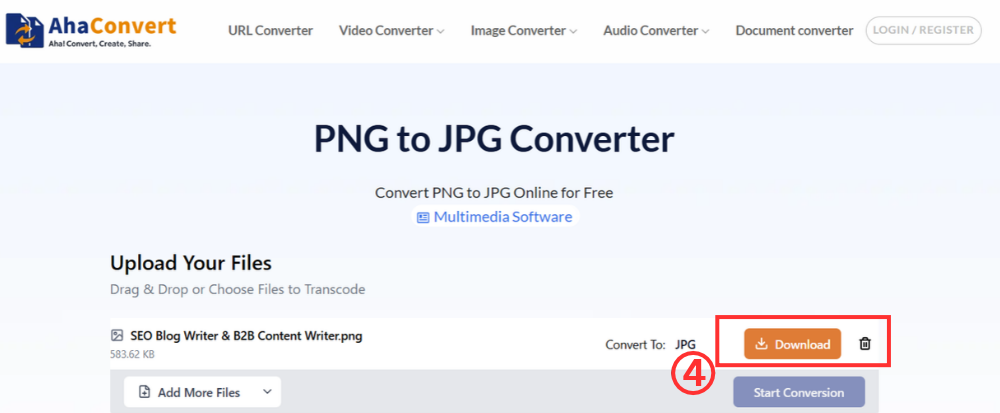
Step 4: Download Your JPG File
After converting, download your JPG file. Click the “Download” button. Your JPG file will be saved to your computer.
Frequently Asked Questions
a. Is PNG or JPG Higher Quality?
JPG format is great for photos, provided you use quality settings. It looks almost the same as PNG yet is much smaller. PNG is better for graphics, text, and any other images with straight lines since lossless compression keeps all pixels in their place.
b. Is this online PNG-to-JPG converter free to use?
Yes. AhaConvert PNG to JPG converter costs nothing. No account needed. No subscription. No conversion limits. Upload your PNG, select Convert, and within moments you will have your JPG. Batch conversion is possible. All free.
c. Does JPG lose quality compared with PNG?
Yes. JPG uses lossy compression. Some image data gets permanently removed when you save. At high quality settings, the loss is barely noticeable in photos. But text, sharp edges, and flat colors show the damage. Re-save a JPG, and you lose more quality. PNG doesn’t have that problem.
d. Why should I convert PNG to JPG?
File size. JPG files shrink way down compared to PNG, especially with photos. Your website loads faster. Storage takes up less space. Files get easier to share. JPG tends to be more appropriate when you don’t require a transparent image, and you have a photograph rather than a graphic.
e. Can I convert PNG to JPG without losing quality?
Some loss happens because JPG uses lossy compression. But at 90-100% quality settings, photographs look almost identical to the original PNG. The difference is barely visible. Graphics- and text-heavy images show more quality loss. PNG to JPG conversion keeps compression minimal so you get the best JPG output possible.
In Conclusion
Pick according to your requirements: PNG vs JPG. PNG provides lossless compression, transparency, and clear graphics and text. Suitable for logos, icons, and screen captures. JPG compresses efficiently and keeps files small. Best for web photos, social sharing, and storage situations.
PNG to JPG converter takes seconds and costs nothing. AhaConvert PNG to JPG converter handles it on any device. No software to install. No account to create. Know when each format works best. Know how to switch between them. You control image quality and file size for every project.
