
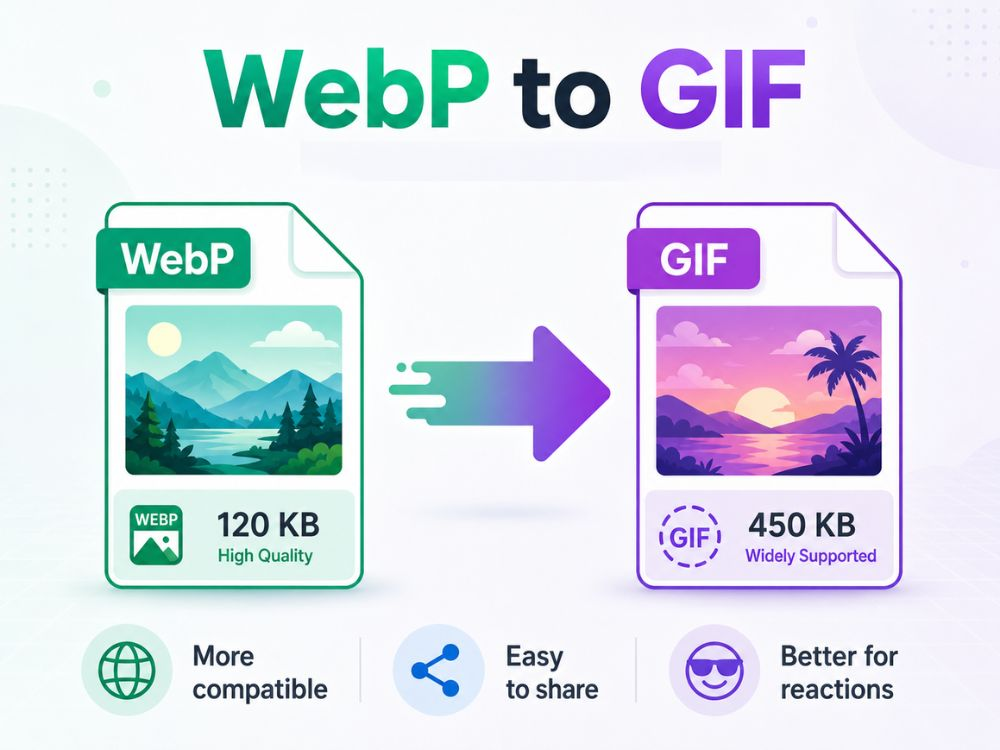
GIFs, although notorious for reactions on posts and messages, have far-reaching use cases. They are used in chats, social media, professional emails, presentations, reports, and product explainers, making them one of the most compatible file formats out there.
Its legacy is something we continue to see, as newer and even, in many cases, better file formats still cannot entirely replace GIFs.WebP is one such example. The file sizes are small and can retain superior quality, but many users still wish to convert WebP to GIF.
Why are so many users looking into how to convert WebP to GIF? We’ll tackle all concerns regarding this topic, including helping you find the best WebP to GIF converter for your files.
WebP vs GIF
From compression algorithms to image quality, WebP and GIF appear to barely share any similarities. However, they both can effortlessly support animations, which is why it is easier to convert WebP to GIF, knowing the animation will likely stay intact.
Regardless, there are still plenty of differences between them that become especially apparent after conversion. These differences are something you should account for before converting your files from WebP to GIF.
Compression and File Size
WebP was made for the web, so file size is one of its strongest points. It can use lossy or lossless compression, which means you can either reduce the file size heavily or keep the image closer to the original.
GIF is different. It uses lossless compression, but that does not automatically mean small. Animated GIFs can become huge because every frame adds more data. A short GIF may look harmless, but once it has many frames, colors, or movement, the file size can grow quickly.
Animation Support
Both GIF and WebP support animation. These are looping animations that start all over once it ends. The difference, however, is in how they perform behind the scenes, which is then reflected in the animation itself.
GIFs have more rigid animations, with little to no customization options. WebP is more customizable, where you can edit frame durations. The transitions are also smoother.
Image Quality
WebP offers a broad range of hues and colors supporting 24-bit RGB. This is what makes the result bright, sharp, and crisp in detail.
GIF is limited to 256 colors. That is fine for simple graphics, stickers, icons, and reaction loops. But with photos or detailed animations, GIFs can start to show rough edges.
This is something to keep in mind before you head over to convert your WebP images to GIF.
Browser and Platform Compatibility
Modern browsers support WebP well now. Chrome, Firefox, Edge, Safari, and Opera can all handle it. So for websites, WebP is no longer some strange format that only a few browsers understand.
Some older tools, email builders, CMS editors, chat apps, and upload forms still treat GIFs more naturally. They may accept GIF instantly, but reject WebP or fail to play animated WebP properly. That is one of the biggest reasons users still convert WebP to GIF.
Transparency and Effects
WebP integrates full alpha transparency with 8 bits, which means it can handle smooth transparent edges. This is useful for stickers, logos, UI elements, product graphics, and images placed over different backgrounds.
GIF transparency is much more basic. A pixel is either transparent or not. There is no smooth, semi-transparent edge in the same way. That is why some GIFs show jagged outlines around objects, especially when placed on darker or colored backgrounds.
For clean transparency, WebP is the better format. For quick sharing, simple loops, and reaction-style content, GIF still does the job.
Why Convert WebP to GIF?
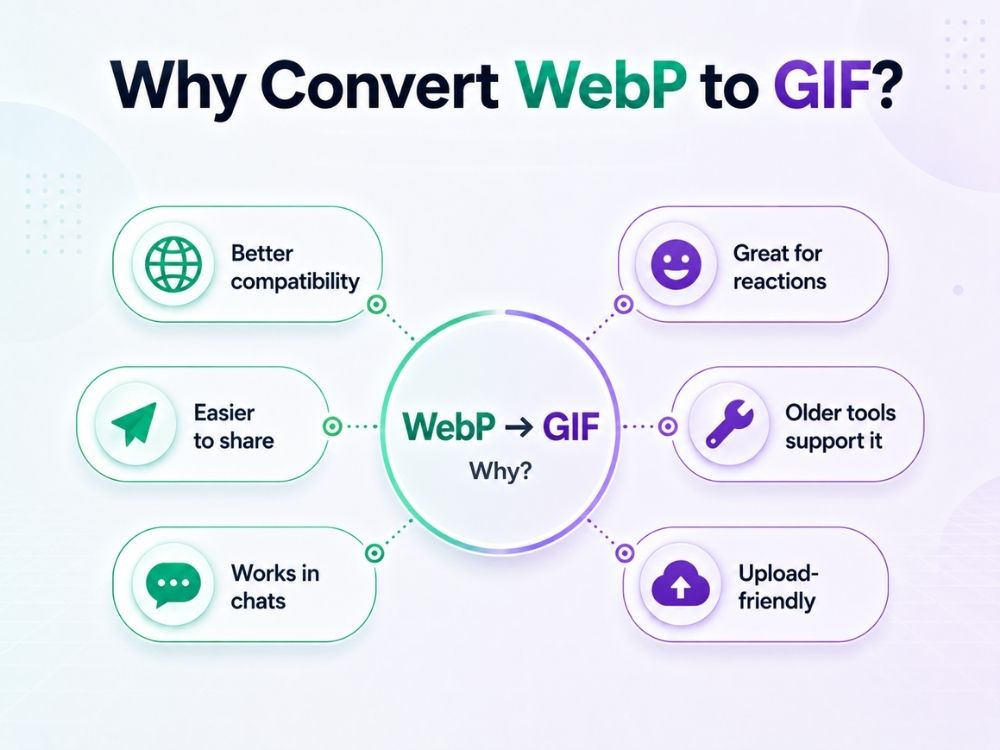
There aren’t a lot of image file formats that support animations, and so users often resort to converting to GIF. Converting an animated file format to a static file format, like converting GIF to PDF, usually results in static images. Along with this, there are several reasons why many users choose to convert WebP to GIF, such as:
- Better compatibility: Some apps, older tools, forums, email builders, and upload forms still accept GIF more easily than WebP.
- Easier animation sharing: GIF is the format most people already associate with short loops, memes, reactions, and moving images.
- Works better in chats and social spaces: Some platforms handle GIF previews more smoothly, especially when the file is meant to be sent quickly.
- Useful for emails and reports: Animated GIFs are often easier to place inside newsletters, presentations, reports, and product explainers.
WebP is not always accepted: A website may support JPG, PNG, and GIF, but reject WebP during upload. - Older software understands GIF: Many old editing tools and content systems can open GIF without extra support.
- GIF feels more shareable: For reactions, stickers, quick tutorials, and short visual clips, GIF still feels like the safer file choice.
- No need to explain the format: Send someone a GIF and they know what it is. Send a WebP, and some users may not even know how to open it.
A Free WebP to GIF Converter – AhaConvert
GIF cannot fully retain the quality of WebP images, but the loss can be controlled to some extent. A good converter can spare you the concerns here. A poor WebP to GIF converter can make the final file look grainy, choppy, or washed out, while a better one can keep the animation timing closer to the original and reduce visible quality loss.
AhaConvert works well here because it is not just a free converter for basic file changes. For WebP to GIF conversion, it keeps the process simple while still handling the final output carefully, so the GIF does not look rough or poorly processed. You also do not need to sign up, even if you want to make batch conversions.
Speed is another strong point. The files are processed quickly, which helps when you are converting animations in a hurry.
Privacy also matters with online converters. AhaConvert uses 256-bit SSL encryption and deletes uploaded files within 24 hours, so your files stay protected while being converted into a format that is easier to share.
How to Change WebP to GIF Online
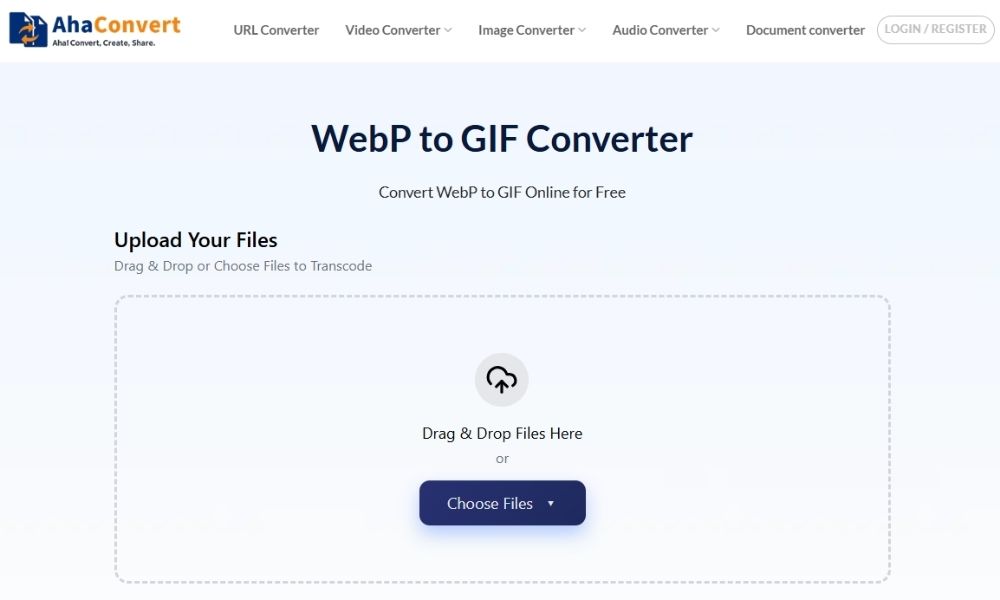
Step 1: Open AhaConvert WebP to GIF Converter
Go to the AhaConvert WebP to GIF converter in your browser. The tool works online, so there is no software to install.
Step 2: Upload your WebP file
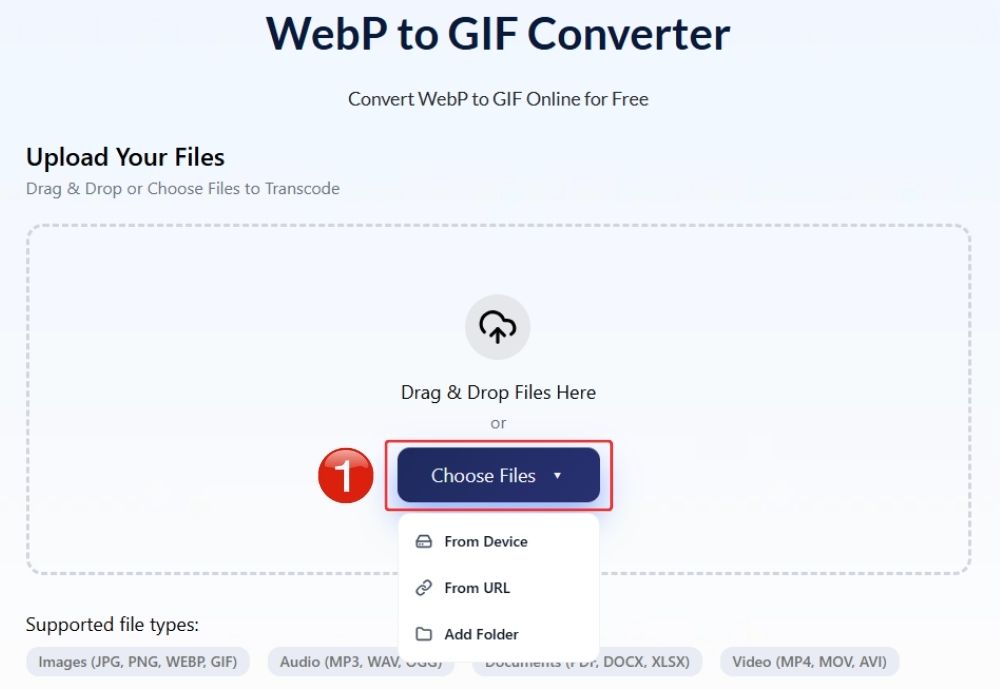
Click “Choose Files” and pick the WebP image from your device. You can also drag and drop the file into the upload box. AhaConvert also lets you import a file through a URL, which helps when the image is already hosted online.
Step 3: Start the conversion
Click “Start Conversion” and let AhaConvert process the file. For regular WebP files, this usually does not take long.
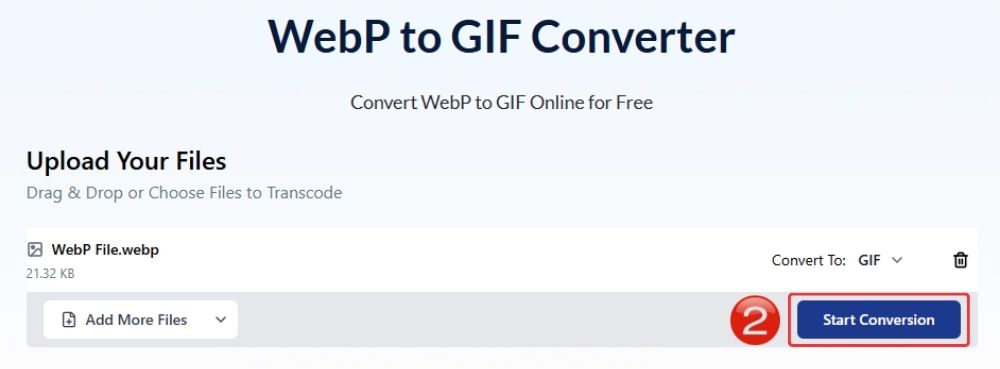
Step 4: Wait for the conversion process
It will take a few seconds for your WebP to convert to GIF. Wait as AhaConvert processes your file.
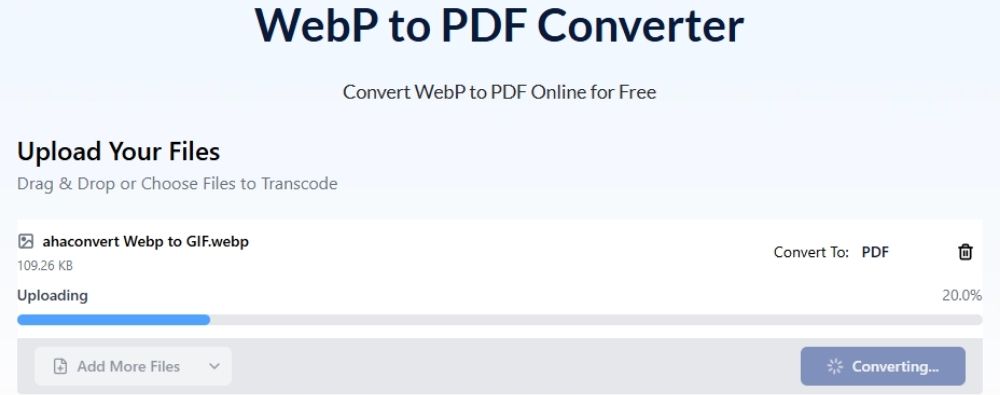
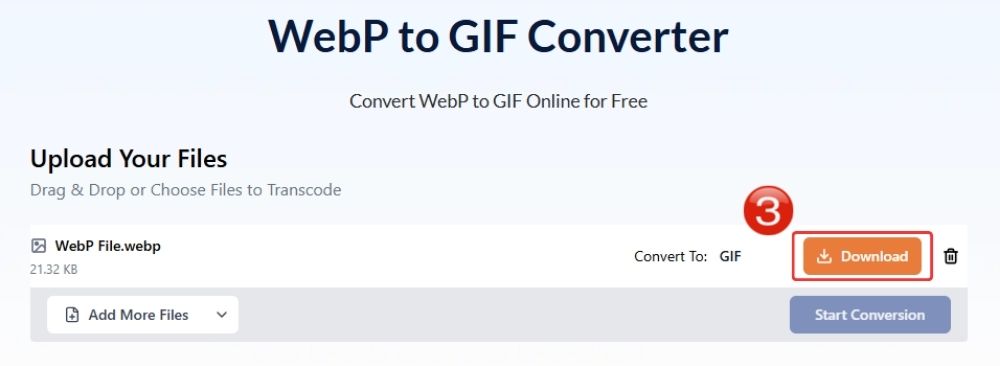
Step 5: Save the converted GIF
Once the conversion is done, click “Download”. Your WebP file is now saved as a GIF and ready to share, upload, or use across platforms that support GIF better.
Frequently Asked Questions
a. Can I convert animated WebP to GIF?
Yes. If your WebP file is animated using a reliable file converter such as AhaConvert. You can convert it into GIF format, and it will stay animated.
b. Is the WebP to GIF converter free?
Some converters, like AhaConvert, let you convert WebP to GIF free of cost without any sign-ups required.
c. Is my uploaded file secure?
This depends on what converter you use. AhaConvert protects files with 256-bit SSL encryption during transfer. The files are stored in a secure cloud environment and deleted automatically within 24 hours.
d. What is the maximum file size supported?
AhaConvert allows free image conversions up to 1GB. That is more than enough for regular WebP images and many animated WebP files.
e. Can I convert WebP to GIF on mobile devices?
Yes. Open the AhaConvert WebP to GIF converter on your phone browser, upload the file, convert it, and save the GIF.
Wrapping Up
Ultimately, when you convert WebP to GIF, you will most likely notice degradation in quality to some extent. Ahaconvert WebP to GIF converter ensures that, despite limitations, the image retains its original quality as best as possible. A good converter must ensure that you get exactly what you expected and nothing less. On that note, AhaConvert also offers one of the most secure conversions, so there is never any breach of security, and the file remains with you and you alone.
Related Image Conversion Tools:
WebP to JPG – Convert WebP images into the most widely supported image format.
WebP to PNG – Preserve transparency and image quality.
GIF to WebP – Reduce file size while maintaining animation.
PNG to GIF – Create animated GIFs from PNG images.
JPG to GIF – Turn static images into shareable GIF content.
