
Introduction
MKV files contain high-quality videos, but can be troublesome in situations where one requires just the audio portion. Whether you want to extract a movie soundtrack, save a recorded lecture, or keep background music from a video clip, converting MKV to MP3 is often the easiest solution.
There are many online MKV-to-MP3 converters that do not require any special knowledge or even software installation. This article will help you understand what MKV files are, why their conversion to MP3 format is recommended, and the most reliable free converters in 2026.
What Is an MKV File?
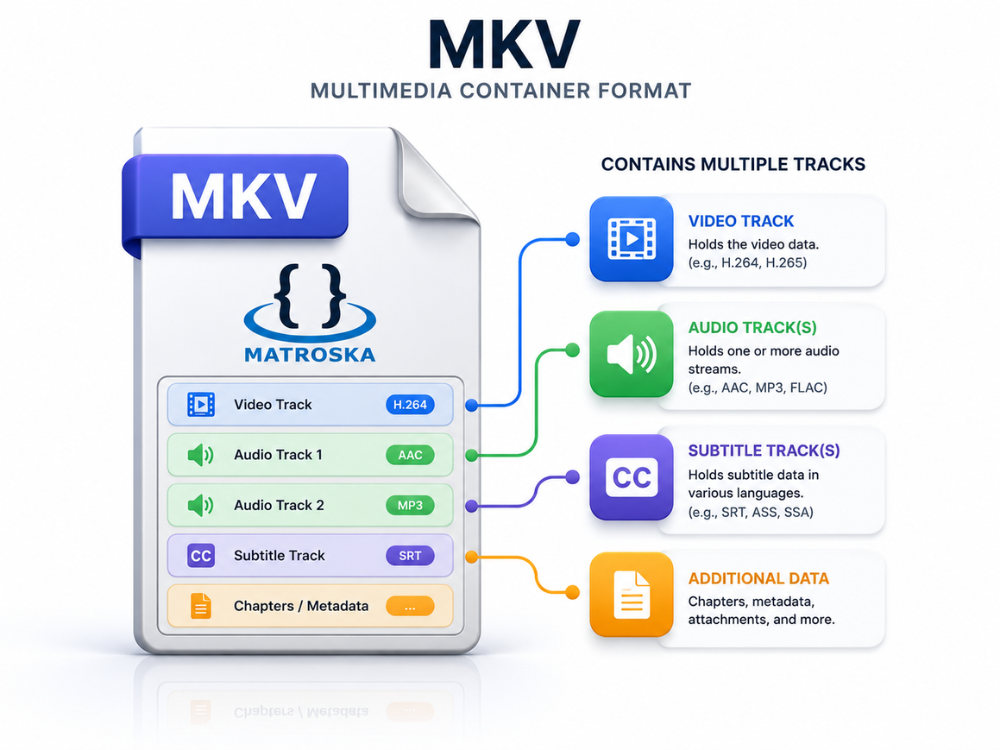
Matroska Video is another name for MKV. This is an open-source multimedia container that is able to contain an infinite number of video, audio, subtitle, and chapter tracks in one file. It was created by the Matroska organization back in the early 2000s. It became popular amongst video fans and collectors due to its versatility and compatibility with virtually all existing codecs.
MKV is different from some other popular formats like MP4 and AVI in the sense that it is not a codec, but only a container for other files and codecs. All video and audio tracks in an MKV file can be encoded in virtually any codec, like H.264, H.265, VP9, AAC, MP3, FLAC, and many others.
Due to the absence of any restrictions on embedded tracks or codecs, MKV became the favorite archival format for home theatre fans who would like to store all tracks, director’s commentaries, and subtitles in one file.
Although versatile, MKV comes with one huge drawback — a lack of good support on various devices and systems. Apple products, older smart TV sets, and most mobile phone applications do not support playing MKV files without any extra applications.
In case you require only audio from an MKV file (a music video, webinar, or online class), converting it into MP3 will solve all the compatibility issues. If you’re deciding between audio formats for your project, check out our WAV vs MP3 comparison to see which one fits your needs.
Why Convert MKV to MP3?
There are some valid reasons why people prefer extracting audio from MKV files rather than working with the original video file format.
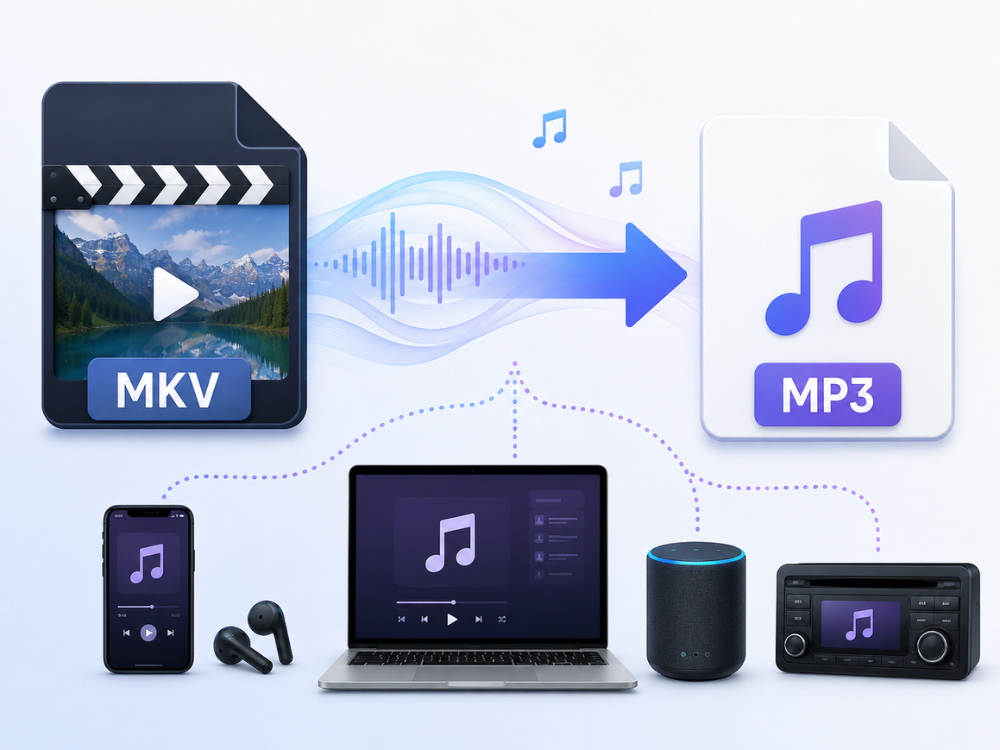
Firstly, it has to do with the issue of compatibility. MP3 is the most universal audio format known around the globe. It plays on smartphones, tablets, computers, car radios, portable players, smart speakers, and almost any other media application available today. In contrast, an MKV file needs a special media player to be played. Also, it cannot be played natively on mobile devices without prior conversion. With the change to MP3, the audio plays on any device without problems.
The second point to consider is the file size. MKV files tend to be quite big – even a single movie file may take up several gigabytes of space. However, the extraction of audio and saving it as an MP3 results in making the file much smaller, namely, only several megabytes. It becomes a serious advantage for those who have limited storage capacities in their smartphones, flash drives, or cloud accounts.
But there are also particular instances when MP3 is simply easier to use. A recorded webinar saved in MKV format is much more convenient than a podcast MP3, which can be listened to on the way to work. Artists who record their video performance require audio for mixing purposes or uploading to music websites separately from the video itself.
Students of languages who download video tutorials convert them to MP3 in order to learn wherever they want – when they are training, traveling, or in any other place where watching videos is impossible.
Finally, a free MKV to MP3 converter website makes video editing software unnecessary at all. Sites such as AhaConvert MKV to MP3 Converter extract audio instantly, without any installations or downloads, directly in the web browser.
Best Free Online MKV to MP3 Converters in 2026
There are several reliable online converters of MKV to MP3 that do not require software installation. Below is the list of five such online converters.
AhaConvert MKV to MP3 Converter
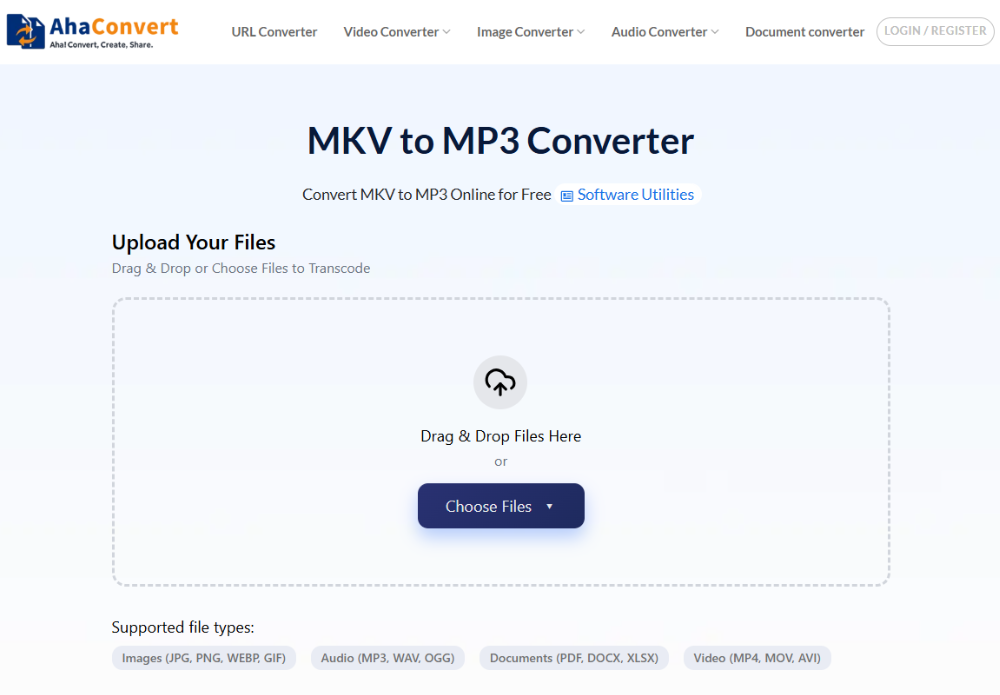
AhaConvert MKV to MP3 Converter is a free and safe online converter that allows users to extract an audio track from an MKV file in a quick and secure way. Registration on the website is not needed. The application is available for any user who has a web browser, no matter what device they use – Windows, macOS, Linux, iOS, or Android.
All uploaded files are encrypted with 256-bit SSL and automatically deleted after 24 hours, so your information will be secure at every stage of conversion. You can upload multiple MKV files simultaneously in batch mode, which is helpful if you need to convert a series of lectures or webinars.
The converter will also be very helpful if your MKV file has multiple audio tracks, as the main audio track is extracted automatically.
Pros:
- Free to use without any need for signup
- Batch conversion capability to convert multiple files
- 256-bit SSL encryption and deletion of files automatically after 24 hours
- Compatible with all devices and browsers
- The conversion limit is not there
Cons:
- Requires constant internet access
- No provision to set the bitrate manually
CloudConvert MKV to MP3 Converter
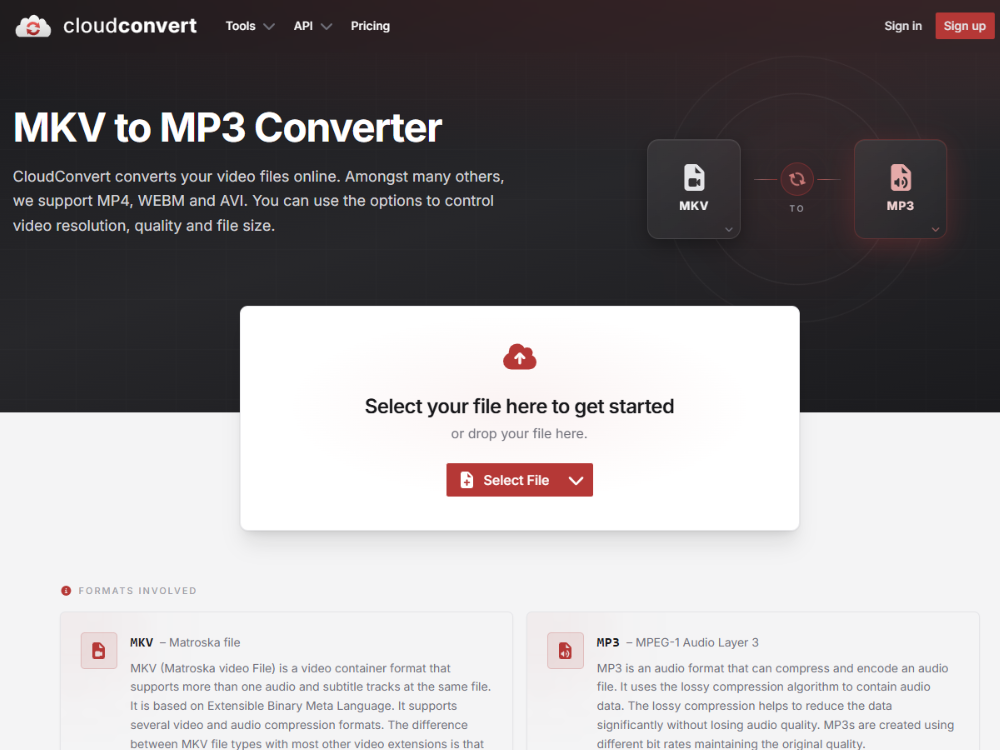
CloudConvert is a well-known multi-format online converter that can convert MKV to MP3. It provides detailed audio output settings, such as bit rate, sample rate, and channels, allowing it to be used by those needing audio with specific quality specifications.
It is easy to create MP3 files with CloudConvert, for instance, 320kbps for music work and 128kbps for a podcast intended to stream. Nevertheless, there is only a daily limit of 25 conversions in the free version, which might be insufficient for those who use it a lot.
Pros:
- Detailed control of audio quality,
- Developer API,
- Wide format compatibility.
Cons:
- Daily conversion limit of 25 in the free version,
- Slow processing at peak times.
Convertio MKV to MP3 Converter
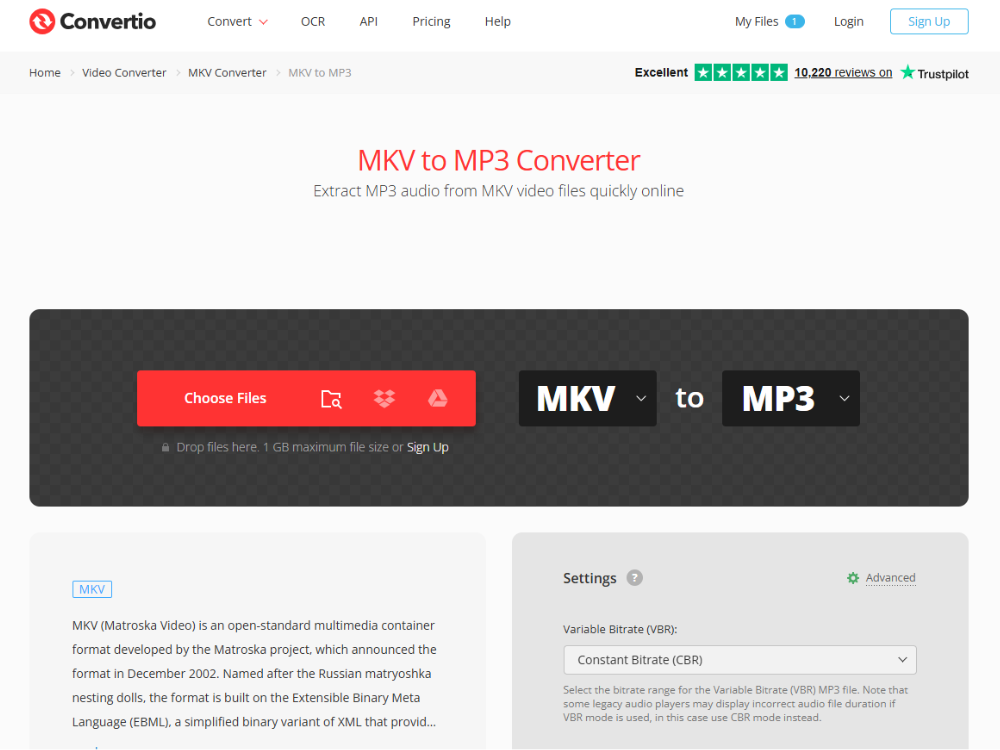
Convertio can handle numerous audio and video formats, such as MKV and MP3. You can upload files from your own computer, Google Drive, or Dropbox. This feature adds convenience when you need to use cloud services to work. The interface is simple and user-friendly. But the issue with the free plan is that the maximum file size is limited to 100 MB, which is not enough for bigger MKVs.
Pros:
- Integration with cloud storage,
- Simple interface,
- Support for many formats.
Cons:
- Limitations in file sizes on the free plan,
- Limitations of conversions per day for free users.
Online Audio Converter
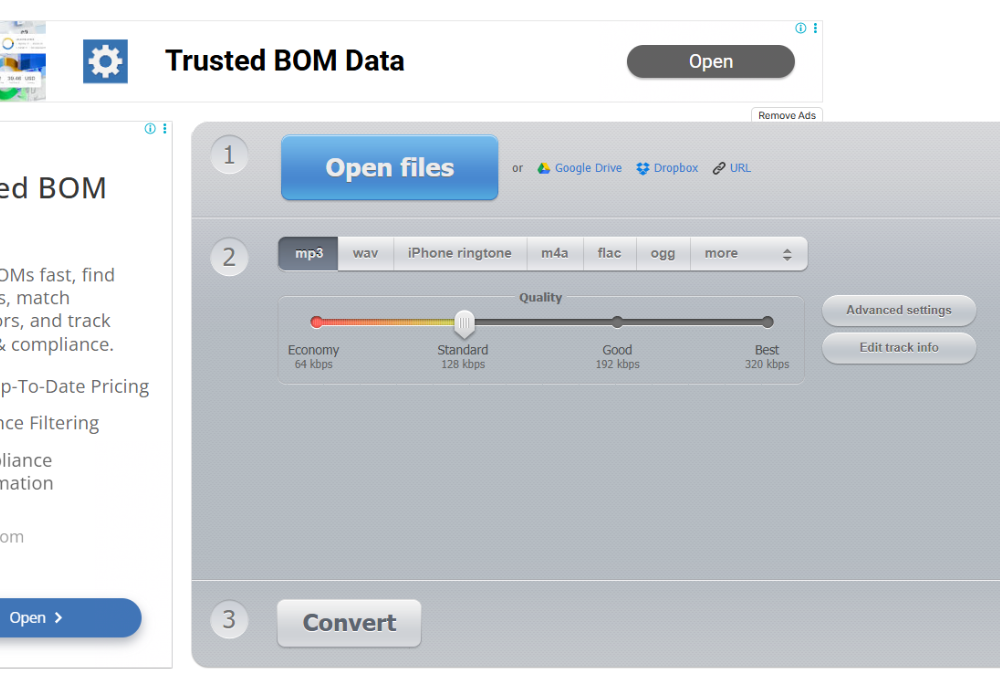
The Online Audio Converter (123apps) is a very simple browser-based converter that only deals with audio. It converts MKV to MP3 with standard settings and a clean layout. This utility is more appropriate when you need to perform occasional conversions without any adjustments and when simplicity outweighs advanced features.
Pros:
- Easy-to-use interface,
- Only deals with audio,
- No need to register.
Cons:
- Does not support batch processing,
- Standard output settings,
- Adverts in the free version.
MConverter MKV to MP3 Converter
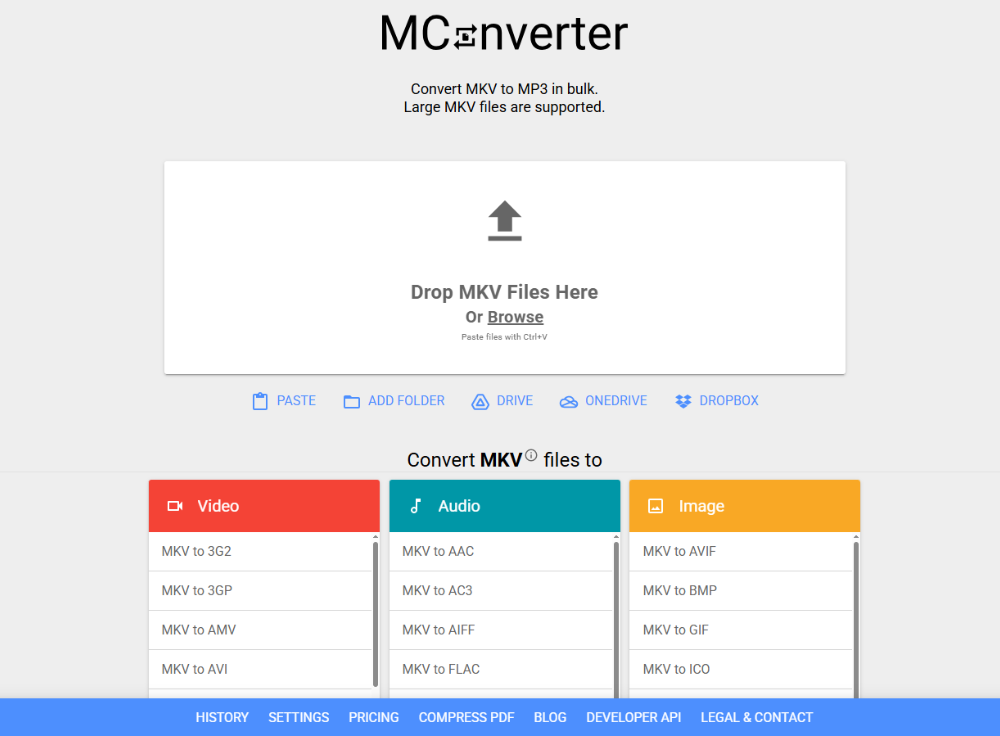
MConverter converts the files on the client’s computer itself, which makes the process quicker without transferring the files to any distant server. This makes it quite advantageous regarding privacy issues. It provides basic functionality of conversion from MKV format to MP3 without any registration. It doesn’t have any advanced functions like batch processing.
Pros:
- Quick processing for small files,
- Doesn’t require any registration,
- User-friendly interface.
Cons:
- Doesn’t provide batch processing,
- No advanced audio options,
- Not as popular as other converters.
| Tool | Free | Batch Support | File Size Limit | Registration |
|---|---|---|---|---|
| AhaConvert | Yes — unlimited | Yes | No limit stated | Not required |
| CloudConvert | Limited (25/day) | Yes | No stated limit | Optional |
| Convertio | Limited | No | 100 MB | Optional |
| Online Audio Converter | Yes | Limited | 200 MB | Not required |
| MConverter | Yes | No | Varies | Not required |
From these five, the one that is always recommended is AhaConvert because of its simplicity and accessibility in terms of being free for everyone.
How to Convert MKV to MP3 with AhaConvert
The AhaConvert MKV to MP3 Converter allows you to extract the audio from MKV files with just a few clicks. This is how it works.
Step 1: Open the AhaConvert MKV to MP3 Converter
Go to AhaConvert MKV to MP3 Converter in any web browser on your device. The site is immediately accessible on Windows, macOS, Linux, and mobile devices without any downloads or installations.
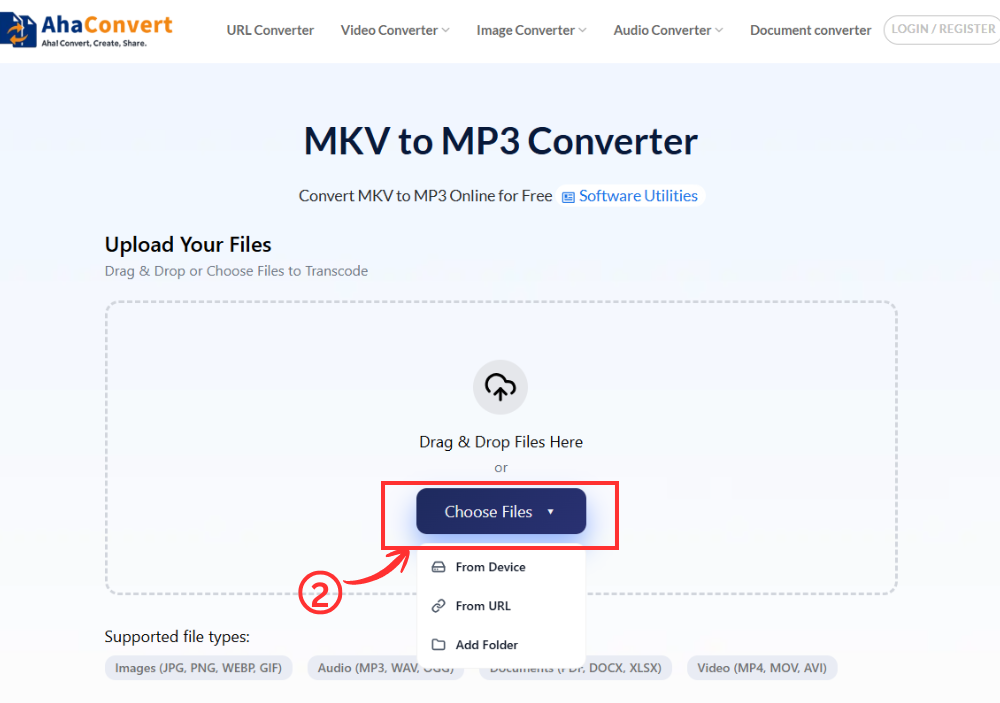
Step 2: Upload Your MKV File
Click the “Choose Files” button to browse and select your MKV file from your device. Alternatively, you can also drag and drop the file into the upload section or paste the URL of an online video if supported.
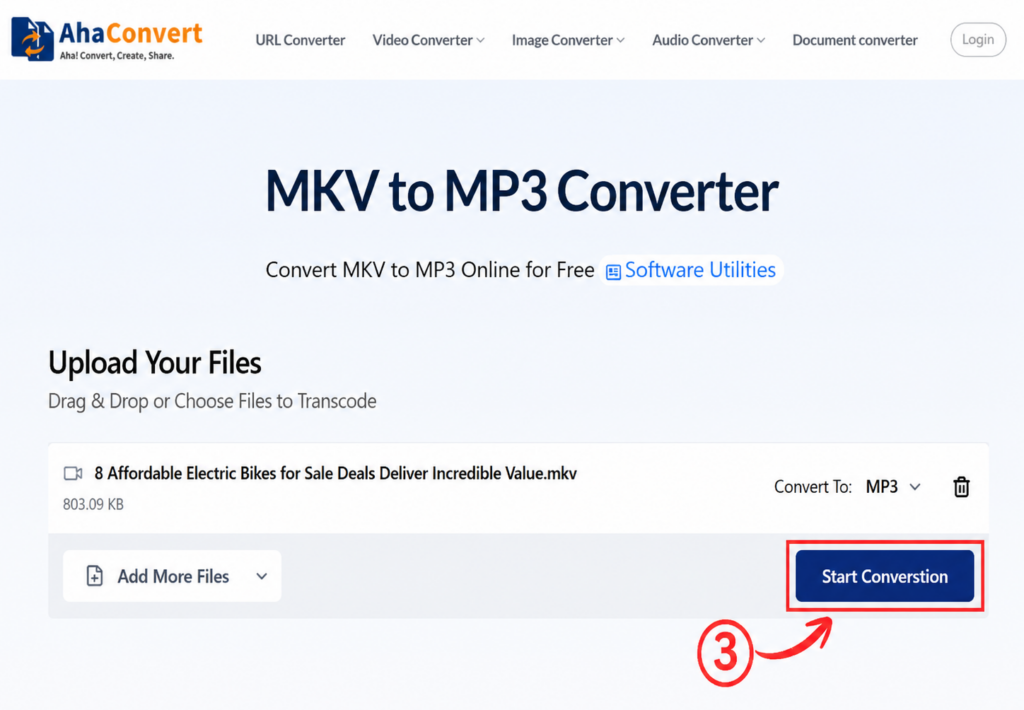
Step 3: Start the Conversion
After you upload your file, you should press the “Start Conversion” button. Since this is a free MKV to MP3 converter, the output format is automatically selected as MP3 – there is no need to choose from any format drop-down menu. AhaConvert starts converting your file right away.
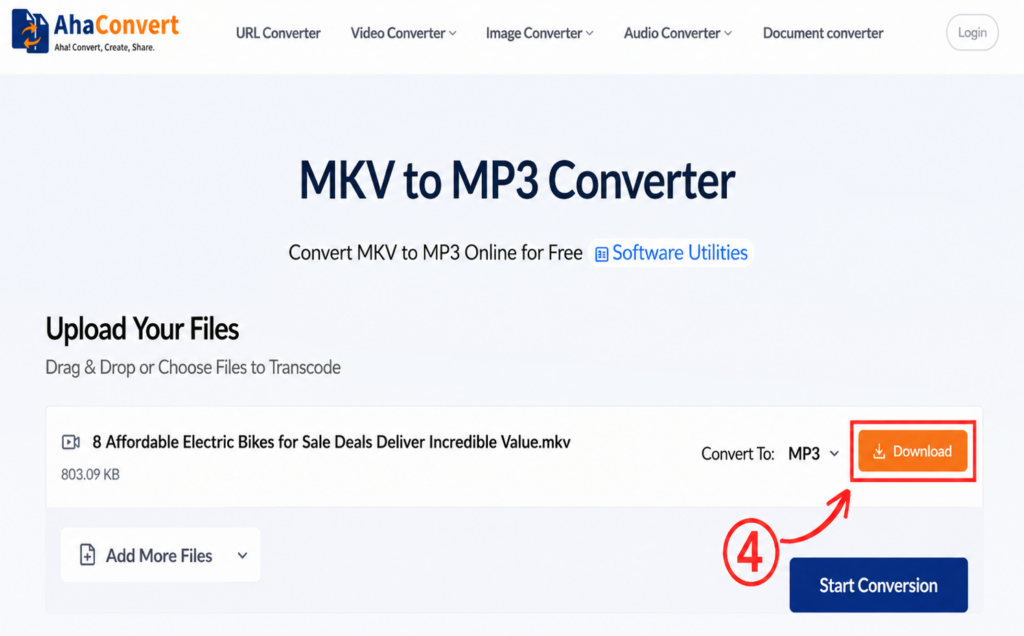
Step 4: Download Your MP3 File
Click the “Download” button to save the MP3 file to your device. Most standard MKV files are processed within a few seconds, while larger files may take a little longer.
Frequently Asked Questions
1. Can I convert MKV to MP3 online for free?
Yes. It is possible to convert MKV files into MP3 for free using the Ahaconvert website. This converter is free from charges of any kind, including hidden charges. It allows users to perform an unlimited number of conversions for free without signing up for the service.
2. Is this MKV to MP3 converter safe?
Yes, all the files uploaded to AhaConvert MKV to MP3 Converter are protected by 256-bit SSL encryption during the conversion process. These files get automatically removed from the server after 24 hours. The company does not provide user data to any third party.
3. Can I use it on my phone?
Yes, AhaConvert works in the web browser completely. It can be used for smartphones and tablets regardless of whether you have an Android or iOS system because you will not need to download an application to work with it. Open the website on your mobile phone, upload your MKV video, and convert it to MP3.
4. Can I convert large MKV files?
Unlike Convertio and other converters that have a restriction of 100 MB when converting files freely, AhaConvert has no file size limit. Hence, AhaConvert is significantly more flexible in this case. If you are dealing with huge MKV files, like a recording of an event that lasts a couple of hours or even a movie, the service will deal with it easily through cloud technology.
5. Is there a watermark after converting MKV to MP3?
No. There will be no watermark in the converted MP3 file using AhaConvert. You can enjoy the audio file instantly – whether it’s for personal listening, podcast editing, or any other purpose.
6. How long does the MKV to MP3 conversion take?
It only takes a few seconds to convert MKV files to MP3 format. For large files or lengthy audio recordings, you might need a minute or two to convert using AhaConvert’s efficient cloud-based conversion technology. But most of the time, it doesn’t take much time to convert using AhaConvert.
Wrapping Up
MKV format proves to be a useful archive for storing video content. However, when audio alone is needed, using MKV turns out to be excessively complicated. Conversion of MKV to MP3 results in obtaining a convenient audio file compatible with any type of device.
Whether you are extracting music, saving a podcast, or keeping audio from a recorded webinar, MKV to MP3 conversion makes the file easier to store, share, and play on almost any device. If you need a quick, free, and secure solution, AhaConvert MKV to MP3 Converter offers one of the simplest ways to extract audio online without installing software.
In case you deal with audio and video content in other formats as well, the comprehensive AhaConvert video converter will allow you to work with any possible combination of formats. Next time, there will be an MKV file in your downloads folder, and you will need only its audio content; a free MKV to MP3 conversion will do the job.
