
Introduction
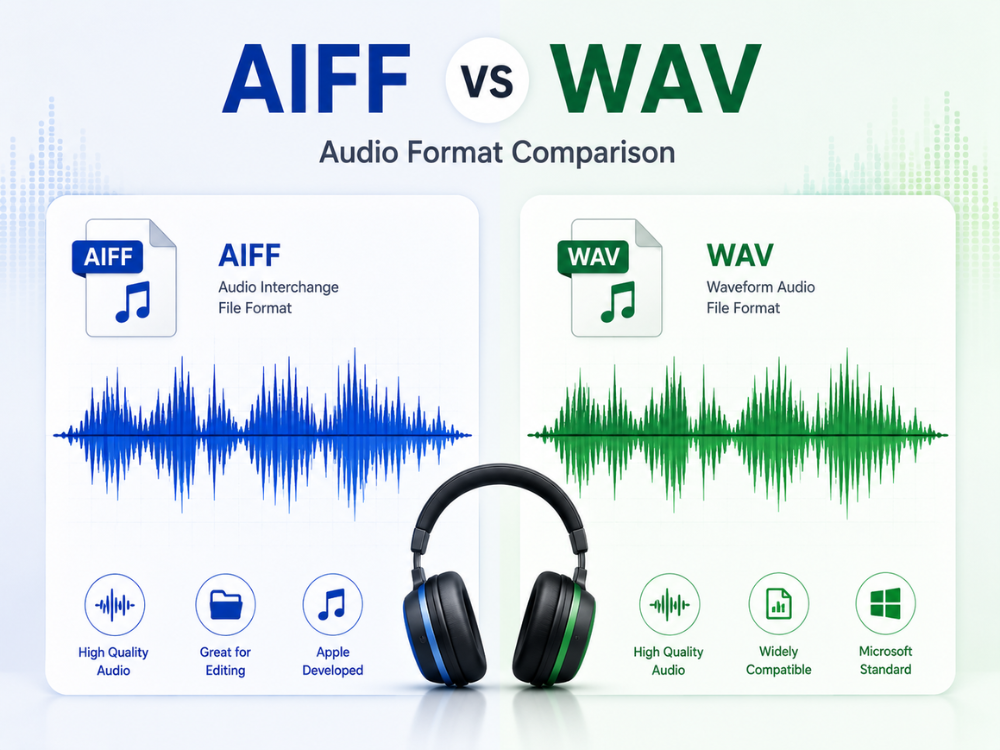
AIFF vs. WAV can be boiled down to one basic point: both are lossless, uncompressed audio formats. The only real differences that matter are about compatibility and workflow. Everybody who works with recorded sound will come across this issue sooner or later. A recording engineer working on a Mac may automatically use AIFF for all his recordings, but his Windows-using colleague needs WAV instead. This article compares the AIFF vs WAV format based on the specifications released by Apple and Microsoft. It provides exact instructions on how to convert an AIFF file to WAV using an online AIFF to WAV converter.
What Is an AIFF File?
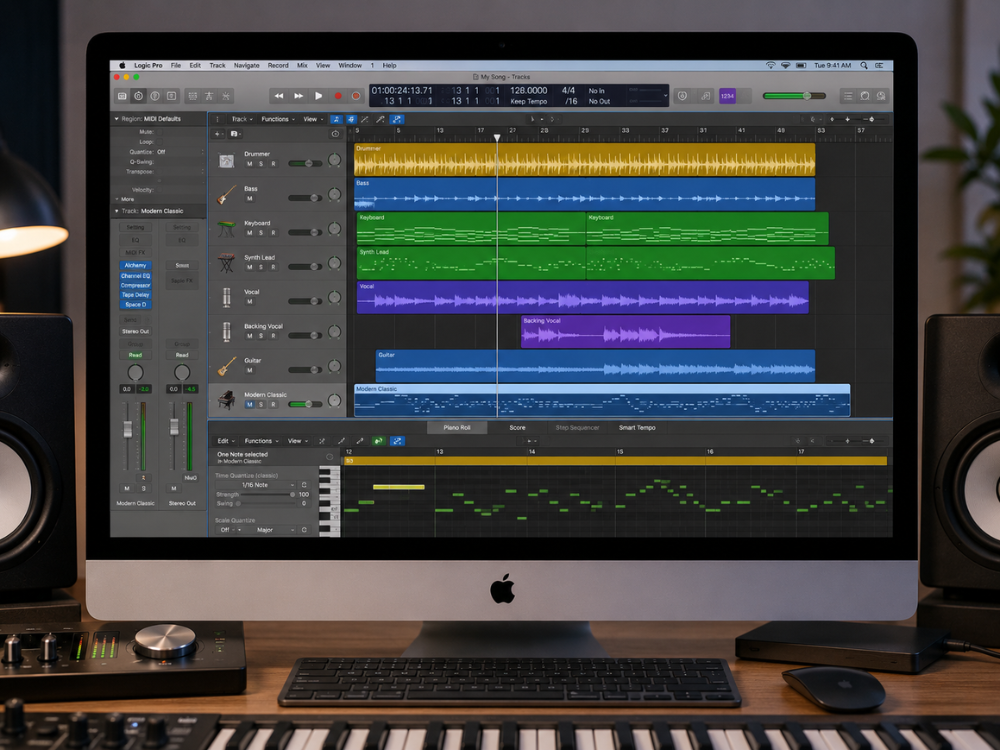
AIFF (Audio Interchange File Format) is Apple’s lossless audio file format, launched in 1988. It uses linear PCM compression to encode sounds so that no audio data gets omitted.
AIFF files can be encoded at a bit depth and sample rate of up to 32 bits and 192kHz respectively. This is far beyond that of a CD (16-bit/44.1kHz). Also, AIFF includes additional metadata like the artist’s name, album name, and track number in its ID3-like chunks.
AIFF has been the lossless file format standard within the Apple ecosystem for over 30 years. This format is automatically recognized by Logic Pro, GarageBand, and all other Apple-based audio software. Yet in the environment outside of Apple, compatibility with AIFF is poor since Windows Media Player does not support native playback of AIFF files. And some multi-platform DAWs and sampler machines support only partial recognition of them.
This usually becomes the reason for converting AIFF to WAV. The understanding of this incompatibility aspect forms the basic knowledge point in comparing AIFF vs WAV.
It is important to distinguish between the two, that is, AIFF and AIFF-C, as they are easily mistaken. The first one (AIFF) is an uncompressed audio file type, while the latter has various codecs for compression but with lower quality. AIFF-C is rarely used by most Mac users. When applications mention “AIFF” format, it usually implies the regular one. The distinction usually doesn’t come up in casual conversations on the subject of AIFF vs WAV, but it becomes important when talking about compression.
What Is a WAV File?
The WAV (Waveform Audio File Format) file is the Windows equivalent of the AIFF file. It was created in 1991 by both Microsoft and IBM, using the same PCM compression for bit-perfect audio recording.
Since its development, the WAV format has grown out of Windows and into the universal delivery format for audio production, radio broadcast, game sound effects, and post-production. Every Digital Audio Workstation, sound card, and piece of audio equipment can read and write in the WAV format. Which is why so many delivery requirements explicitly demand it. It’s the universality of it all that makes WAV come out as the clear winner when you compare AIFF vs WAV.
As for technical capacity, AIFF vs WAV shares the same technical limitations. Both have a maximum depth of 32 bits and a sample rate of 192 kHz. AIFF vs WAV shows no quality advantage on either side. As far as the implementation of the metadata function is concerned. It can be said that while WAV is capable of providing the necessary information using BWF and RIFF chunks, it is not always as reliable as AIFF in practice.
In broadcast and film production, however, WAV became more popular due to its BWF (Broadcast Wave Format). This provides a timecode reference chunk that helps to synchronize audio with pictures while editing. This is what made WAV a requirement for so many pipelines since it includes the technical metadata along with the audio. This is the technical point that subtly resolves the AIFF vs WAV debate for broadcast and film masters.
AIFF vs WAV: Key Differences
Since both formats are lossless and uncompressed, comparing AIFF vs WAV is not about sound quality at all. But rather about something else–the history of platforms, workflow practices, and interplatform compatibility.
| Feature | AIFF | WAV |
|---|---|---|
| Developer | Apple (1988) | Microsoft / IBM (1991) |
| Compression | Uncompressed (lossless) | Uncompressed (lossless) |
| Audio Quality | Identical to the source | Identical to the source |
| Typical File Size (3-min stereo, 44.1kHz/16-bit) | ~30 MB | ~30 MB |
| Platform Origin | macOS | Windows |
| Native Windows Support | Partial (needs codec/plugin in many apps) | Full |
| Native macOS Support | Full | Full |
| DAW Compatibility | Strong on Mac-native tools | Universal |
| Metadata Standard | ID3-style chunks | RIFF / BWF chunks |
| Max Bit Depth | 32-bit | 32-bit |
| Max Sample Rate | 192kHz | 192kHz |
AIFF vs WAV: Audio Quality
The audio quality question in AIFF vs WAV comes down to this: it’s the same as long as the bit depth and sampling rate are the same. As they use linear PCM compression technology that does not lose or change anything while storing the file. The 24-bit/96kHz recording saved in AIFF and the same recording saved in WAV will result in the same waveform and can be verified by an audio null test comparison.
AIFF vs WAV: File Size
AIFF vs WAV file sizes are effectively equal when the settings are equivalent. A three-minute stereo track in 44.1kHz/16-bit audio would be about 30 MB, whether it is saved in AIFF or WAV. The only difference being a few kilobytes due to the packaging format itself. There is no difference in terms of efficiency. For groups looking to store large volumes of audio data, a more pertinent comparison would be that of FLAC format to AIFF vs WAV.
AIFF vs WAV: Compatibility
The area in which there is a definite winner between AIFF vs WAV is the question of interoperability. Here, WAV wins hands down because it is supported natively across every operating system, DAW, game engine, and broadcast workflow.
AIFF does a great job of working on macOS and iOS devices as well as within any Mac-based production software package. But it does not work universally within the world of Windows software, which may need additional codecs in order to recognize AIFF files.
AIFF vs WAV: Compression Support
The compression option is unavailable in AIFF vs WAV’s native versions, which lack audio compression features altogether. However, there are some variations of AIFF files (for example, AIFF-C), as well as types of WAV files. So they serve as a place for compressed audio data with the assistance of certain codecs. Yet, such variants are rarely employed in practice. Moreover, WAV files are capable of saving non-PCM audio data. Such as MP3 audio stream data in the WAVE_FORMAT_MPEGLAYER3 format identifier.
Why Convert AIFF to WAV?
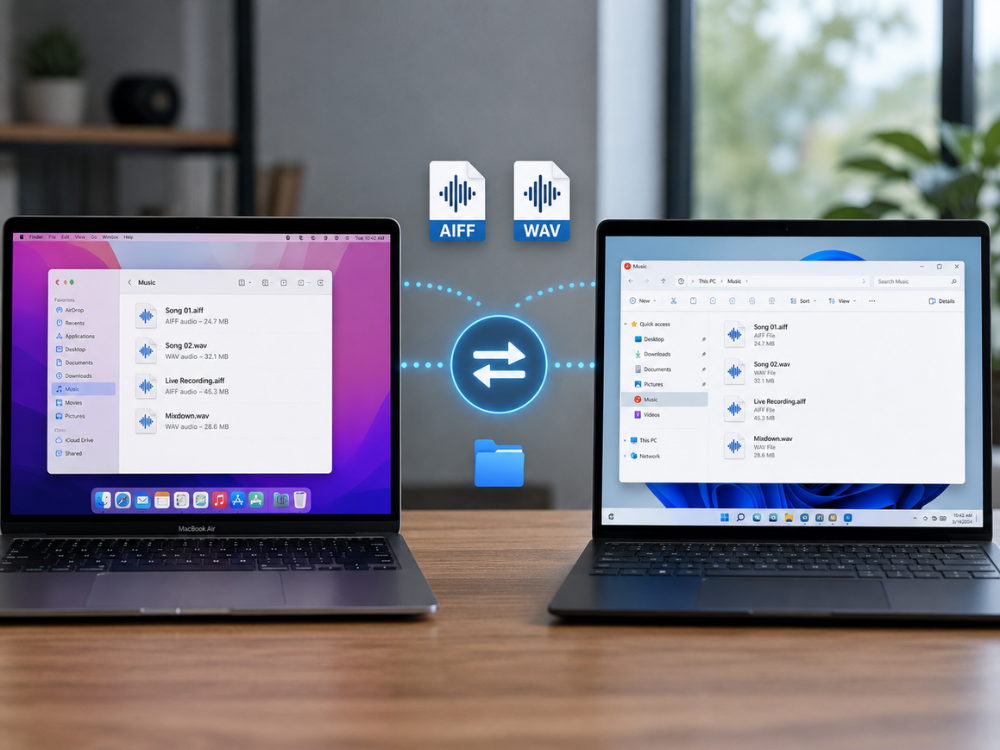
Conversion from AIFF to WAV addresses a particular problem. How to make a Mac-generated audio file open and function properly beyond Apple’s environment. The main reasons why people search for AIFF vs WAV can be found in the following cases.
Cross-platform collaboration
Sending an AIFF file to a Windows user may cause delays in the process if their computer does not have the necessary codecs to play such a file. An AIFF file to WAV converter will prevent any such problems from occurring. And, indeed, it is one of the most frequent reasons for posing the AIFF vs WAV question in a team setting
Software and hardware compatibility
While importing and exporting, some DAWs, plug-ins, and sound cards, especially those developed for the Windows platform, work more reliably with WAV files rather than with AIFF files. Converting an AIFF file to WAV solves the problem
Delivery requirements
The broadcast specifications, like EBU R128 delivery specs, many audio pipelines in gaming applications, and contracts made with clients, mandate the use of WAV explicitly. When audio is delivered from a session recorded in AIFF format, conversion from AIFF to WAV becomes a compulsory task. In this case, the choice between AIFF vs WAV is made automatically by the spec sheet.
Long-term archiving
In the AIFF vs WAV comparison, WAV’s hardware independence makes it the better long-term archiving choice. AIFF, being an Apple format, poses slightly greater risks of losing future compatibility than WAV, which is supported by virtually all hardware.
Live and streaming workflows
Stream, software mixers, and live broadcast encoding applications may require WAV as their input format in case the audio file was recorded beforehand and used as the audio cue, introduction, or background music. Opening an AIFF file in such a scenario could lead to problems during playback, which is certainly much worse than converting it to WAV.
Why Choose an Online AIFF to WAV Converter?
There are particular and practical benefits to using an online tool for this conversion specifically. Installation is not required. Software packages that provide full audio functionality. Such as Logic Pro or Adobe Audition, must be purchased and continuously updated, whereas a free, online AIFF to WAV converter tool operates within the browser.
This software will work the same across any device. The tool functions the same way no matter what kind of computer you have, whether you are using a Mac, Windows laptop, a Chromebook, or a tablet. This becomes important here as the file format AIFF is frequently generated on Mac computers.
How to Convert AIFF to WAV Online
The AhaConvert AIFF to WAV Converter is a free, browser-based tool built for this exact conversion. It requires no account, encrypts uploads with 256-bit SSL, and deletes files automatically within 24 hours. Batch support lets you queue multiple AIFF files at once instead of converting them one by one.
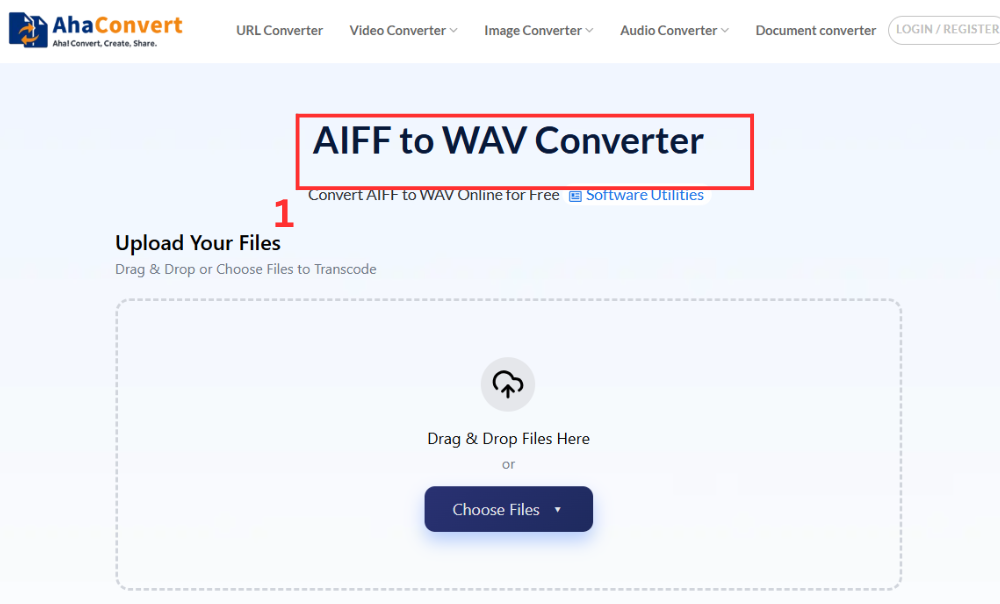
Step 1: Open the AhaConvert AIFF to WAV Converter
Browse AhaConvert AIFF to WAV Converter through any web browser on any device without downloading or logging in.
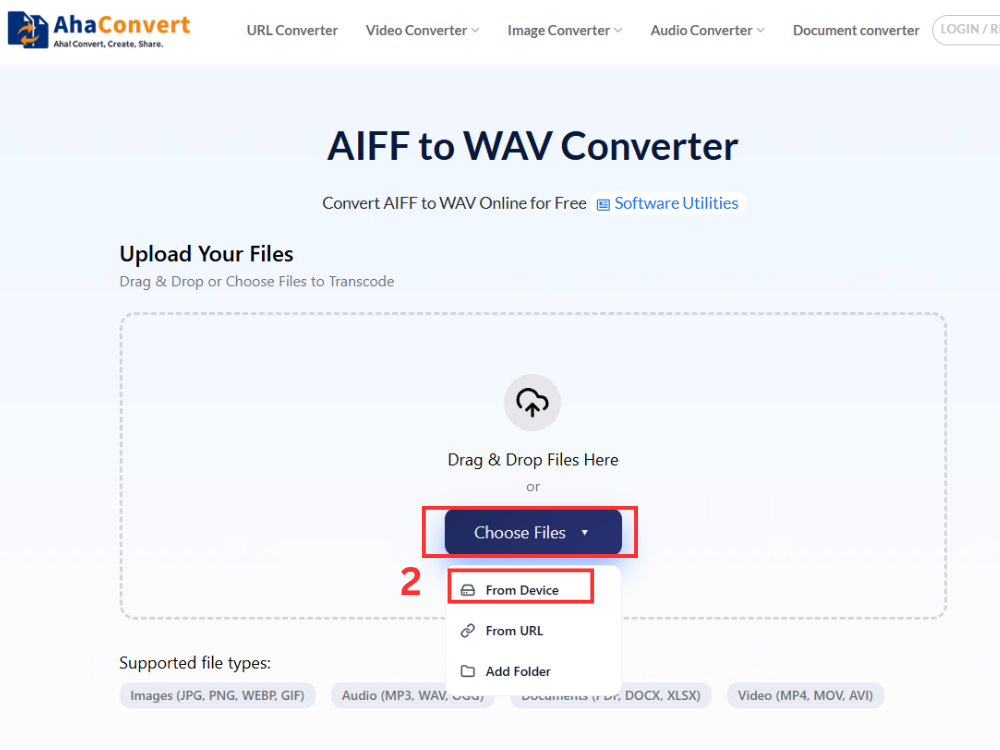
Step 2: Upload Your AIFF File
Click “Choose Files” to choose an AIFF file from your computer, or drop your AIFF file onto the import zone directly. You can also paste the URL of an AIFF file if the audio is stored online, import from your cloud drive, or choose multiple AIFF files in one go.
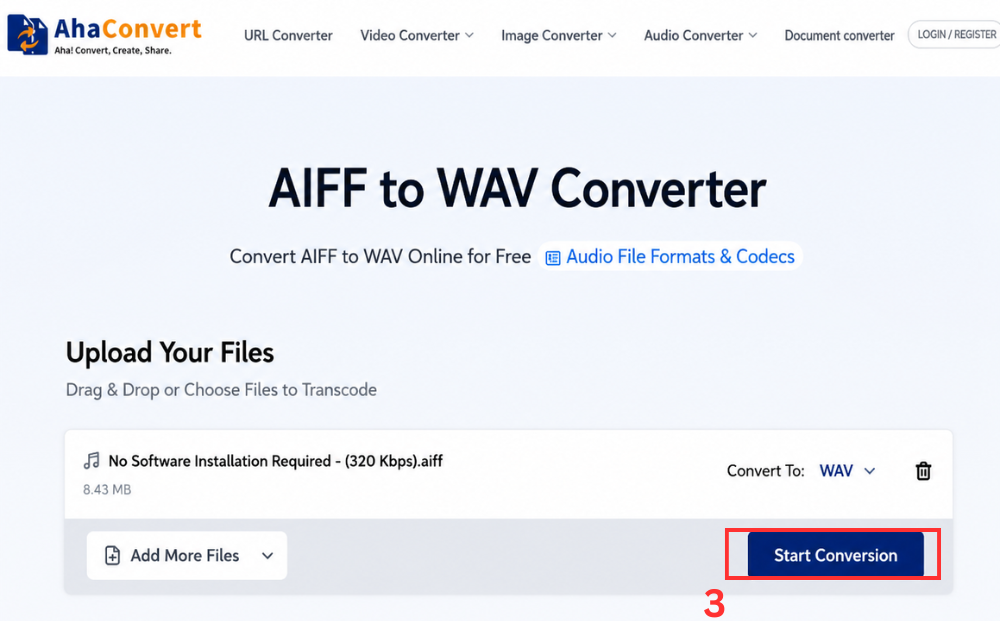
Step 3: Start the Conversion
Once the upload finishes, click “Start Conversion.” Because this is a dedicated AIFF to WAV converter, the output format is already locked to WAV. So there’s no dropdown to configure. AhaConvert begins processing immediately.
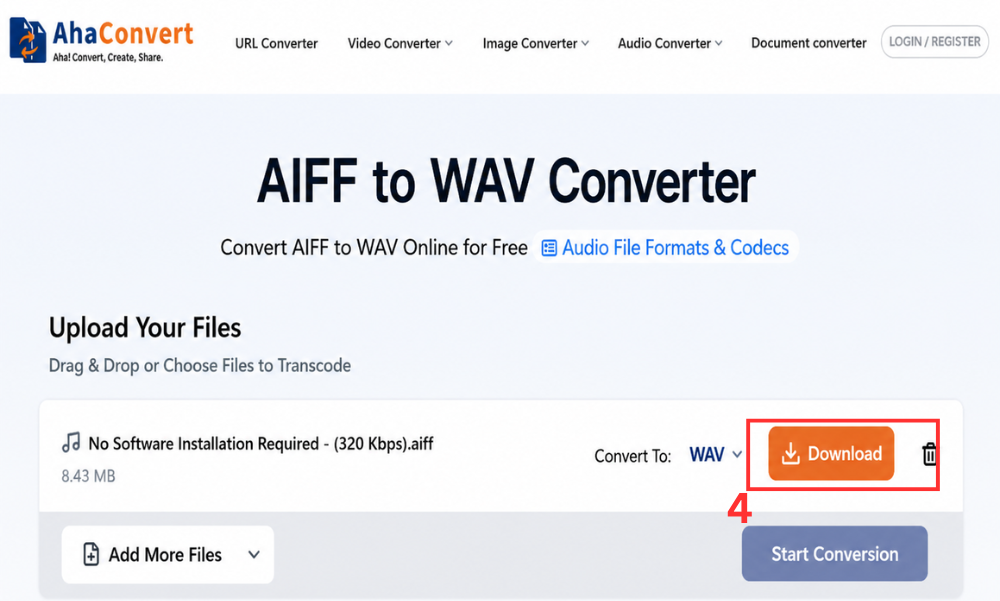
Step 4: Download Your WAV File
A download file appears once the conversion finishes. Click the “Download” button, and the WAV file saves to your device typically within a few seconds, even for longer, high-resolution recordings.
Frequently Asked Questions
1. AIFF vs WAV: Which one has better sound quality?
In the AIFF vs WAV comparison, the files store uncompressed PCM audio, and therefore, there is no loss in quality. An AIFF file and its WAV equivalent, provided that they have the same bit-depth and sampling rate, will be byte-for-byte identical.
2. Does Windows open AIFF files natively?
N0. Windows does not come with native AIFF support, although VLC and some other third-party media players do support AIFF files. Most regular editors and digital audio workstations (DAWs) that are available for Windows require the installation of an additional codec. Converting an AIFF file to WAV will solve this problem instantly.
3. Can I convert AIFF to WAV online for free?
Yes. Handling AIFF vs WAV with the AhaConvert converter is free, right in your web browser. Upload your file, and you will have a WAV file in just seconds, without needing an account, a subscription, or even installing any software on your phone, tablet, or computer.
4. Is an online AIFF-to-WAV converter safe to use?
It is a respectable one. AhaConvert provides encryption for each uploaded file using 256-bit SSL and removes files from its servers within 24 hours without distributing them to third-party entities. This service can be considered an acceptable choice for personal recordings as well as confidential clients’ projects. No matter which of the two formats from the AIFF vs WAV comparison you deal with initially.
5. Can I convert AIFF to WAV on a Mac?
Yes, and the AIFF vs WAV process is the same as for any other gadget. Launch the file conversion tool in Safari or Chrome. Add your AIFF file by any means possible, and download your new WAV file right away.
In Conclusion
When considering the pros and cons of AIFF vs WAV, it is all about where you have to take your tracks, not their quality. Since AIFF vs WAV sounds the same when set on the same settings. When it comes to universal use, WAV seems like the better choice.
For those who happen to have AIFF files that should open on different devices or be delivered in a certain format, the process of conversion will do the trick. Converting AIFF to WAV with the help of the AhaConvert AIFF to WAV Converter can be done easily, quickly, and for free.
When it comes to other audio formats, the all-around AhaConvert audio converter takes care of everything you need. It doesn’t matter which side of the AIFF vs WAV comparison you chose first; a quick and free conversion is just a click away.
