
Introduction
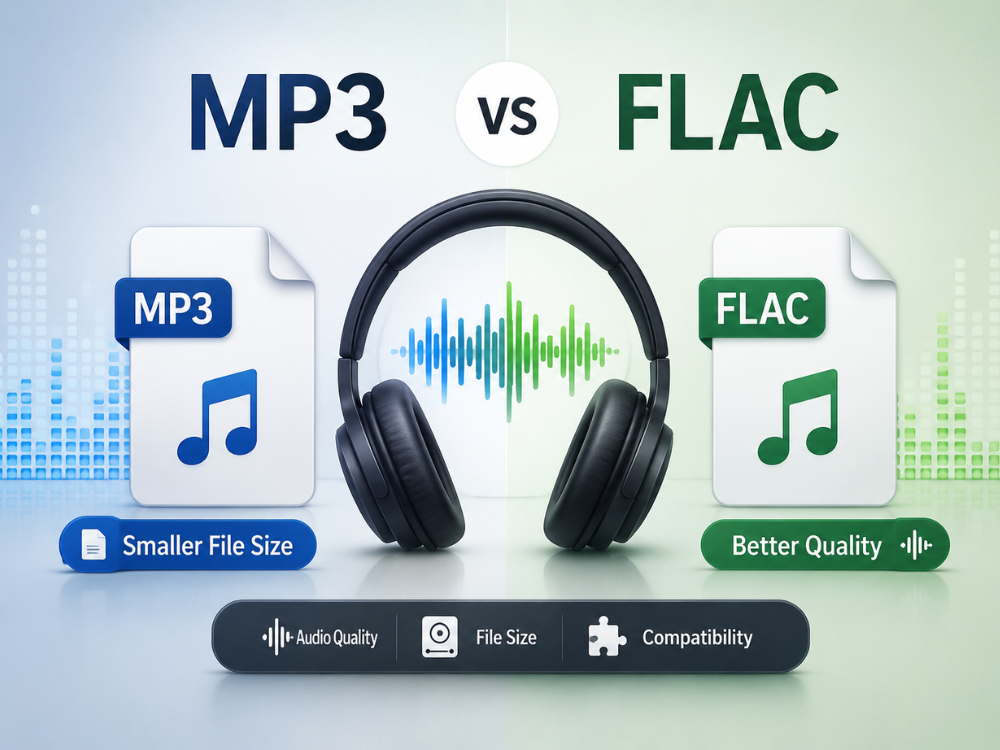
Given the importance of sound quality, you may have asked yourself the question of whether there is a difference between MP3 vs FLAC that matters in real life. While MP3 has long remained the industry standard for audio because of its small file sizes and compatibility issues. FLAC is a lossless format that records all the nuances of the audio in its original form without the use of compression techniques.
Being aware of when it would be wise to go through MP3 to FLAC conversion and when it would not make sense at all will help you efficiently control your music and podcasts. This piece of writing talks about both of these audio file formats, their comparison, and how to convert MP3 to FLAC online for free.
What Is MP3 Format?
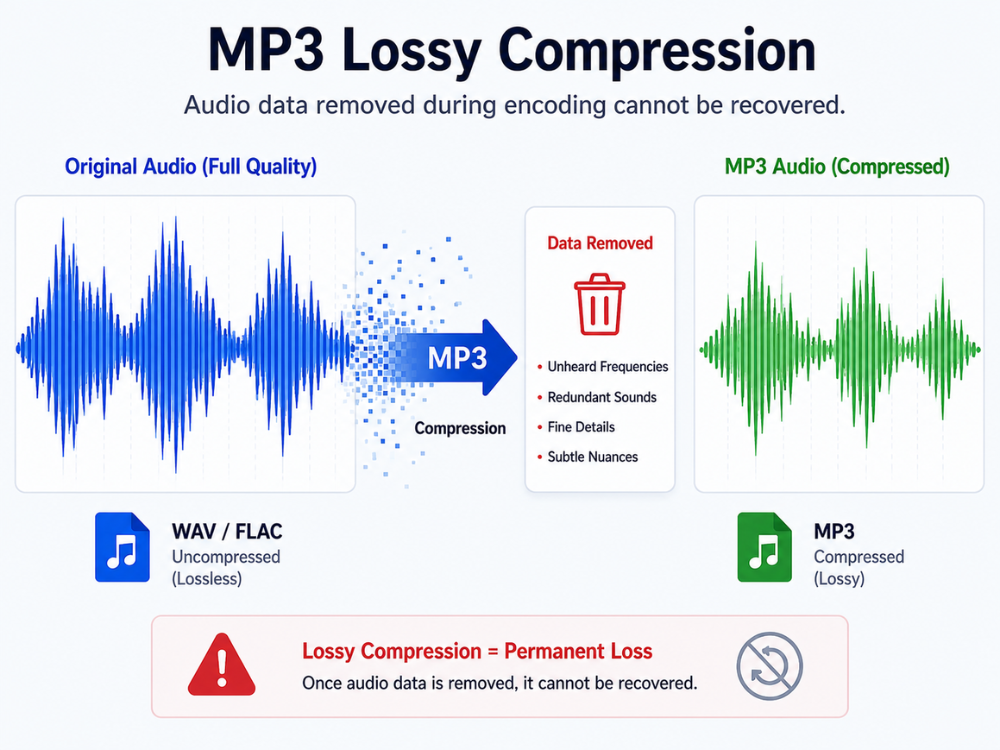
“MP3” is a short form for MPEG-1 Audio Layer III. This technology was developed by the Fraunhofer Institute in the late 1980s and the 1990s as a way of making audio files small enough in size compared to their initial sizes, with quality considered acceptable. MP3 files achieve this reduction using a technology known as lossy encoding. This refers to the removal of data in the audio file that cannot be detected by the human ear.
This gives us a format that allows digital music to be feasible for consumer use. Three minutes of audio can take up to 30-50 MB of space when in its uncompressed form. But becomes 3-5 MB when compressed into an MP3 format. The compression process gave MP3 the edge in the age of portable music devices and early Internet file sharing in the 2000s.
An MP3 file can run on all devices invented throughout history. This includes smartphones, computers, car stereos, intelligent assistants, streaming services, and even dedicated devices for playing music. The reason for the popularity of such audio formats, despite the fact that many years have passed since their inception, is due to their universality and small file size.
The only problem is that once the information is lost in the encoding process, it cannot be restored. This is why MP3 to FLAC is a common search; people want a way to preserve their existing library without further degradation.
What Is the FLAC Format?
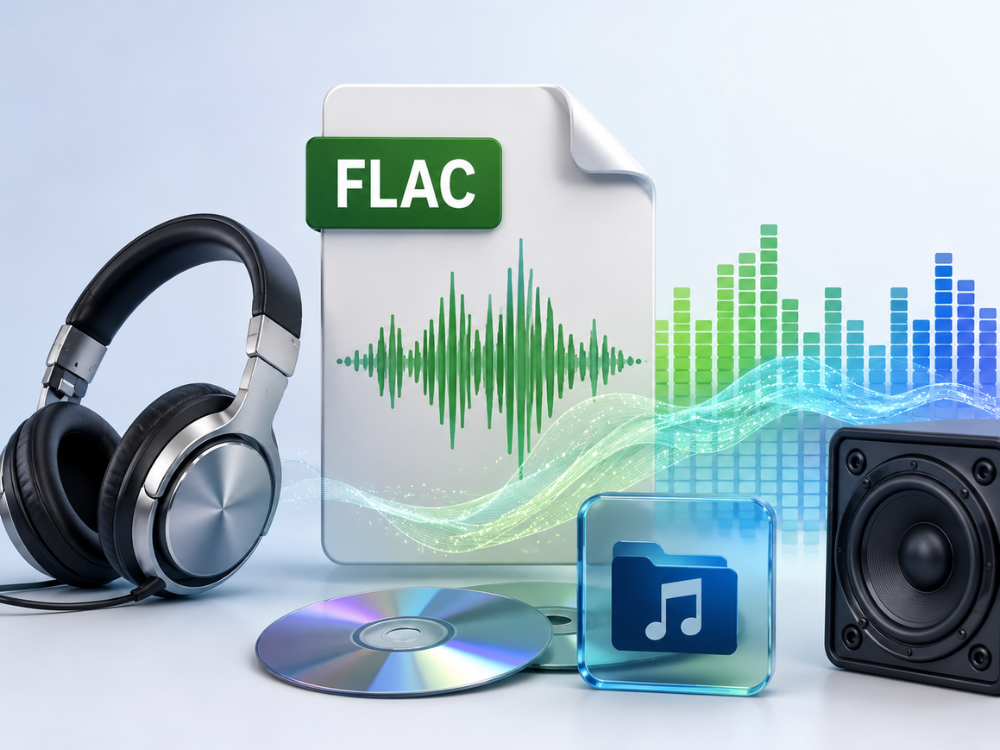
The abbreviation “FLAC” stands for Free Lossless Audio Codec. This has been created by a non-profit organization known as the Xiph.Org Foundation. FLAC has become very popular among consumers as well as audiophiles as an audio format. Because it is an open-source software and not a proprietary lossless codec. While the MP3 format uses a lossy compression algorithm, FLAC uses lossless compression that does not delete any sound data.
The FLAC audio file is approximately 50-60 percent smaller than the raw formats. Such as WAV and AIFF, and yet retains all the data, which means that no information is lost during the process. It is the ideal choice for archiving your audio collection in high quality and listening to it on a high-end system.
Its flexibility enables it to support different bit depths and sampling rates. Including even 24-bit/192 kHz sound, something that is impossible for MP3. Metadata embedding is one of the features of FLAC, which means that such things as artist name, cover image, and lyrics.
And other information can easily be included in the file, so that it becomes possible to make a well-organized music library. For anyone considering MP3 to FLAC as part of a library upgrade, the richer metadata support in FLAC alone can make the transition worthwhile. The disadvantage of FLAC is the large file size compared to the same file in MP3 format.
In case you want to get a deeper understanding of how FLAC functions, our guide on “What is a FLAC file?” contains complete information regarding its architecture, advantages, disadvantages, and supported devices.
MP3 vs FLAC: Which Format Should You Choose?
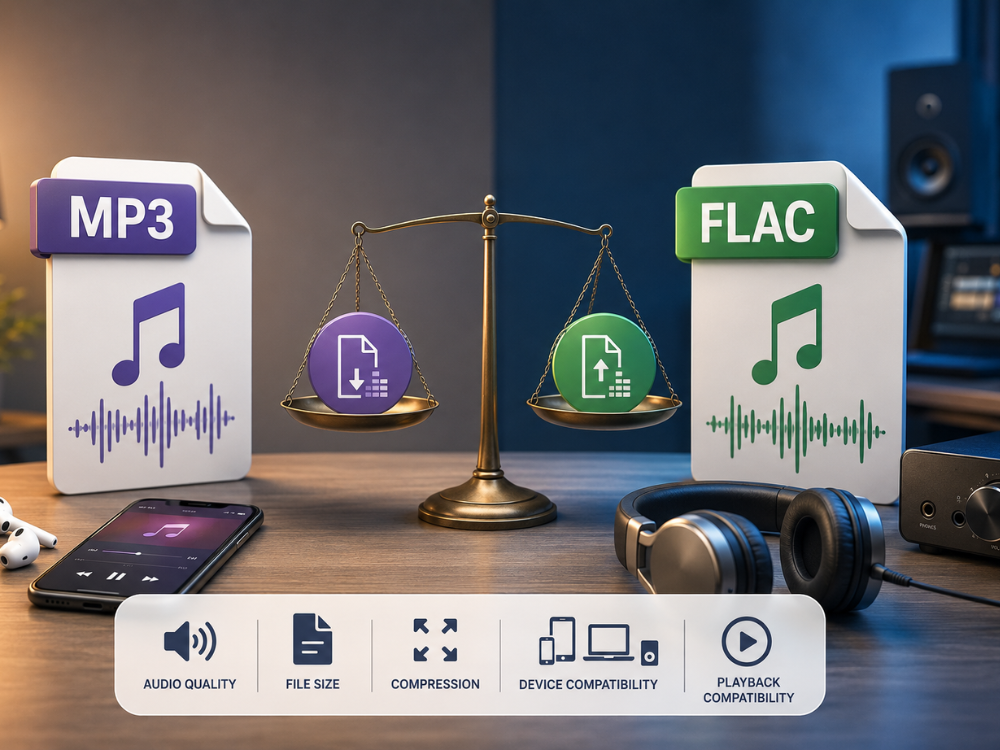
| Feature | MP3 | FLAC |
|---|---|---|
| Compression Type | Lossy | Lossless |
| Audio Quality | Good — some data permanently removed | Perfect — identical to source |
| File Size | Small (3–5 MB per song, typical) | Larger (20–40 MB per song, typically) |
| Bit Depth Support | Up to 16-bit | Up to 32-bit |
| Sample Rate Support | Up to 48 kHz | Up to 192 kHz |
| Device Compatibility | Universal | Most modern devices, some older ones do not support it |
| Open Source | No | Yes |
| Metadata Support | Basic | Full, including album art |
| Best Use Case | Streaming, casual listening, portable use | Archiving, hi-fi listening, audio production |
Audio Quality
It is the most debated feature of the difference between MP3 vs FLAC. In MP3 compression, there is an irreversible loss of information from the sound due to psychoacoustic modeling. Where certain frequencies and components that cannot be detected by the human ear are stripped away. This is hard to detect at a high bitrate of 320 kbps under normal circumstances. This quality difference is the strongest argument for MP3 to FLAC conversion when you plan to listen on quality audio equipment.
However, when listened to on high-end audio equipment, the artifacts created by MP3 compression, such as the muddiness in complex passages, can be heard clearly. With FLAC compression, there is an exact replication of the original sound file every single time.
File Size
MP3 triumphs with regard to file size as well. A three-minute song compressed using 320 kbps would use up 7 MB of space when saved in MP3 format. On the other hand, the very same file would take up between 25 and 35 MB in the case of the FLAC file. In the event of someone having a large collection of music files consisting of thousands of songs. This becomes a considerable amount of storage space. However, for users focused on audio preservation rather than storage economy, the size increase from MP3 to FLAC is an acceptable trade-off.
Compression Method
MP3 compression is a form of lossy compression, in which information from the audio is stripped out in the process of compressing it. FLAC, on the other hand, is a type of lossless compression, whereby the file size is reduced via mathematical coding but can be completely reversed to its original state. The significance of this cannot be overstated, where sound quality is paramount.
Device Compatibility
MP3 is compatible with all types of audio players that have been built in the past three decades. Most of the modern-day smartphones, computers, and specialized music players are capable of playing FLAC files. However, some older or more affordable devices, such as older car stereo players, legacy MP3 players, and some smart TVs, cannot handle FLAC files.
Playback Compatibility
Most contemporary software media players, such as VLC, foobar2000, and Apple Music on a desktop platform, have no problem playing files in both formats. For mobile devices, both Android and iOS allow for native playback of the FLAC format in their respective default music apps. The format is not important for streaming services, as they always convert your MP3 to FLAC file into their formats. If your primary goal is local hi-fi playback or DAW-based editing, MP3 to FLAC gives you a more stable and flexible file for those workflows.
Why Should You Convert MP3 to FLAC?
On the surface, it would appear that MP3 to FLAC conversion goes against the logic of what you should do to preserve your music. This is because of the nature of MP3 being a lossy format. There is no way that the FLAC file derived from an MP3 will be able to recreate all of the lost audio data from the original MP3 encoding. So why is it still reasonable in certain instances to convert MP3 to FLAC?
Archiving and Future-Proofing
MP3 to FLAC conversion means no further quality loss. With each process where an MP3 file undergoes encoding and/or is processed using software that exports an MP3 file, more lossy compression is added to the existing lossy compression. By keeping the files in FLAC format after the MP3 to FLAC conversion, further loss of quality during future processes is avoided.
Compatibility with Audio Production Software
Many DAWs and professional-grade audio processing applications deal better with FLAC than they do with MP3 in the context of mixing and editing sessions. Converting MP3 to FLAC is necessary to prevent possible distortion caused by the lossy file format in the workflow.
Preparing Files for High-Quality Playback Systems
A few types of high-fidelity audio players, NAS music libraries, and standalone audio players perform well using only lossless formats or play only FLAC files. Should you wish to run your current library of MP3 files on such a system, MP3 to FLAC conversion is one way of achieving that without buying new content.
Consistent Library Format
Many music lovers or audiophiles like to keep a unified library in FLAC format, irrespective of the quality of the audio source. It is easier to manage and configure the library in a particular format than to do it in different formats, especially when the files were initially MP3s.
How to Convert MP3 to FLAC
AhaConvert is a free web platform that allows you to convert MP3 to FLAC audio files in a safe and fast manner. Registration is not required to use this web application. This web application works on all kinds of computer systems that have an internet browser installed on them, like Windows, Mac OS X, Linux, iOS, and Android. Your uploaded files are protected by 256-bit SSL encryption and are automatically deleted after 24 hours.
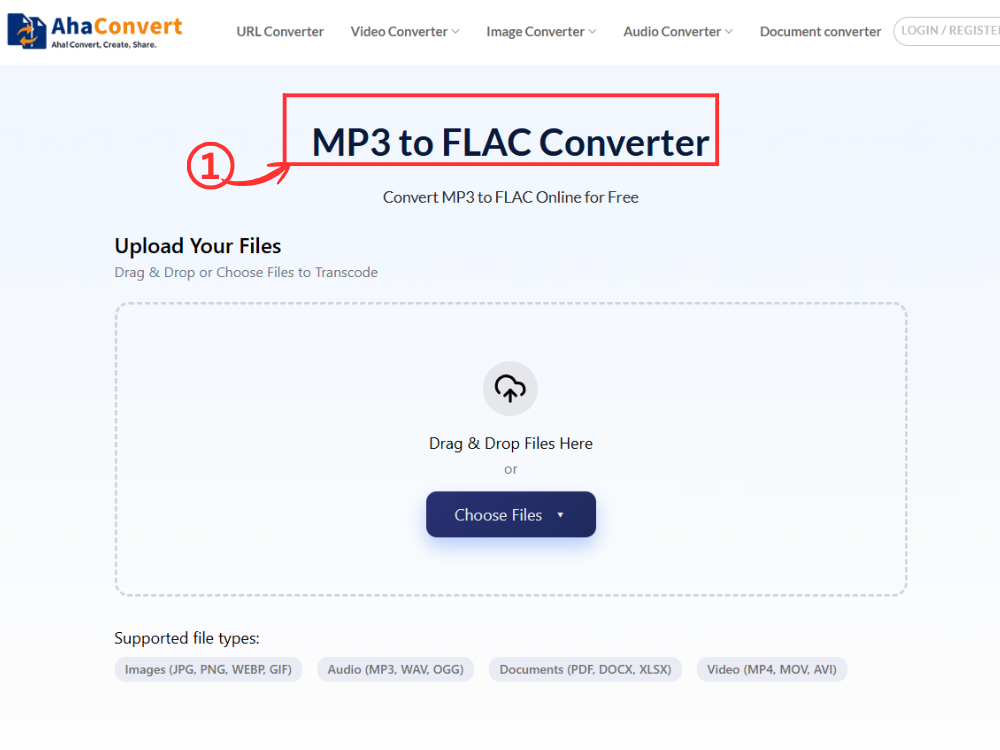
Step 1: Open the AhaConvert MP3 to FLAC Converter
Go to AhaConvert MP3 to FLAC Converter using your browser on any platform you are using (Windows, macOS, Linux, or even mobile). The website will load immediately without any need for downloading, installation, or sign-up.
Step 2: Upload Your MP3 File
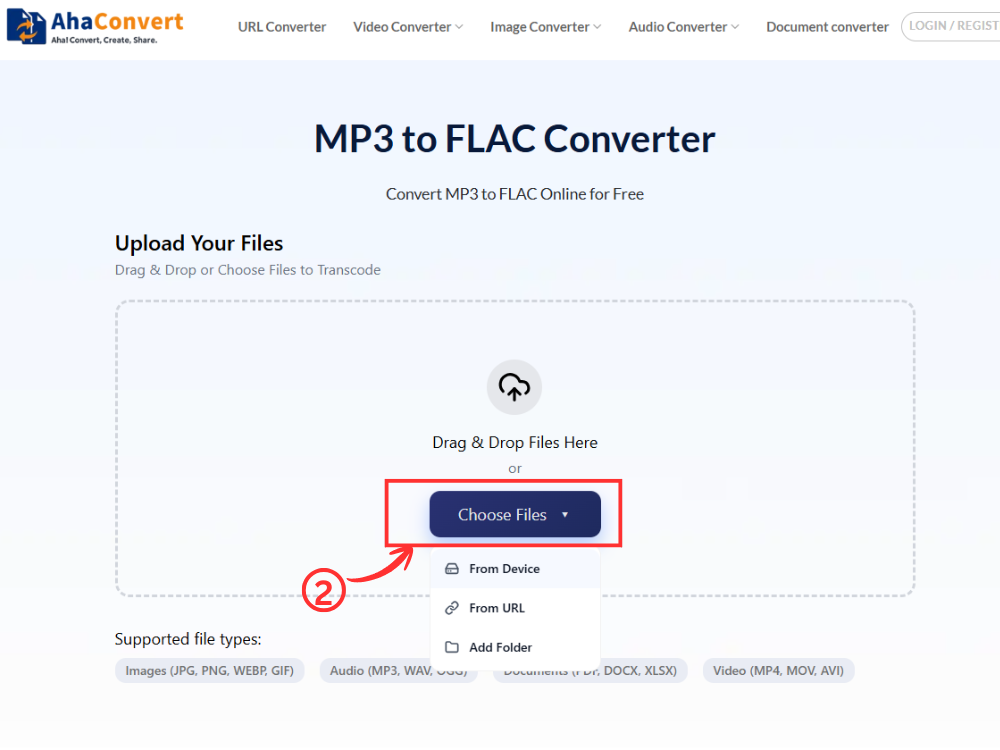
Use the “Choose Files” option to browse and select your MP3 file on your computer. You can either drag-and-drop the file, paste a file link, or import the file from cloud storage.
Step 3: Start the Conversion of MP3 to FLAC
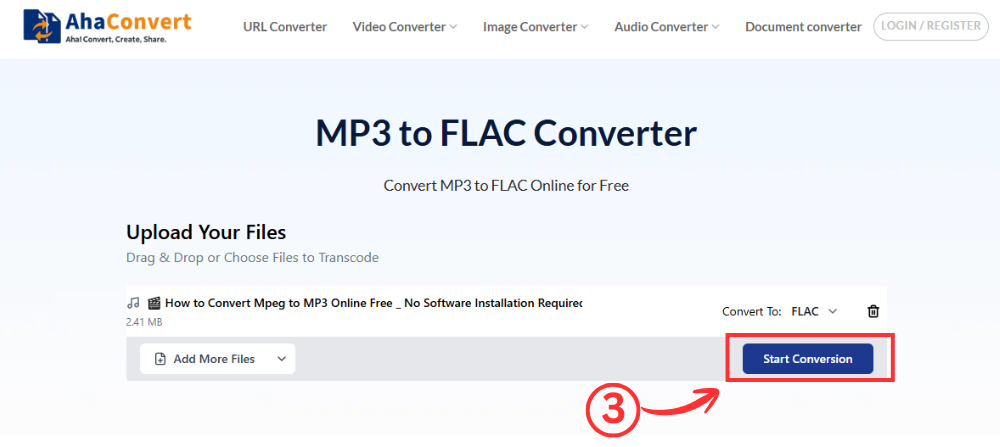
After uploading the file, click on “Start Convert.” The reason why there is no option for choosing the format is that this is an exclusive MP3 to FLAC converter, and the output format will be automatically set to FLAC.
Step 4: Download Your FLAC File
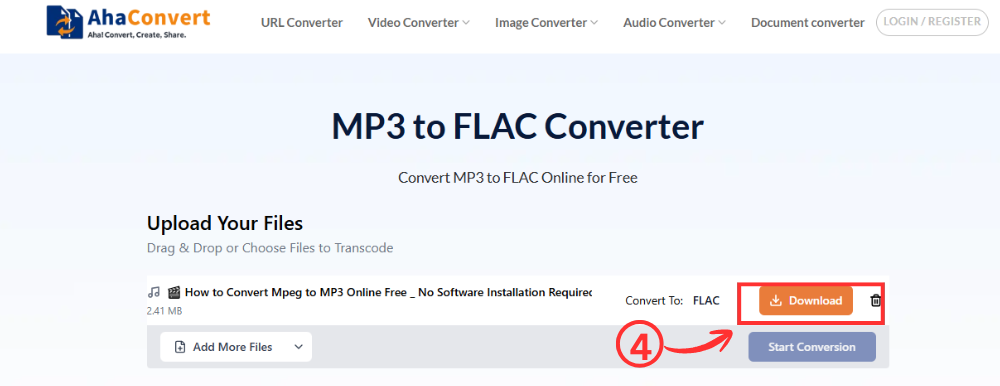
Once the MP3 to FLAC conversion is complete, you will see a download file on the page. Click the “Download” button; you can save the FLAC file to your computer. It does not usually take long for the file to download, even for large MP3 files.
FAQs about MP3 vs FLAC
1. Is FLAC better than MP3?
For quality, the answer would be yes since FLAC has all the sound data intact, while MP3 does not. However, regarding ease of use and smaller file size, MP3 would be better. It wouldn’t matter much if you listened to the files casually on regular equipment.
2. Can I convert MP3 to FLAC for free?
Yes, AhaConvert MP3 to FLAC Converter is completely free. You do not have to pay anything for using the program; you can use it to convert files without having an account or any type of subscription. Simply choose the file you wish to convert, click on MP3 to FLAC convert, and there you have it.
3. Does converting MP3 to FLAC improve sound quality?
No. By converting MP3 to FLAC, the lost audio information due to the previous process will not be regained. What happens is that there will only be a preservation of the current quality level of the MP3 file. It will be lossless, but it does not give back the original quality of the recording.
4. Which format is better for music production?
The choice of FLAC for music production is more favorable. Working with lossless audio eliminates the possibility of accumulating artifacts from lossy compression. This can arise in the process of working with MP3 audio. If the quality of the audio is important in your project mastering, podcast creation, or sound design, choose FLAC.
5. Can I convert FLAC back to MP3?
Yes, all online audio converters, including AhaConvert, have the ability to convert files in either direction. If you need a compressed and smaller version of your FLAC audio file that could be streamed, shared, or transferred to an audio device that has limited space, it can easily be converted to MP3 format. This type of MP3 to FLAC conversion is lossy and cannot be reversed.
6. Is MP3 to FLAC conversion safe online?
Yes, if you have a trusted MP3 to FLAC converter. AhaConvert guarantees the safety of all uploaded files by providing 256-bit SSL encryption for the whole conversion procedure. All of your files will be deleted from the server after 24 hours and will not be distributed anywhere else. It is safe to convert MP3 to FLAC.
Wrapping Up
It is up to you to choose between MP3 and FLAC. MP3 gives you the best compatibility and minimum file size, thus providing a great solution for all kinds of music streaming and listening. FLAC provides perfect sound quality and lossless data storage, and is the way to go when archiving music or producing it.
Whether you want to convert MP3 to FLAC for archival purposes, for production compatibility, or just to organize your music files, the AhaConvert MP3 to FLAC Converter allows you to do this in a matter of seconds, without spending a dime, and all while using any device of your choice. This is a free service that does not require you to install any software, create an account, or place a limit on how many MP3 to FLAC conversions you can make. If you happen to be a user of other audio files in addition to MP3 to FLAC, the AhaConvert audio converter works with hundreds of other format combinations.
