
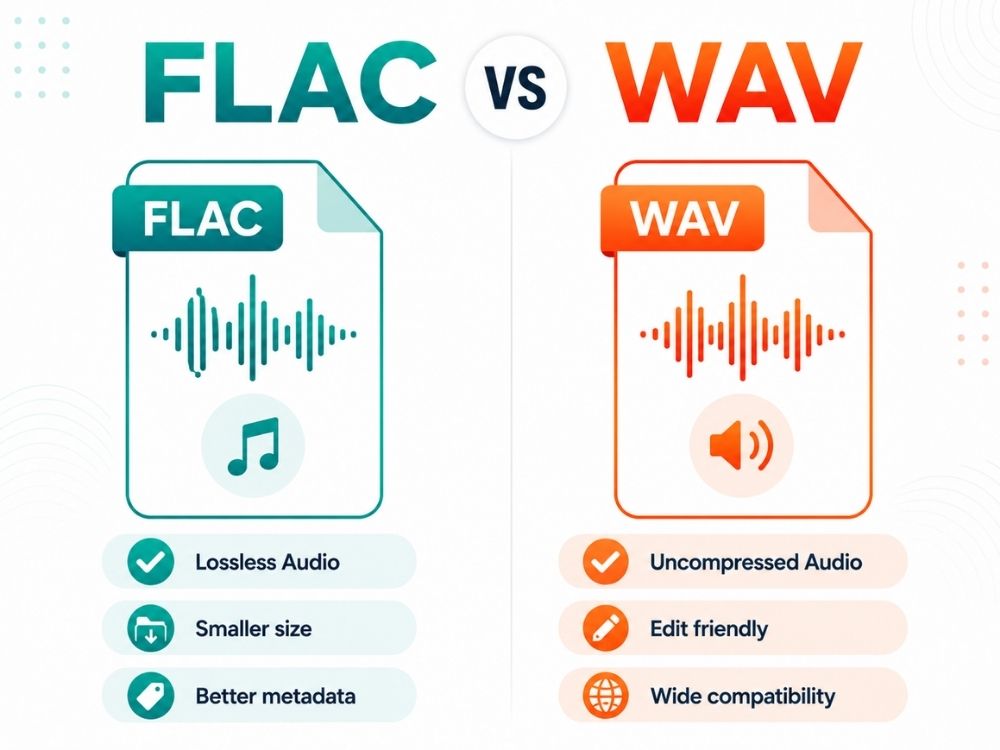
While most people prefer sharing and storing audio in lossy file formats like MP3, Audiophiles who seek the purest, most original audio opt for either FLAC or WAV. Both being superior audio files, many often wonder about the difference between FLAC vs WAV. In this guide, we won’t just explore what both these file formats mean, but also how FLAC vs WAV differ. And if need be, what’s the best route to go about converting FLAC to WAV or vice versa?
What is FLAC?
FLAC stands for Free Lossless Audio Codec. The name alone tells you a lot about the file format. It is a free, open-source file format, which means anyone can use it without any licensing fee.
Built on a lossless algorithm, meaning it can compress audio files massively (50%-60%). This compression algorithm is normally the most distinguishing feature FLAC has, especially when compared to its competitors like FLAC VS WAV.
It is a codec file, meaning it’s compressed and decompressed. In FLAC’s case, the codec reduces the file size while keeping the original audio data intact, and when the file is played, it is decoded back without losing the details that were present in the original recording. And again, this is something other file formats like WAV cannot do when compared against FLAC vs WAV.
Pros of FLAC
- Lossless quality: There’s barely any difference in audio quality in FLAC audios, even when you compare FLAC vs WAV, and this is because of FLAC’s lossless compression algorithm, where no data is discarded during compression.
- Supports metadata: Between FLAC vs WAV file formats, both support metadata, but FLAC has more consistent music tagging.
- Open-source and royalty-free: FLAC has no licensing fees or restrictions, because of which it is able to run across several devices.
- Ideal for archiving: FLAC is better for storage because it keeps the original quality, especially when compared with FLAC vs WAV, where WAV takes up significantly more space.
- Wide compatibility: FLAC is more supported by most modern music players, especially when compared with FLAC vs WAV, where it’s widely available across several streaming platforms and hardware devices.
- Error detection: FLAC includes built-in checksums, which can help detect file corruption or transfer errors.
Cons of FLAC
- Larger than lossy formats: Even with compression, FLAC files are still much larger than MP3 or AAC.
- Slightly higher processing: In FLAC vs WAV, FLAC needs decoding before playback, while WAV is already uncompressed.
- Not ideal for limited storage: While FLAC saves more space, when compared with FLAC vs WAV, it can still feel heavy on older phones or low-storage devices.
- Less convenient for editing: Between FLAC vs WAV, WAV is usually preferred for editing because most software handles uncompressed audio more easily.
- Compatibility gaps: FLAC support is strong today, but in some older systems, FLAC vs WAV still leans toward WAV for safer playback.
What is WAV?
The audio file format WAV is short for Waveform. Ultimately, this says a lot about the audio file format. It is raw, lossless, and uncompressed. This means not a single bit of data is lost, providing high-fidelity audio in its truest form. And this is especially apparent when comparing WAV vs MP3, where MP3 is used for casual music playing, while WAV is meant for heavy audio editing.
WAV or WAVE was initially created by Microsoft and IBM to play audio on personal computers, but they are inconveniently large and take up massive amounts of space for an audio file that is meant for casual use.
Many users often compare the quality of WAV to FLAC. FLAC vs WAV seems almost identical on paper. Both lossless. Both are used by people who care about getting the details right. But dig a little deeper into FLAC vs WAV, and you start noticing they’re built for slightly different moments in that process.
Pros of WAV
- Uncompressed, raw quality: WAV keeps the audio in its truest form. It doesn’t compress it and stores it exactly how it was recorded.
- Simplicity: WAV is an old-school format; there are still several tools that offer compatibility to WAV.
- Industry standard for recording/editing: Between FLAC vs WAV, WAV is preferred in studios because there is no compression to complicate editing or layering tracks.
- Universally supported: WAV works with almost all audio software and hardware, especially older or professional systems.
Cons of WAV
- Very large file size: Between FLAC vs WAV, WAV takes up far more storage than FLAC or MP3 for the same audio.
- Poor metadata support: WAV has limited or inconsistent tagging for album art, artist names, and track information compared to FLAC.
- Not ideal for everyday listening: FLAC vs WAV barely has any audio quality difference, but the WAV’s heaviness is not preferred by many to listen to everyday music.
- Storage-heavy: WAV is better for editing, but between FLAC vs WAV, FLAC is usually easier to manage for long-term storage and sharing.
FLAC vs WAV: What’s the Difference?
Here’s a quick side-by-side between FLAC vs WAV differences before we get into specifics:
| Features | FLAC | WAV |
|---|---|---|
| Compression | Lossless (compressed) | None (raw) |
| File size | Smaller (~40-60% less than WAV) | Large |
| Audio quality | Identical to the source | Identical to the source |
| Metadata support | Yes (tags, album art, etc.) | Minimal/inconsistent |
| Best suited for | Everyday listening, archiving | Studio recording, editing |
| Compatibility | Good, but not universal | Practically universal |
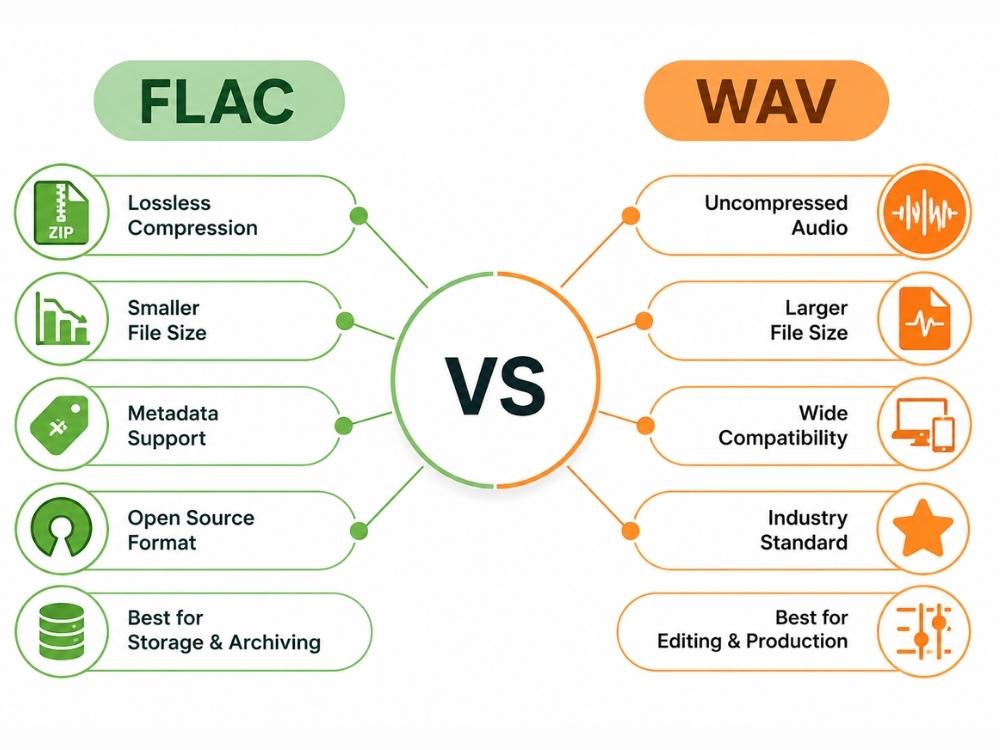
Since FLAC and WAV are both lossless, users normally assume they have the same audio quality output. While the difference isn’t very prominent in that domain, there are many other factors where FLAC vs WAV differ massively.
Now, let’s break down where these two actually diverge.
Audio Quality
There’s barely any noticeable difference between the two. Play the same track in both formats on the same gear, and you won’t hear a difference. But in theory, WAV audio is in the purest state compared with FLAC vs WAV.
File Size
Compared to FLAC vs WAV, FLAC is typically 40-60% smaller than WAV for the same audio. If you save an audio file in WAC, although lossless too, it won’t automatically compress the file, because it’s simply not backed with a compression algorithm like FLAC.
Compatibility
Between FLAC vs WAV, FLAC is the least supported across many platforms, but now it seems to have grown a lot, covering most modern players, DACs, and streaming platforms like Tidal, but it’s not fully universal.
Editing Performance
Editing between FLAC vs WAV looks very different since FLAC is a codec file; software would eventually need to have a decoder to support it. Ultimately, not a lot of audio editing software supports FLAC files, and you would need to convert FLAC to WAV.
WAV is often used as the standard in recording studios. No compression means nothing to process before editing, which keeps things simple when layering tracks or running heavy effects.
Storage Requirements
FLAC is a more practical option when compared with FLAC vs WAV. When the space is tight, FLAC can be stored more efficiently, whereas WAVs are inconveniently heavy.
WAV vs FLAC: Which Format Should You Choose?
The major difference between FLAC vs WAV is in the space they take up, and the software they are able to work across.
If you’re still confused about which to choose between FLAC vs WAV, simply consider this:
- If you want lossless audio quality with smaller file sizes, better metadata support for music libraries, and easier storage, choose FLAC.
- If you wish to edit, mix, or produce your file and wish for it to not just remain in its purest form, but be compatible across heavy audio editing platforms, choose WAV over FLAC vs WAV. And if you don’t have the file in WAV to begin with, simply convert FLAC to WAV using a reliable online audio file converter.
Why Convert FLAC to WAV?
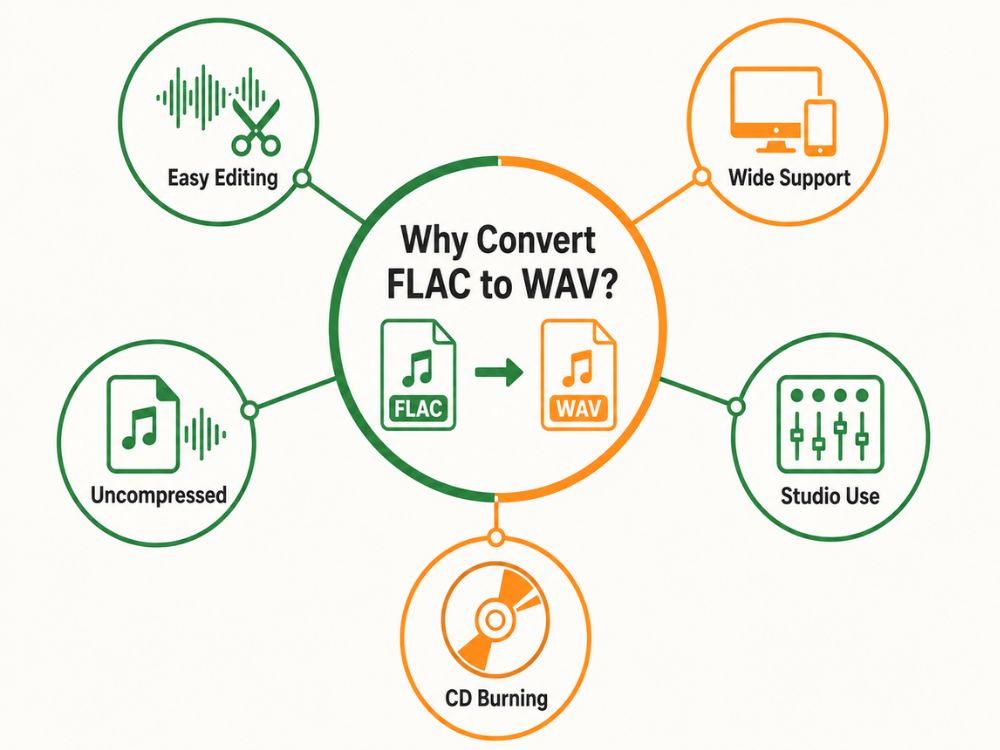
Normally, users will often convert WAV to FLAC, considering how FLAC uses up a lot less storage. But the difference between FLAC vs WAV makes it clear why, often, converting FLAC to WAV becomes inevitable.
1. Editing and Production
WAV is the standard in most professional audio workflows when compared with FLAC vs WAV. Since it’s raw and uncompressed, there’s no decoding step every time the software touches the file, which keeps things simpler when layering multiple tracks or running heavy effects.
Some older or more basic audio software also doesn’t handle FLAC well, so converting to WAV avoids compatibility issues during editing.
2. Device or Software Compatibility
Not everything plays FLAC nicely. Some hardware and software still don’t support it natively, including:
- Certain Apple devices
- Older audio players
- Some car stereo systems
- Budget or older equipment
WAV, by contrast, is about as universally supported as audio formats get. So if you’re moving a file to a system that’s picky about formats, converting to WAV is often the easiest fix.
3. Specific Software Requirements
Some programs, especially in professional audio or video production, are built around WAV as the expected input format. Needless to say, FLAC won’t work in this case, and conversion is inevitable.
How to Convert FLAC to WAV Online?
Using an online FLAC to WAV converter is the best way to go about converting your FLAC file to WAV.
Why Use an Online FLAC to WAV Converter?
Simply put, between installing, launching, and downloading, desktop programs are quite time-consuming. Not to mention, they take up storage in your device that can be easily avoided.
An online FLAC to WAV converter doesn’t just save time, but you can access it at any given time from any device, since the tool runs on a browser. Just make sure you use a reliable converter that protects uploads and deletes files after processing.
AhaConvert FLAC to WAV converter is a great option to consider, seeing how it’s entirely free to use, while at the same time providing premium security to users with its 256-bit SSL encryption. Users can comfortably convert files wherever, whenever, without having to worry about any breach of security.
Here’s how you can go about it:
Step 1: Open AhaConvert FLAC to WAV Converter
Open your browser and navigate to the AhaConvert FLAC to WAV converter.
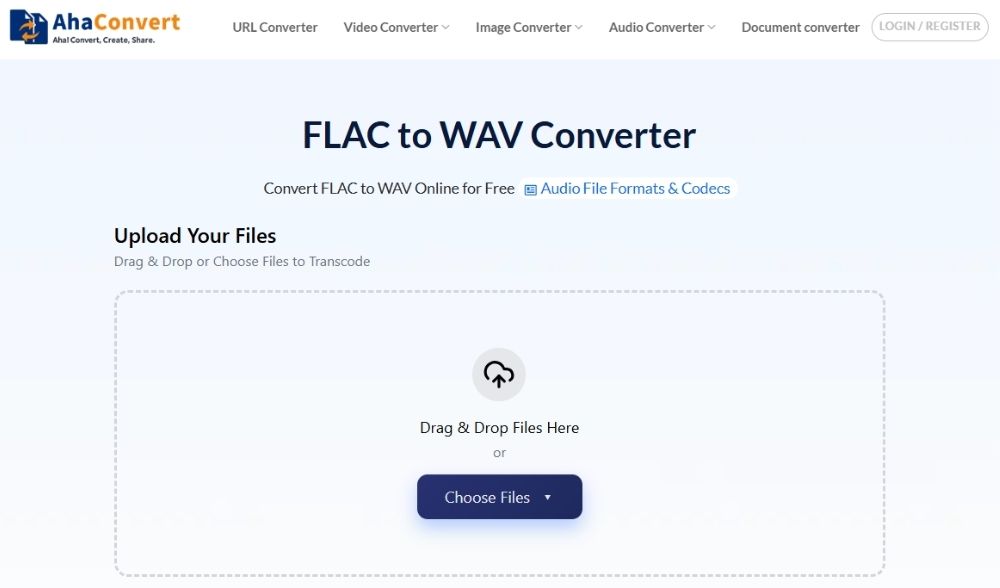
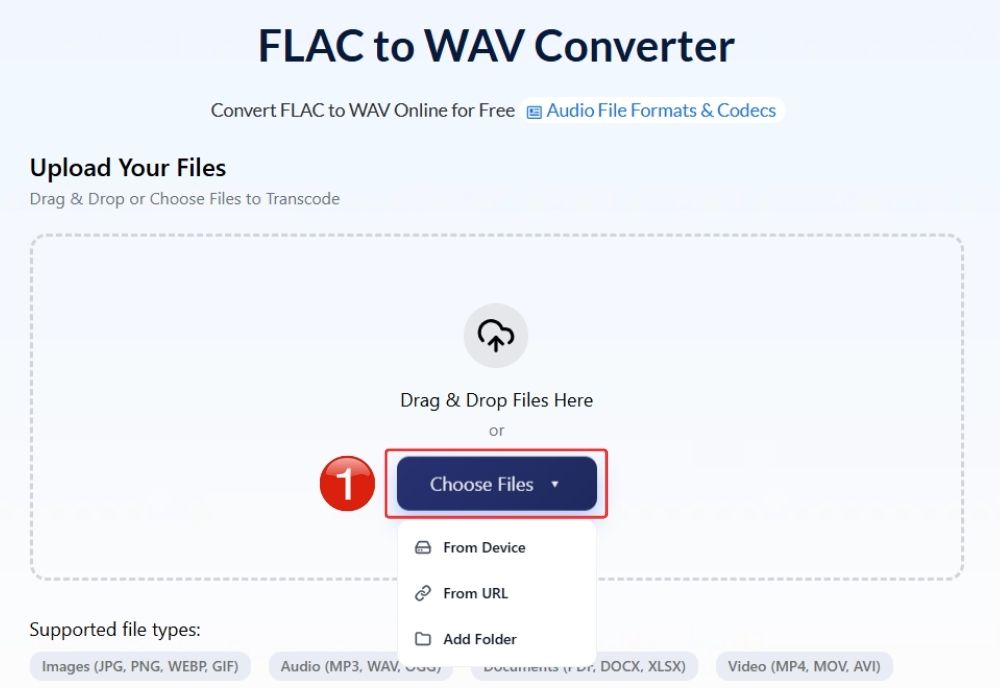
Step 2: Upload your FLAC file
Click “Choose Files” or drag and drop your FLAC audio files directly into the upload section.
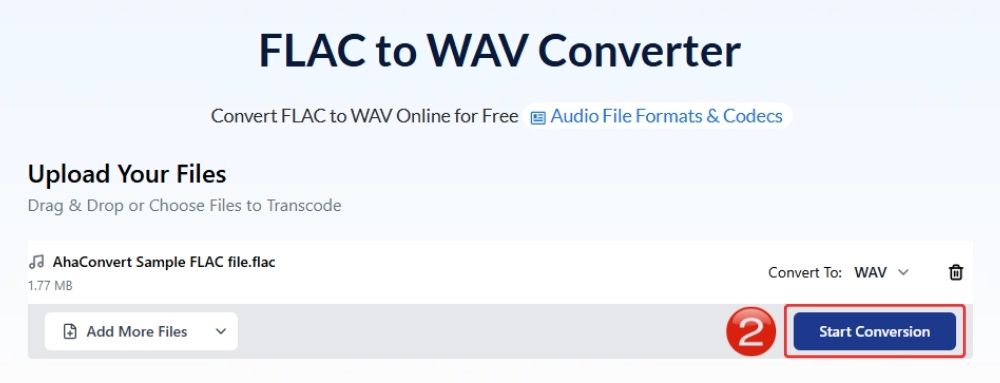
Step 3: Start the conversion
The output would automatically be set to “WAV”, so no need to change it. Simply click “Start Conversion”.
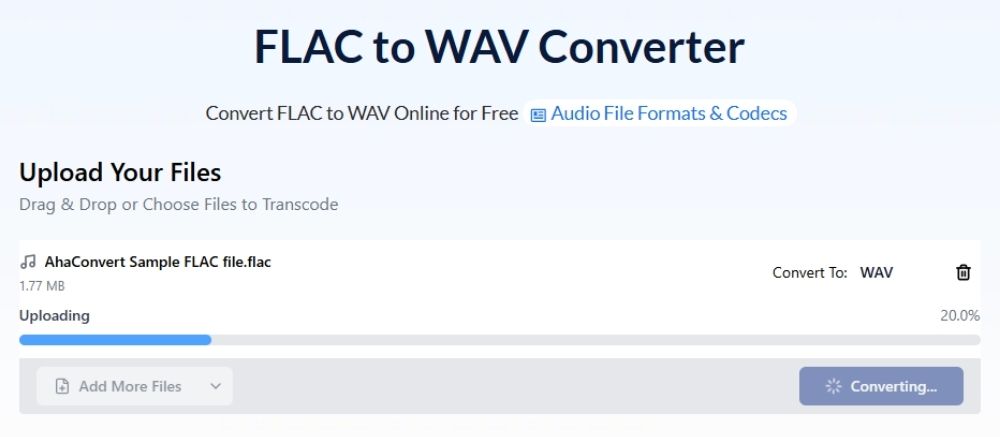
Step 4: Wait as the file processes
The cloud network typically processes standard audio tracks in just a few seconds.
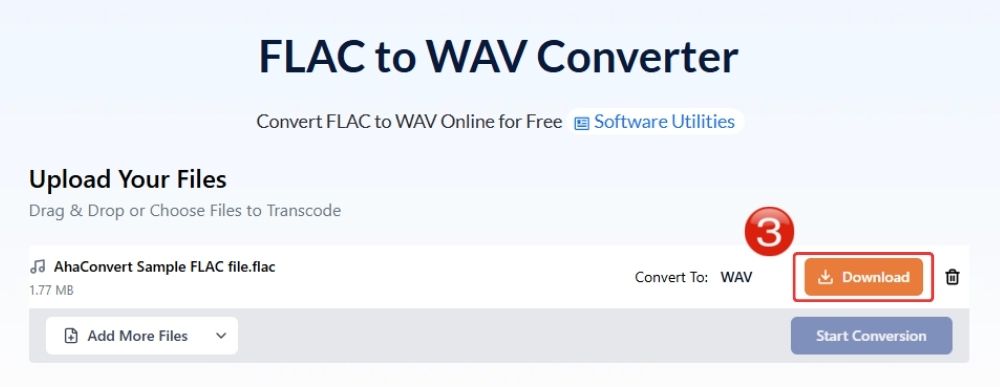
Step 5: Save the converted WAV
Click “Download” to save your uncompressed WAV files straight to your device, ready for immediate use.
Frequently Asked Questions
a. Which is better between FLAC vs WAV?
Neither is better in a universal sense. FLAC is a better option when you want the same lossless quality but in a smaller file size. WAV is better when you want maximum compatibility with editing software, production tools, and professional workflows.
b. Does converting FLAC to WAV improve sound quality?
No. Both formats are lossless, so the actual audio data stays the same as long as the conversion is done properly.
c. Can I convert FLAC to WAV for free?
Yes, you can convert FLAC to WAV for free using online converters like AhaConvert. It’s entirely free to use and provides premium conversions across many file formats.
d. Is an online FLAC-to-WAV converter safe?
It really depends on which converter you use. A safe one should protect your uploads with encryption and delete your files after conversion. AhaConvert, for example, uses 256-bit SSL encryption and removes uploaded files within 24 hours, which makes it a fairly safe option if you want to convert online.
e. Which is better for editing: FLAC vs WAV?
WAV is usually the better choice for editing. Since it’s uncompressed, editing software can read it directly without needing to decode anything first. That makes it easier to work with in audio production, video editing, mixing, and other professional workflows.
Conclusion
FLAC vs WAV is, in fact, a very popular debate, especially among audiophiles, and even they are barely able to tell the two apart. This goes to show that converting FLAC to WAV is rarely done to change audio quality.
Reducing file size is often the main reason users and professionals convert between the two formats, or when they wish the file to be compatible with a certain software. Not many file converters support this conversion due to its limited demand, but you won’t run into that problem with AhaConvert. With 300+ file formats, it processes files securely, ensuring your information is never compromised.
