
If someone sends you a photo over email, and the file ends in HEIC and you have never heard of it, it makes sense not to know what to do with it. If you have a Windows device, it won’t likely open, leaving you even more confused. Since iPhone photos often use HEIC, this is a common first encounter with the format.
Essentially, from the sender’s side, it is decent etiquette to convert HEIC to PNG themselves before sharing, especially if they know the recipient may not have support for opening the file. Even if they do not, you can still convert it on your end just as easily.
Either way, you will learn how to convert HEIC to PNG here. But first, it helps to understand what HEIC actually is, and why it exists in the first place, if compatibility can sometimes be an issue.
What is HEIC?
If you have been a loyal Apple user for around a decade, you’re likely familiar with the HEIC image file format. But for someone seeing it for the first time, it might feel new, especially when most people are used to formats like JPEG and PNG.
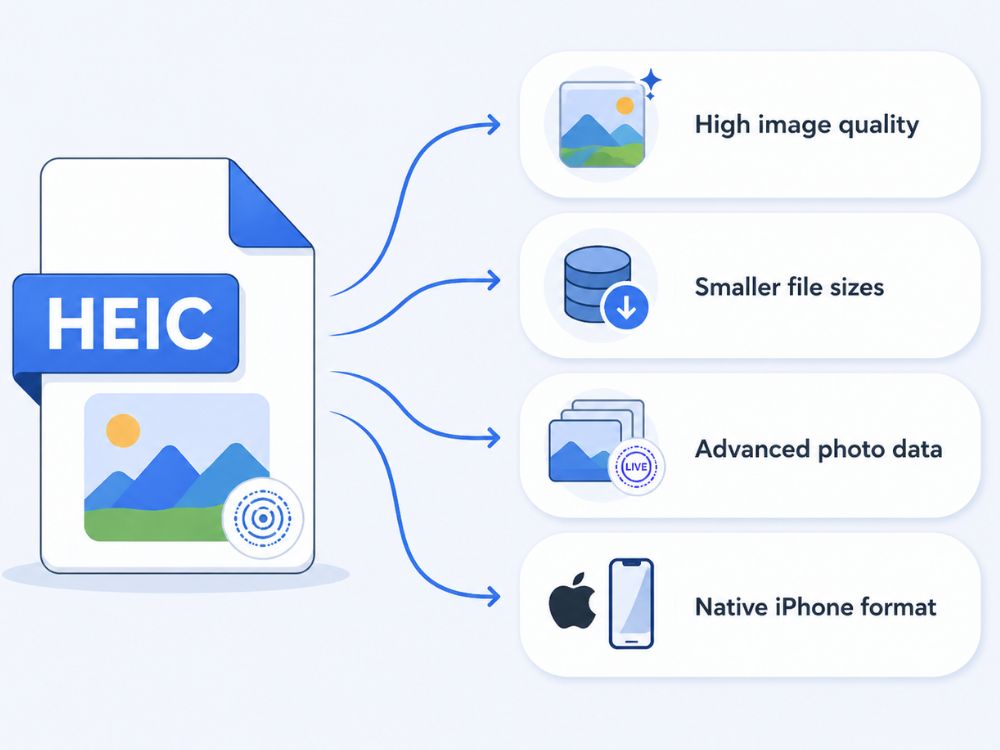
iPhone typically stores photos in HEIC, which stands for High Efficiency Image Container. The name says a lot about what it does. It was built to keep image quality high while using less storage.
Apple has long been recognized for image quality, and HEIC was part of that focus. It introduced a format that can store Live Photos, multiple images in one file, such as bursts, 16-bit color depth, and even transparency support.
Again, many Apple users may be so used to it that they barely notice it exists. But someone who receives a HEIC file and does not use Apple devices may find it unusual and may start looking into conversion options.
What is PNG?
Almost anyone who has paid attention to image file formats has come across PNG. PNG stands for Portable Network Graphics, and it has become especially popular among web designers for many different uses.
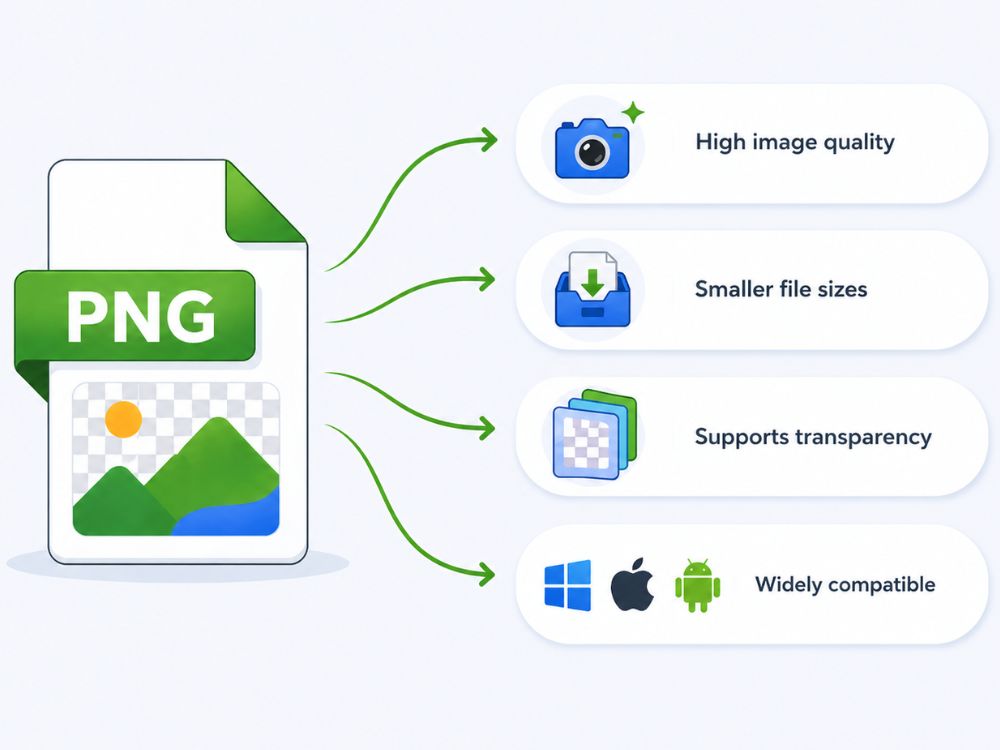
One reason is its broad color support and lossless compression. Unlike lossy formats, PNG does not sacrifice image data during compression, so users do not have to worry about quality loss each time the file is saved.
That balance between compression and quality is a big reason it works so well for websites, sharing, and digital graphics. It is easy to open and edit across virtually any platform, whether you use Apple devices or Microsoft Windows systems.
PNG is also widely used for logos and web graphics because it supports transparency, making it useful for images without backgrounds.
From web design to everyday image sharing, PNG fits many purposes while staying simple, reliable, and widely compatible.
Why Convert It to PNG?
HEIC is often considered technically better than PNG in some areas, though that can be debated. It usually takes up much less space while still delivering very high image quality, which is one reason it appeals to modern devices.
PNG is not far behind, though. In many respects, it comes close, especially when image quality and lossless storage matter. That is partly why many people use JPEG to PNG converters for graphics and web assets. PNG remains an older format, but it has built strong credibility, and many users stay loyal to it because it works so well.
The main drawback with HEIC is not quality, but support. It is still not as universally supported across devices, software, and websites as PNG is.
So, who may need to convert from HEIC to PNG files?
Usually, it matters when an Apple user wants to send a photo by text or email to someone who may not have the support to open a HEIC file. In that case, converting it first can be good etiquette.
If not, the person receiving the file can usually convert it themselves using a reliable converter. That is why HEIC to PNG conversion often comes down less to image quality and more to compatibility.
Online HEIC to PNG Converters (Free Tools)
These top HEIC to PNG converters (free) are selected based on ease of use, conversion quality, speed, and how reliably they preserve image quality during the conversion process.
AhaConvert HEIC to PNG Converter
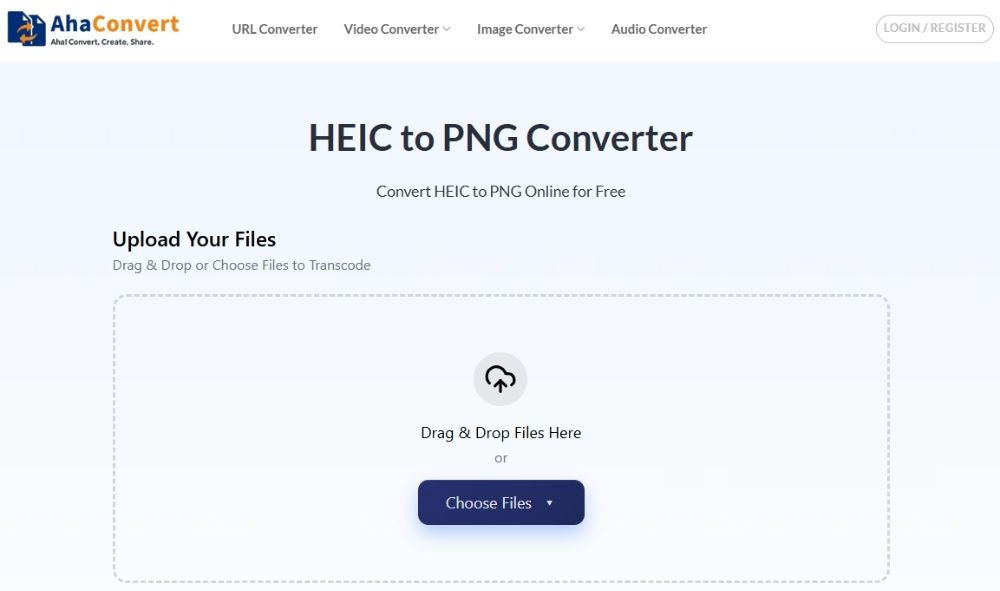
AhaConvert keeps things practical. Unlike some tools where you are pushed into signing up before doing something as simple as converting an image, AhaConvert lets you get straight to it. Upload the file, convert it, and download it.
That ease of use carries across the whole interface, too. It feels built for regular people, not just tech-savvy users. Everything is laid out in a way that is easy to follow, from uploading to downloading the final converted image. Even if you are not especially comfortable with tech, it does not feel confusing. Users looking for a simple HEIC to PNG solution can take a lot from that.
FreeConvert HEIC to PNG Converter
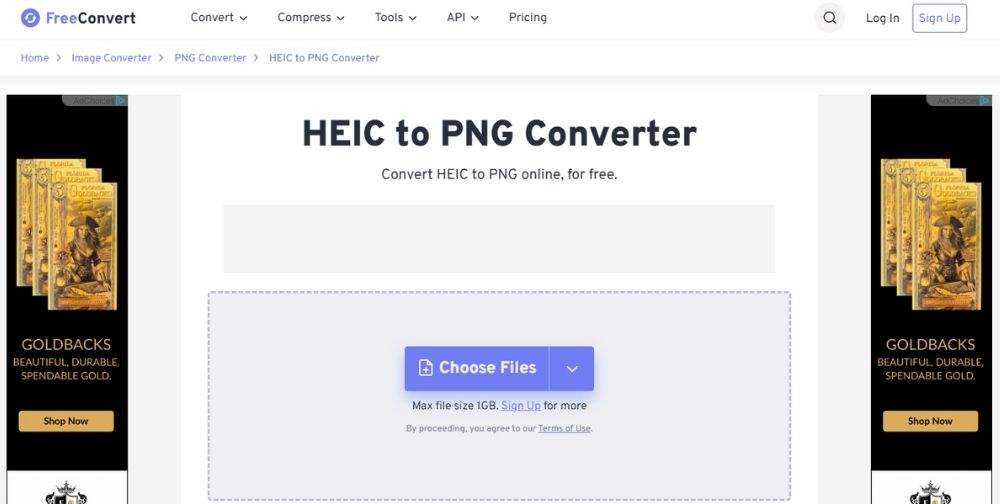
If you want to convert HEIC to PNG, FreeConvert is worth trying. Most users will just upload a file, convert HEIC to PNG, and download the result, which works fine on its own.
What’s nice about FreeConvert is that it gives you more than a basic converter if you want it. You can adjust output size, compression levels, and image quality with a slider, make the image transparent or add a background color, auto-orient images, and even strip metadata.
Those extras are useful if you are not just trying to convert HEIC to PNG, but also want some control over how the final image turns out.
You do have to compromise on ads, which is expected with a free tool, but the features make up for it. On the security side, it also uses 256-bit SSL encryption, which is good to see.
Picflow HEIC to PNG Converter
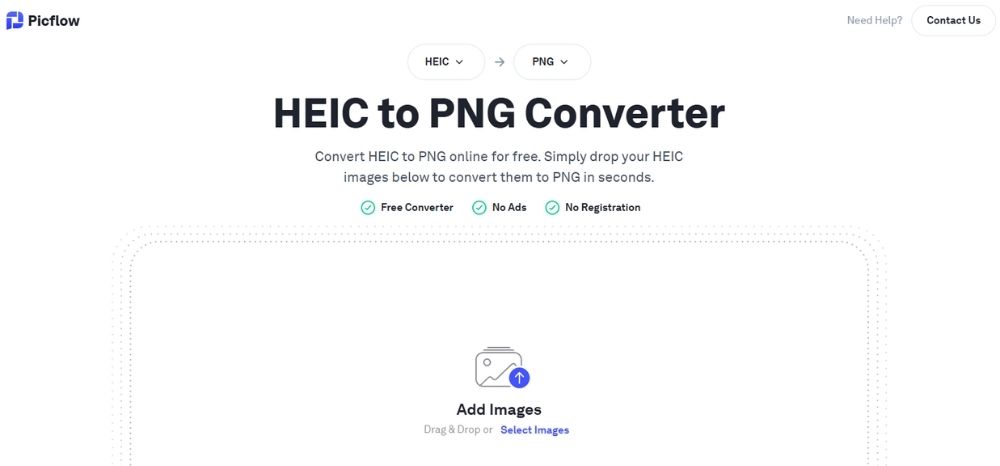
If you want another way to convert HEIC to PNG, Picflow is a great option to consider. It delivers PNG results that hold up well and is entirely free of cost and ad-free, which already makes the experience cleaner than many converters.
The interface is intuitive, so it is easy to find your way around, and you also get batch conversion if you need to convert HEIC to PNG in bulk.
Privacy is another selling point. Picflow says files are not uploaded to its servers, which is reassuring. There is not a huge amount of technical detail beyond that, but for most users, that should be enough to make it a reliable tool worth considering.
Dupli Checker HEIC to PNG Converter
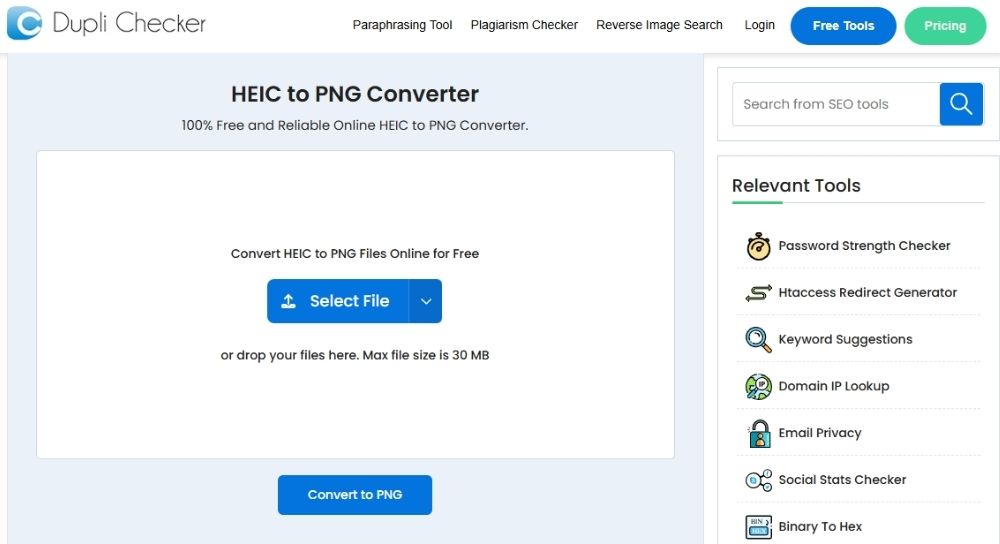
If you want to convert HEIC to PNG, DupliChecker is an interesting option. Many people know it first as a plagiarism checker used by students and teachers, but it has grown into a broader toolkit that includes a HEIC-to-PNG converter.
What stands out is that it does more than basic file conversion. You can convert HEIC to PNG from your device or pull files directly from cloud storage, which is convenient if your images are already in the cloud.
It also supports batch conversion, so if you need to convert HEIC to PNG in bulk, it can handle multiple files in one go. Another plus is flexibility. If PNG is not your final choice, it can convert HEIC images into other image formats like JPG and JPEG, too. For a tool many people may not initially think of for image conversion, it is a surprisingly practical way to convert HEIC to PNG.
How to Convert HEIC to PNG Online?
One common concern with online converters is image quality loss. That is where AhaConvert holds up well. It does a strong job when you convert HEIC to PNG, keeping the output close to the original without visibly drastic changes.
And because it is secure to use, you also have peace of mind while converting. Here is how to convert HEIC to PNG with AhaConvert while keeping image quality intact.
Step 1: Open HEIC to PNG Converter
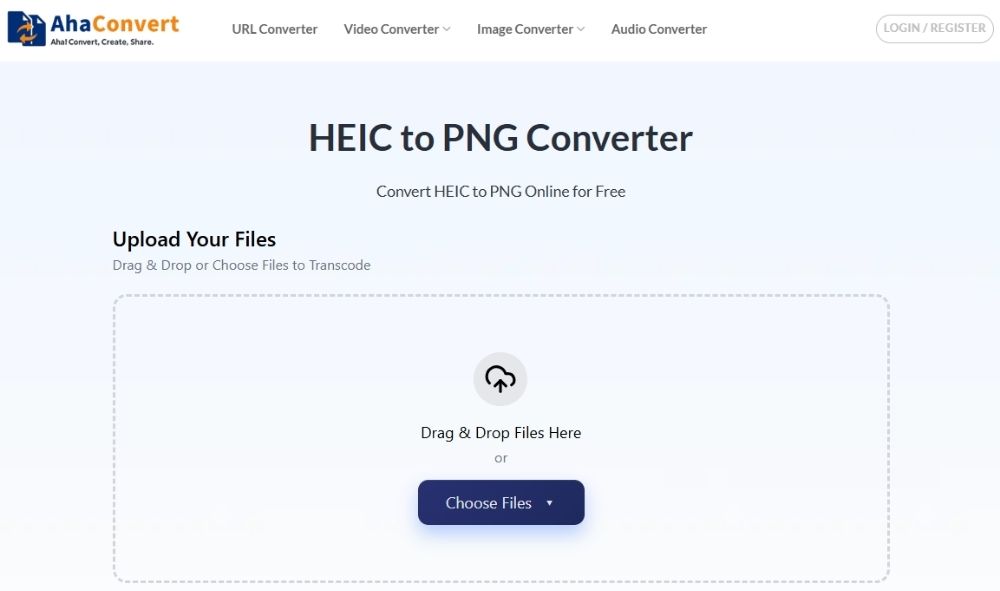
Open AhaConvert in your browser, and go to the HEIC to PNG converter page.
Step 2: Upload your HEIC image
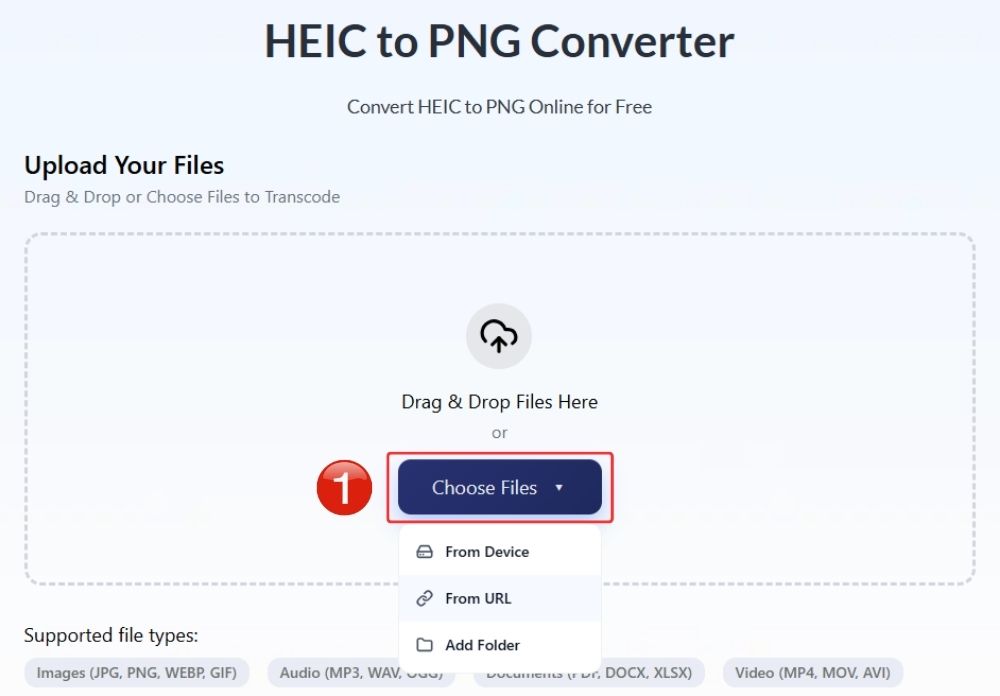
Click “Choose Files”. You can upload an HEIC image from your device, drag and drop it into the converter, or import it using an image URL.
Step 3: Start the Conversion
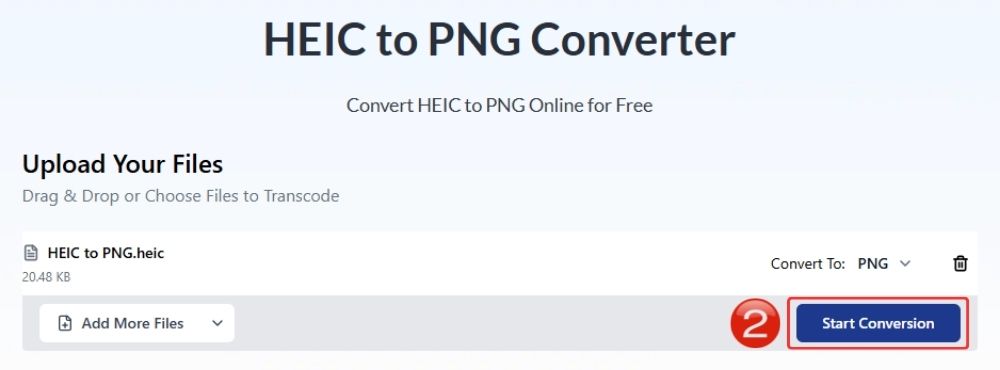
Click “Start Conversion” and let the tool process your file. It usually only takes a few seconds to convert HEIC to PNG, depending on file size.
Step 4: Wait for Conversion
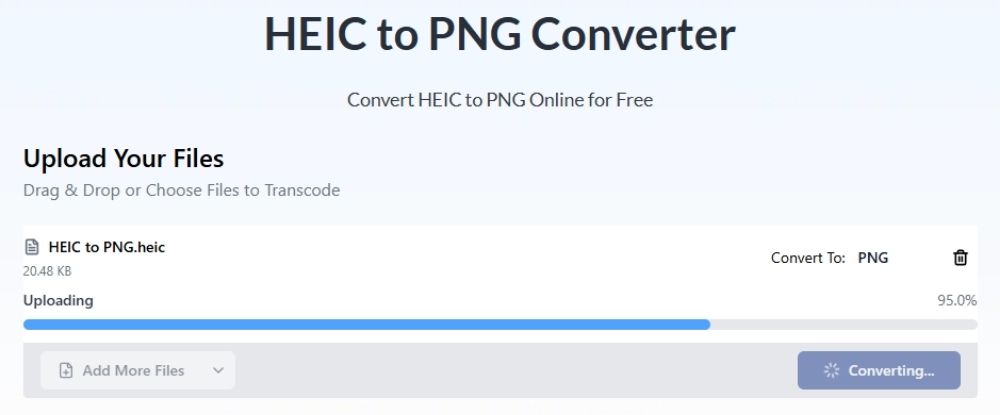
The conversion is usually swift, but wait a couple of seconds for the final image to process.
Step 5: Download Your PNG Files
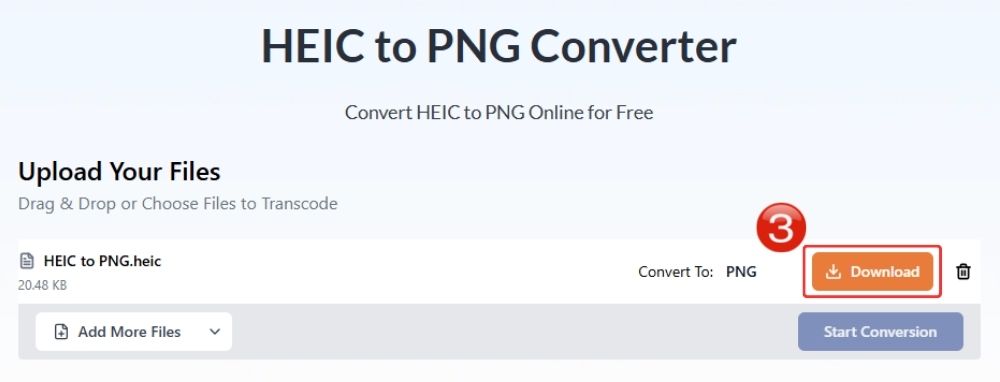
Once the conversion is complete, click “Download” to save your new PNG image to your device.
Frequently Asked Questions
a. Is HEIC to PNG conversion free?
Yes, a lot of conversion tools offer HEIC to PNG conversions completely free of cost.
b. Why can’t I open HEIC files on Windows?
The HEIC format is only compatible with Apple devices, and will not work on any other operating system that’s not mac. You can, however, convert the HEIC file to PNG via a converter and make it more accessible.
c. Can I batch convert HEIC to PNG?
Yes, certain tools offer an intuitive batch conversion option where you can add as many HEIC images as you wish and collectively convert them to PNG.
d. Can I convert HEIC to PNG without losing quality?
Yes, you can generally convert HEIC to PNG without noticeable quality loss. Since PNG uses lossless compression, it preserves image detail well during conversion. AhaConvert is also very good at maintaining that quality, doing a strong job of keeping final results close to the original image.
e. Can I convert HEIC to PNG on my phone?
Yes. You can convert HEIC to PNG on your phone using online converters, conversion apps, or even shortcuts on iPhone. AhaConvert runs easily in your phone’s browser, so you can convert directly from your device without needing to install anything.
f. How do I convert iPhone photos to PNG?
The easiest way to convert your iPhone images to PNG is by using a free and fast online converter like AhaConvert. Simply upload your photo, convert, and download the new file in seconds.
Conclusion
A great converter usually means fast conversions that live up to expectations. One concern with any image format conversion, especially when you convert HEIC to PNG, is quality loss. That concern is fair, so a converter that aims to avoid any noticeable drop in quality matters.
AhaConvert is a phenomenal choice in that regard. It does a strong job when you convert HEIC to PNG while keeping image quality looking consistent. And considering how secure it is to use, that confidence carries over, too. With its privacy protections in place, you can have peace of mind while converting, which is not something every free tool offers.
