
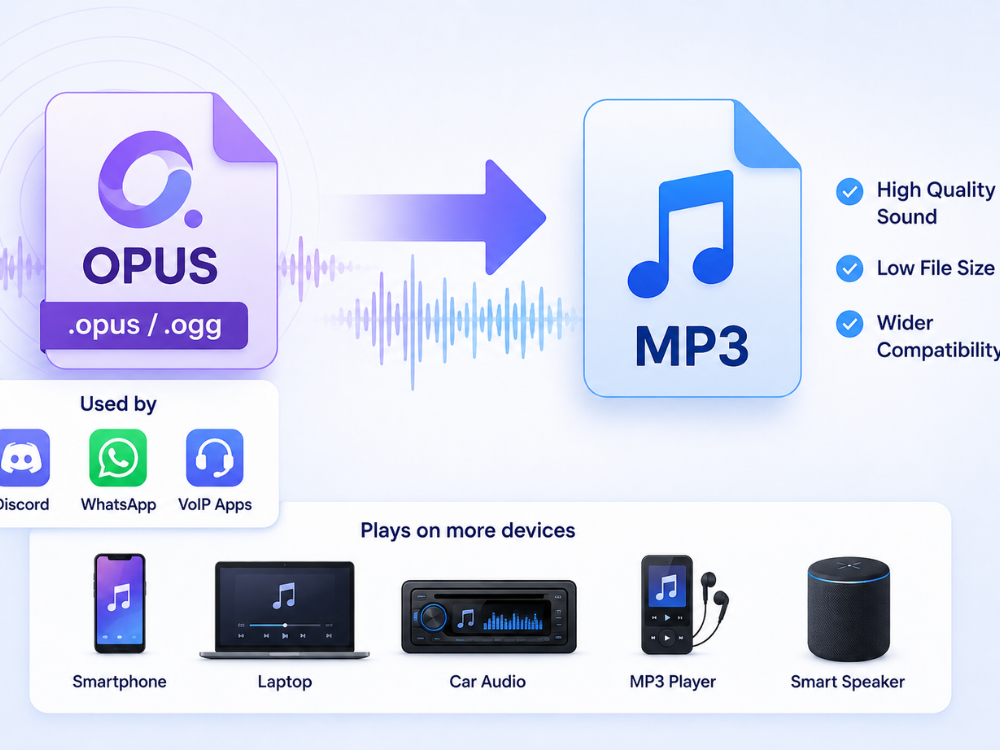
OPUS is an efficient, high-quality audio format. It is common for voice conversations and live streaming. However, OPUS is not very versatile. You may have trouble playing OPUS files on common devices. Importing them into audio software can also be difficult.
Converting OPUS to MP3 will solve these problems. MP3 is a widely compatible format. You can use MP3 files on any device or software. You won’t need extra software.
It doesn’t matter where you got your OPUS file. It could be from messaging apps. It could be from website downloads. It could be from live streaming services. This guide will show you how to convert OPUS to MP3. You can do it online, on your desktop, or on your phone.
OPUS vs MP3: What are the Main Differences?
OPUS and MP3 are audio codecs. They were developed at different times. They have different uses. Knowing their differences explains why format conversion is needed.
What is the OPUS format?
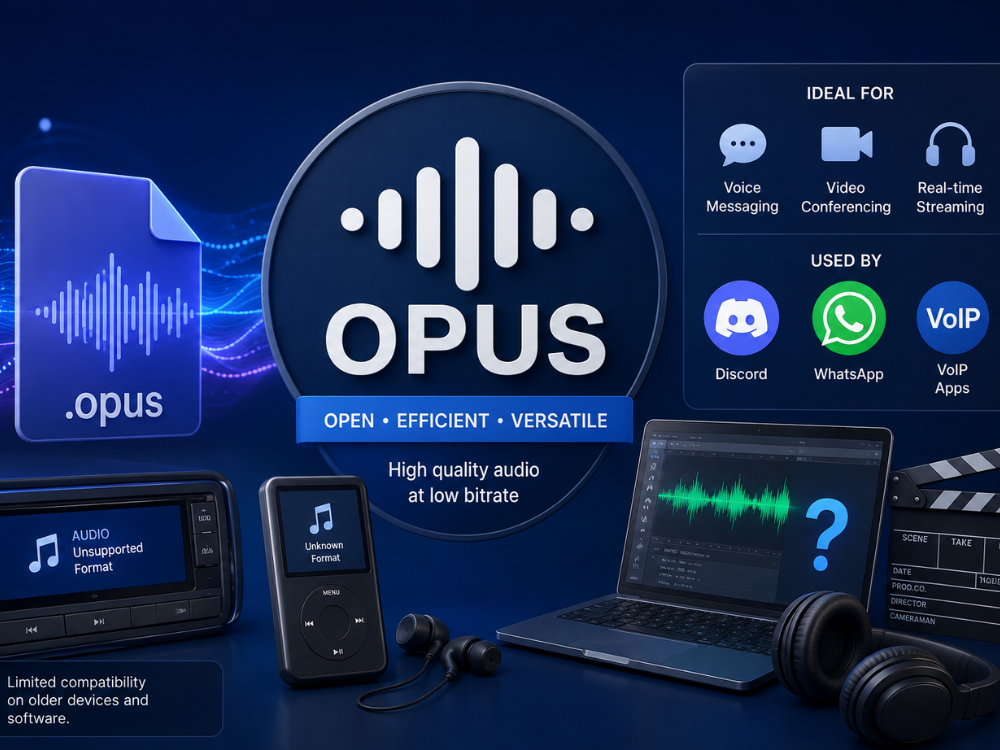
OPUS is an audio coding format. It was developed by the IETF in 2012. It is open-source and royalty-free. OPUS efficiently encodes speech and general audio. This makes it great for audio messaging and video conferencing. It is also good for real-time audio streaming.
OPUS is designed for many audio types. It handles conversations and music well. It does not need separate codecs. This flexibility makes OPUS a good choice for modern platforms. These platforms need good voice quality. They also need efficient bandwidth use.
Many popular applications use OPUS by default. Discord and WhatsApp are examples. This is because OPUS offers high quality at a low bitrate. However, OPUS has some drawbacks. It is not compatible with older applications and browsers. Old car audio systems may not play OPUS files. Some media players also have issues. Certain editing software may not recognize them. This is why many people want to convert OPUS to MP3.
The file’s purpose stays the same. Converting it makes recordings easier to open. This helps with different devices and software. It’s useful for sharing recordings. People might use older hardware. They might use older applications. These might not support OPUS.
OPUS files usually have a .opus extension. Sometimes, they might have an .ogg extension. This can be confusing. It might happen if the file doesn’t play on a device. The OPUS codec adjusts its bitrate. This depends on the audio content. So, both voice recordings and music can be played clearly. They also take up very little space.
What is the MP3 format?
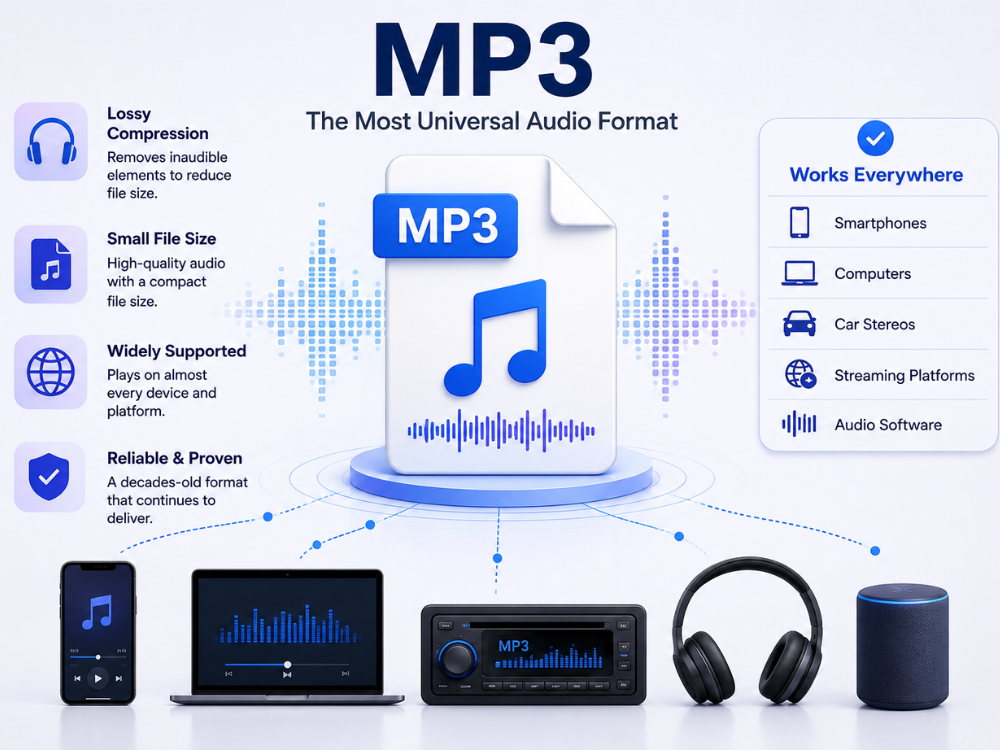
MP3 stands for MPEG-1 Audio Layer III. It is an audio format. The Fraunhofer Institute created it in the late 1980s and early 1990s. This format uses lossy compression. It makes files smaller. It removes sounds humans cannot hear. The format is old. But it is still widely supported. MP3 plays on smartphones and computers. It works on car stereos and streaming sites. All audio software can read and write MP3 files.
It is also supported by tablets, smart TVs, portable music players, car entertainment systems, and many web browsers. This broad support is one of the main reasons MP3 remains a popular format, even though newer codecs provide better compression.
This wide support makes MP3 unique. Newer formats like OPUS or AAC compress files more efficiently. But MP3 is the format that always works. It works on any device. It works with any software. Its age does not matter. This universal compatibility is why converting newer formats to MP3 still makes sense. If audio quality is more important than compatibility, compare MP3 vs FLAC.
OPUS vs MP3: Main Differences
| 특징 | 작 | 엠피3 |
|---|---|---|
| 출시된 | 2012 | Late 1980s/1990s |
| 개발자 | IETF (open-source) | 프라운호퍼 연구소 |
| 압축 효율 | Higher at low bitrates | Lower at equivalent bitrates |
| 일반적인 사용 | Voice messages, calls, streaming | Music, podcasts, general audio |
| 호환성 | Limited outside modern apps/browsers | 만능인 |
| 파일 크기 | Smaller at comparable quality | Larger at comparable quality |
| 편집 소프트웨어 지원 | Inconsistent | 폭넓고 신뢰할 수 있는 지원 |
OPUS sounds better than MP3. This is because OPUS offers superior sound quality at the same file size. However, MP3 is more practical. MP3 is more compatible with various devices. This is why people often convert OPUS to MP3. Imagine you have an OPUS voice message. It sounds great on your phone. But it won’t play on your computer. You need to solve this problem.
Compatibility is key in these situations. MP3 offers better compatibility than compression efficiency. Converting to MP3 simplifies sharing, archiving, and playback. You won’t face software limitations.
Why Convert OPUS to MP3?
There are several logical explanations for choosing to convert OPUS to MP3 instead of keeping the file.
a. Limited Device Compatibility
Most devices do not support OPUS. This is a simple reason for conversion. For example, iPhones, older Android phones, and car stereos do not support OPUS. MP3, on the other hand, works on almost everything. You don’t need special codecs for MP3. It works on most operating systems and devices. Media players also support it. Users can play MP3s without extra software. This makes it practical for daily use.
b. Sharing Across Platforms
WhatsApp and Discord use OPUS for audio messages. If you want to share an OPUS file from WhatsApp. You want to send it to someone who doesn’t use WhatsApp or Discord. Convert the OPUS to MP3. This ensures the file will work on any platform. It also makes sending files easier. Email, cloud storage, and messaging apps work well. Since MP3 is widely supported, playback issues are rare.
c. Importing into Audio Editing Software
Audio editing software, like GarageBand, Adobe Audition, and Audacity, often does not support OPUS files. Converting your OPUS files to MP3 will allow them to be imported easily into any audio software. Some editing apps support OPUS. However, MP3 is much more common. This avoids import problems. It creates a smoother workflow for editing recordings.
d. Archiving Voice Messages and Recordings
Many people receive important voice messages on apps like WhatsApp or Discord in the OPUS format. They want to save these messages permanently. MP3 is a more dependable format for archiving. It will ensure you can open these recordings with various software, even after many years. Long-term compatibility matters for stored audio. This includes interviews and lectures. Using a widely supported format ensures future access.
e. Playback on Portable Devices
Some portable devices can play MP3 files but not OPUS. This includes specialized music players and exercise bands with audio playback. Converting OPUS audio to MP3 makes these files playable on your devices. No hardware changes are needed. This is helpful for older devices. MP3 players and speakers may not support newer codecs. Fitness devices can also be limited.
How to Convert OPUS to MP3 Using an OPUS to MP3 Converter
AhaConvert OPUS to MP3 Converter is a free, web-based tool. It converts OPUS to MP3 quickly, in just seconds. You don’t need to register. It supports converting multiple files at once. Your files are secured with 256-bit SSL encryption. They are also deleted after 24 hours.
Step 1: Open the AhaConvert OPUS to MP3 Converter
AhaConvert에 접속하세요 OPUS를 MP3로 변환 from any web browser on any device. There is no need for any kind of download or sign-up.
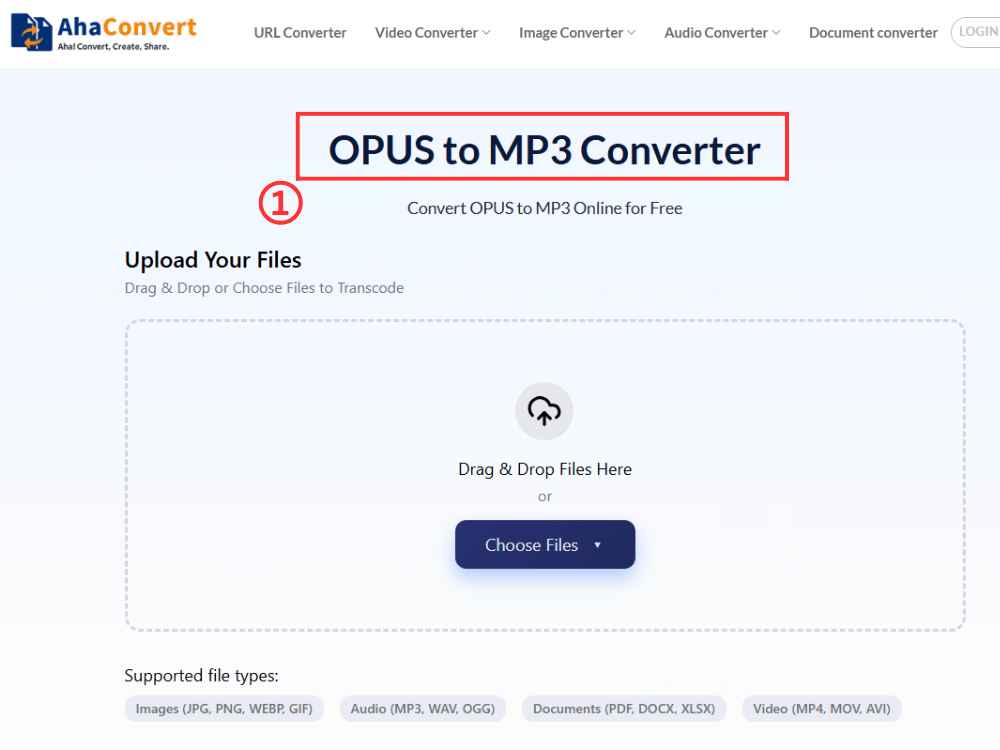
Step 2: Upload Your OPUS File
딸깍 하는 소리 "파일 선택" to open your computer’s file browser. You can also drag and drop your OPUS file. If your audio file is online, paste its URL. You can upload from the cloud. You can also upload multiple OPUS files.
3단계: 변환 시작
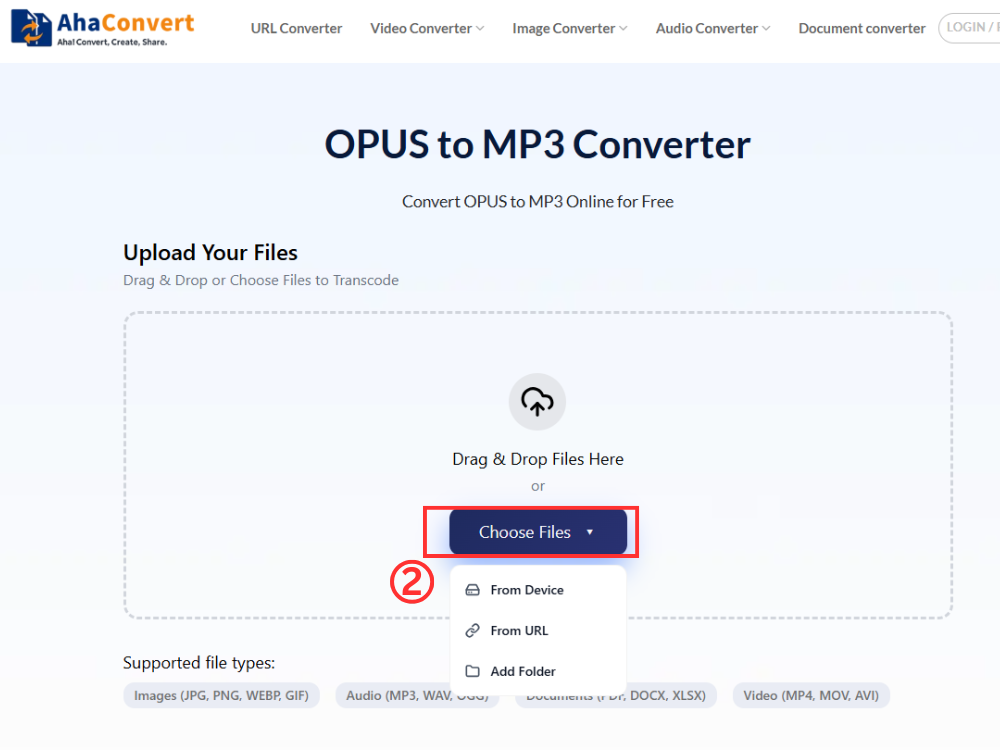
Once uploading is complete, click “변환 시작”. This tool converts OPUS to MP3. You don’t need to select an output format. It’s always MP3.
4단계: MP3 파일 다운로드
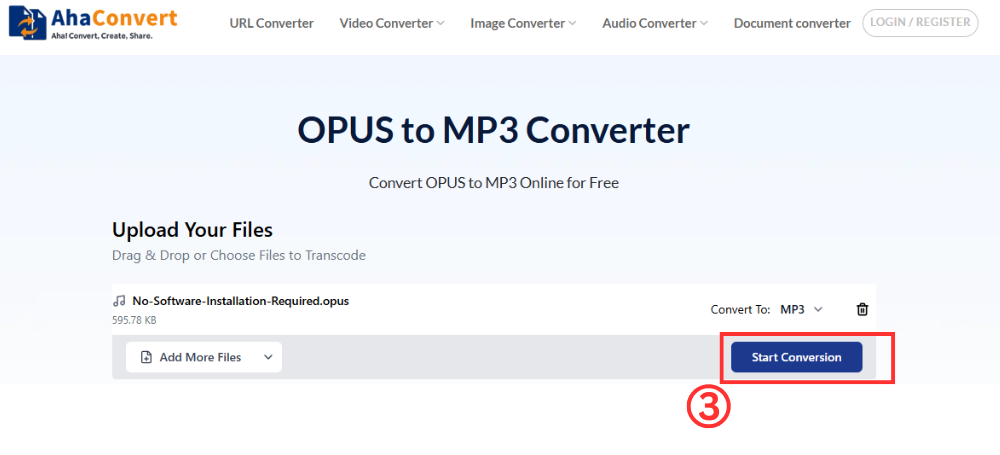
A download file becomes visible after the conversion process ends. Click on the download button, and the MP3 file will be saved to your computer in just seconds
Convert OPUS to MP3 Using Desktop Software
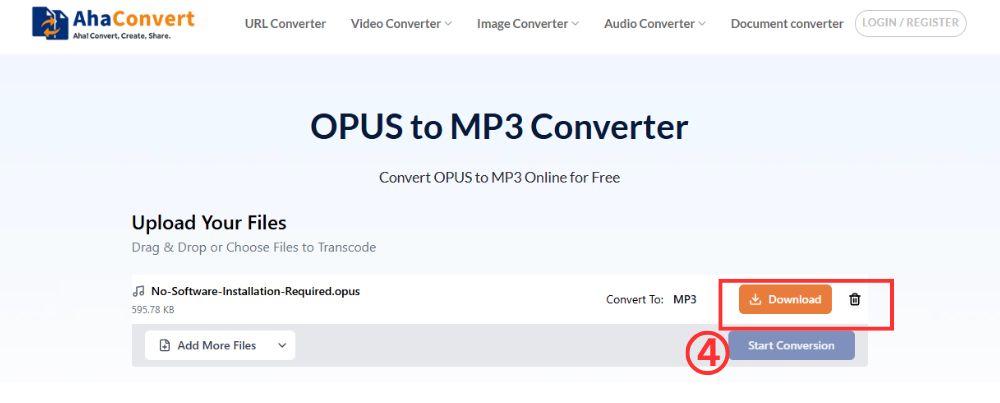
If you prefer offline methods, you can use VLC Media Player. This desktop application converts OPUS to MP3 on Windows and macOS. It’s good for converting many files without internet.
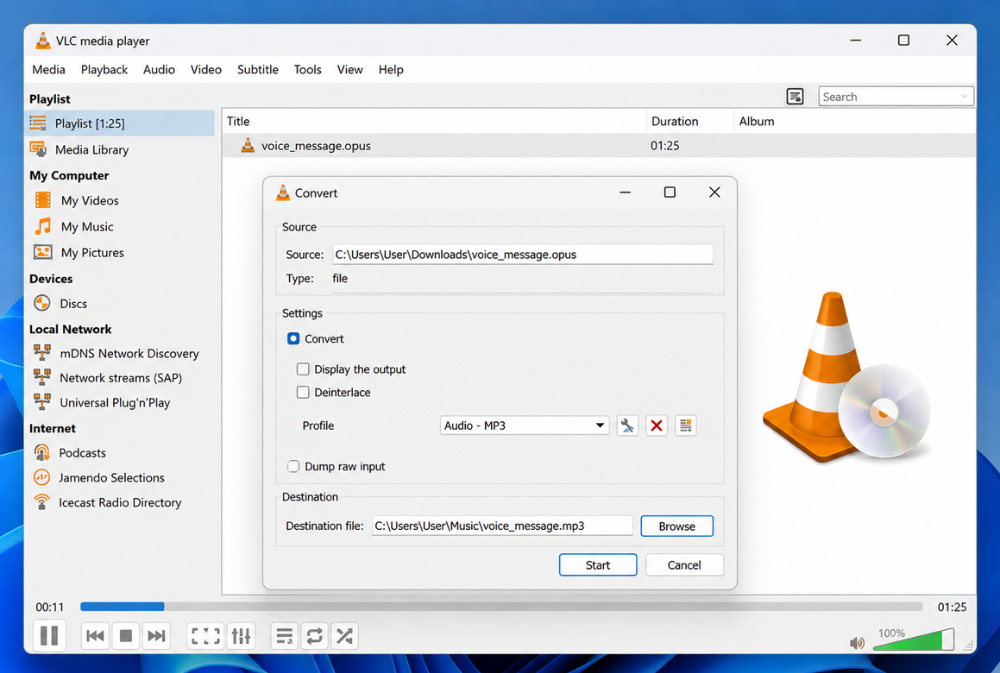
VLC is a popular media player. It also has a built-in audio converter. Its user interface is more complex than online converters. However, it functions well as an offline batch converter. VLC is useful for local audio files. It’s also good for offline work during conversion.
Key steps:
- Open VLC Media Player and go to Media > Convert/Save.
- Click Add and select your OPUS file.
- Click Convert/Save at the bottom of the dialog.
- In the Convert window, select Audio — MP3 from the Profile dropdown.
- Choose a destination folder and file name, then click Start.
- Wait for VLC to process the file — the MP3 output will appear in the chosen folder.
Converting video files with VLC is more complex. This is compared to using dedicated online converters. For a quick, one-time conversion, online converters are better.
Convert OPUS to MP3 Using a Mobile App
Need to convert OPUS to MP3 on your smartphone? Media Converter is a great free option. It’s available for both Android and iOS. You don’t need a desktop computer for this. This is helpful when you get voice recordings while traveling. It’s also useful when you only have your smartphone. You can do the whole conversion on your device.
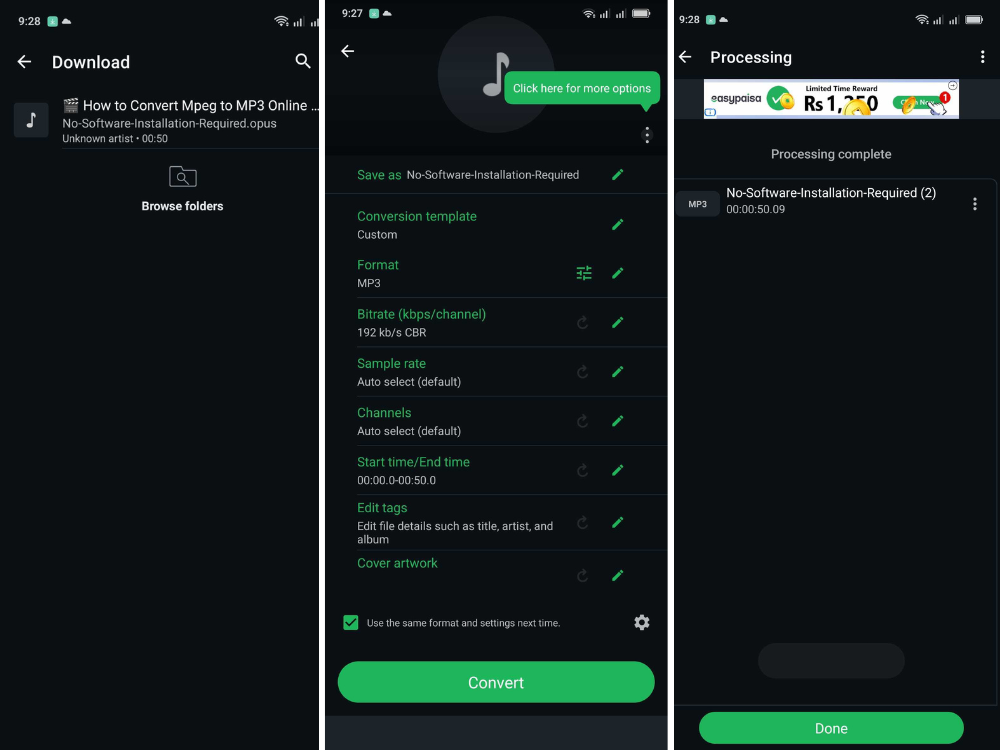
Media Converter is a small app for mobile audio and video conversion. It can change OPUS files to MP3. You can use it to save voice messages from WhatsApp or Discord as MP3 files on your phone.
Key steps:
- Download and install Media Converter from the App Store or Google Play.
- Open the app and tap the + button to select your OPUS file from your device storage.
- Choose MP3 as the output format.
- Tap Convert and wait for the process to complete.
- Save or share the converted MP3 file from within the app.
If you prefer not to download an app, AhaConvert offers a browser-based solution. Their OPUS to MP3 converter works well in any mobile web browser.
FAQs about OPUS to MP3 Conversion
1. OPUS vs MP3: Which is better?
OPUS is technically more efficient. It offers higher audio quality at a lower bitrate. This makes it ideal for VoIP and streaming. MP3, however, is much more compatible. It works everywhere. You don’t need extra software for it.
2. Can I convert OPUS files to MP3 online for free?
Yes, you can convert OPUS to MP3 for free using AhaConvert. No account, subscription, or software installation is needed. Just upload your OPUS file. Click “Convert.” Then, download your MP3 files instantly.
3. Does converting OPUS to MP3 reduce audio quality?
Both formats use lossy compression. Converting from one lossy format to another involves re-encoding. The quality reduction depends on the original OPUS bit rate and the MP3 settings. For voice or general listening, the difference might not be noticeable.
4. Can I convert OPUS to MP3 on Android or iPhone?
Yes, you can convert OPUS to MP3 on Android or iPhone. You can use a converter app like Media Converter. Alternatively, AhaConvert works in your mobile browser, so no app download is needed.
5. How long does it take to convert OPUS to MP3?
Converting OPUS to MP3 online usually takes only a few seconds. Longer files or multiple files may take more time. This depends on file size and internet speed.
마무리
OPUS is an efficient audio codec. However, it doesn’t work with other devices and applications. This makes it ineffective. Converting OPUS to MP3 solves this problem. You get an audio file. This file works on any platform or application. You can play it on any device. You won’t worry about the software.
There are several ways to convert OPUS to MP3. You can use a free online converter. You can use the VLC media player. You can use a mobile app. All these methods work. Online converters are usually the fastest and most convenient. You don’t need to install or configure anything. The AhaConvert OPUS to MP3 converter is a good example. It converts files in seconds. It works without problems.
